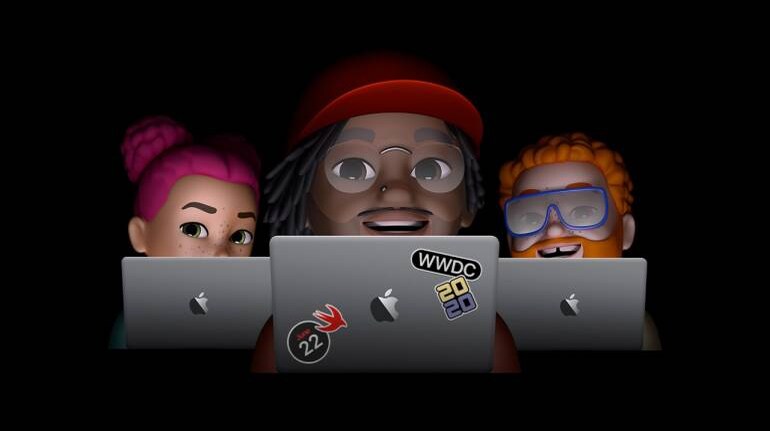
Apple will introduce iOS 14 and other operating systems at the Worldwide Developers Conference (WWDC) 2020 on June 22. The rumour mill has been churning out the iOS 14 features for the iPhone that Apple is expected to introduce this year. Keeping these rumours aside, here are five features that we hope Apple introduces in iOS 14 (or iPhone OS).
A redesigned home screenThe last time Apple gave iOS an overhaul was in 2013 with iOS 7 and it has been a while since iPhone users got a refreshed home screen. With iOS 14, we expect Apple to make some changes to the existing home screen layout and give users some room for basic customisation. Rumour mill suggests that iOS 14 will bring a feature called ‘List View’ that is said to make it easier for users to see all the installed apps on their iPhone. This new feature aims at finding apps easily without having to scroll through the entire home screen grid.
Widgets For the winIf the home screen does get a redesign, it would be incomplete with the addition of widgets.Apple did introduce widgets in iPad OS last year to take advantage of the big screen. Rumours suggest that in iOS 14, Apple will allow users to place widgets anywhere on the home screen.
While the feature has been available on Android for many years, widgets on iOS 14 will certainly give it a fresh look.
Follow our LIVE Blog for the latest updates of the Apple WWDC Event 2020 eventCopy notifications from AndroidWith iOS 12, Apple introduced Push Notification grouping that, as the name suggests, groups notifications from the same app together, making the lock screen less messy. This was a massive improvement over the notifications on iOS 11, wherein all notifications were shown in a chronological order minus the grouping.
While there has been an improvement, Apple could take a page or two from Android 11’s book of features and introduce priority notifications. Android 11 beta introduced Priority notifications that let a user mark a conversation as 'Priority', pinning it on top of the notification tray so that you do not miss out on a message. Android 11 also breaks notifications in two more categories called Alerts and Silent, with the latter dropping an app notification without vibrating or ringing the device. Come on Apple, take note.
Custom default apps, please?Apple has always preferred choosing its native apps as default over third-party apps. When you click on a link, the website loads in Safari. Similarly, when you tap on an email address, you will be redirected to the stock Mail app.
Apple is known for its closed ecosystem but some slack would mean no harm, especially when choosing default apps. A report previously claimed that Apple was considering allowing users to choose rival/ third-party applications as a default service instead of its stock applications. If that turns to reality, users can set third-party apps as default for certain tasks in iOS 14. This would mean that you can set Google Chrome or Firefox over Safari and Gmail over Apple Mail.
This is a tiny feature that Apple took away in iOS 11 with the launch of iPhone X. The new iPhone design led to lesser space on the top section of the screen, resulting in Apple removing the battery percentage indicator. You can still view the remaining battery life from the Control Centre by swiping down from the top-right of the screen but we would prefer having the ability to check it without that swipe.
WWDC20 will be hosted on June 22 at 10.30 pm IST.
Apart from iOS 14, Apple will give us a glimpse of new features and improvements it is making on macOS, tvOS and watchOS. You can also expect some new hardware launch at the Apple event.


Discover the latest Business News, Sensex, and Nifty updates. Obtain Personal Finance insights, tax queries, and expert opinions on Moneycontrol or download the Moneycontrol App to stay updated!
Find the best of Al News in one place, specially curated for you every weekend.
Stay on top of the latest tech trends and biggest startup news.