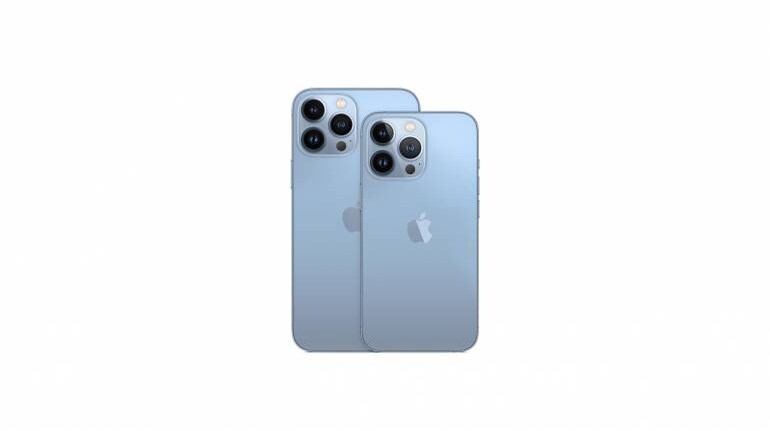
As is tradition, Apple releases a beefy software upgrade with its next generation of Apple devices. iOS 15 has now begun rolling out to all compatible iPhone's.
Here is a full list of devices that will receive the update.
With that out of the way, what does the new software update bring? Here is a look at some of the key iOS 15 features that you can try out.
FaceTimeOne of the big new features in FaceTime is the introduction of Portrait Mode. Like the camera app, you can choose to focus on a subject while blurring the background around you. Another feature, is the new Grid View, that splits multiple people on a call, into same size tiles for easy management and viewing.
Optical zoom is now enabled for calls, allowing you to zoom into subjects.
Spatial Audio can be used during calls, voices will be spread out and appear to come from various directions, simulating human presence in a room. Apple now also uses Machine Learning to block ambient noises, making calls clearer.
If you own an iPhone XR, XS or newer, you can enable a wide spectrum mode. This uses the microphone to capture all the sounds around you when in a call.
People without access to Apple devices can join a FaceTime call using Google's Chrome browser or Microsoft Edge. You can also generate calendar invites and use web links to invite people.
Coming with a later update, SharePlay allows FaceTime users to share their screens, watch shows together, listen to music with synced audio playback and switch between multiple forms of communication, i.e., audio, chat and video.
MessagesMessages will now parse content that you receive into a "Shared with You" section in the corresponding app. This section will appear in Photos, Safari, Apple Music, Apple Podcasts and Apple TV.
You can also pin content in the Shared feed, so that it always remains on top. Right from the app, you can also see the sender details for the message and continue the conversation thread without needing to visit the Messages app again.
For India and China, Apple has introduced a feature that allows you to turn notifications off from senders you do not recognise. This includes transactions and promotions.
MemojiMemojis can now be customised with over 40 different outfits and three different colours. These can be made into stickers. You can also have two different colours for the eye. Apple has also introduced new accessibility options to help represent yourself better.
Also included are new options for accessories such as glasses and headwear along with new stickers to use.
FocusFocus can automatically filter notifications based on what you are currently not involved in. You can choose among different Focus presets such as work, sleep or fitness, or completely turn all notifications off by turning on Do Not Disturb.
The mode can now display intelligent suggestions based on context, locations and time of day. You can also create custom Focus presets and define individual filters. The mode also works across multiple Apple devices, once its set up on one device, it will automatically be applicable to all Apple devices in your household.
Developer's can leverage the mode's Status API for chats, to let other users know, you have stepped away.
NotificationsApple has completely redesigned the notification shade. You can now see photos of contacts and large icons for apps next to the notification.
You can customise a Notification summary to appear in the morning and evening, order by importance, to allow to quickly catch up with everything. Apple has also included the option to Mute any app or thread for up to one hour or the day.
Muting suggestions will be displayed for threads you are not currently interacting with. It will also deliver time sensitive notifications on priority, i.e. fraud alerts, reminders etc., so you don't miss out.
Apple has also made new APIs available to developer's to tie into time sensitive notifications for their app.
MapsMaps now has a interactive 3D globe that works on iPhone XR or higher. New driving features like map highlights for accidents or traffic are also present, along with, a route planner for journeys.
There is also a new Guides Home, which lists curated destination guides for the places you intend to visit. Maps will also display the most used options by a user in one place for quick access.
SafariTabs have now been moved to the bottom, placed in a tab bar. You can swipe left or right on the bar to access tabs or swipe up to see all of them in one place.
You can also create custom tab groups and switch between them using an overview. The start page is now customisable, allowing you to set a background image, display preferred sections and will sync across multiple devices.
Intelligent tracking protection blocks trackers from seeing your IP address.
Live TextThe photos app can now recognise text in photos, allowing you to use copy and paste functions or translate. Live text works in Photos, Screenshots, Quick Look and Safari. It can even show live previews with the camera app.
SpotlightRich Results allow you to find what you are looking for in one search. Spotlight can also search through photos using location, people or scenes. It can also identify subjects within the photos like animals or cars.
You can also look for Web images directly from Spotlight and also use it to search the App Store. Spotlight can also be accessed on the lock screen or the notification centre with a pull down.
PhotosSongs from your Apple Music Library can now be added to Memories and automatic suggestions will be displayed based on your preference in music and what is present in the video or photo.
Memory Looks are a collection of presets that automatically tweak colour and contrast to give them a consistent look across your collection. There are also new Memory types to create such as holidays, trends over time or pet focused memories.
HealthYou can now share Health Information with people you deem important or people who are caring for you. You can also customise what data to share. Quick and emergency notifications can also be sent to contacts, during an irregular health pattern.
Trend analysis helps you see how you fare over a period of time and Walking Steadiness can predict chances of falling by analysing balance, strength and gait.
SiriSiri now processes and stores audio of your requests entirely on-device unless you choose to share it. There are more types of requests that Siri can now process offline (iPhone XS or later) such as Timers and Alarms, Messages, Settings, Audio Playback and more.
Apple IDYou can now add an account recovery contact, that can help you gain access to your account in case you forget or need to reset your password.
Digital Legacy Programme allows you to designate people as legacy contacts and they will be to access your information on your death.
iCloud+Private Relay encrypts the traffic on your device to hide your IP address, location and browsing activity. HomeKit Secure Video can now connect to more cameras, Hide My Email allows you to create random email IDs, that forward messages to your inbox without revealing your personal information.
CameraPanorama Mode for iPhone 12 or later have been improved to reduce image noise and banding. On iPhone XS or later, you can swipe up during a QuickTake video to zoom in or out.
The camera app can now link to up to 10 of your most used UPI payment in India and can quickly scan QR codes for payments.


Discover the latest Business News, Sensex, and Nifty updates. Obtain Personal Finance insights, tax queries, and expert opinions on Moneycontrol or download the Moneycontrol App to stay updated!
Find the best of Al News in one place, specially curated for you every weekend.
Stay on top of the latest tech trends and biggest startup news.