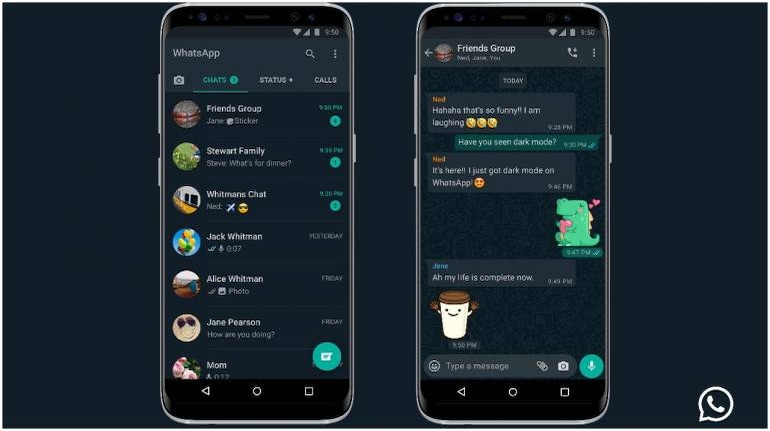
WhatsApp has finally released dark mode on iOS and Android. Users have long-anticipated the feature, which was under beta testing for over a year.
The company has pushed out an update, which can be downloaded via the Google Play and Apple App stores. Users need to have a smartphone running on Android 10 or iOS 13 to activate dark mode on WhatsApp.
“Dark mode for WhatsApp offers a fresh look on a familiar experience. It’s designed to reduce eye strain in low light environments. And we hope it helps prevent those awkward moments where your phone lights up the room,” WhatsApp said in its blog post.
The darker UI can be viewed on WhatsApp when the system-wide dark mode is enabled.
On iOS 13, users can go to system settings and enable dark mode in the ‘display and brightness’ tab. You can check our step-by-step guide on how to enable dark mode on iPhone for more details.
With regard to dark mode on Android 10, WhatsApp said it is currently rolling out the feature and users will soon see an update on the Google Play Store. After the update, a system-wide dark mode needs to be activated to enable dark mode on WhatsApp.
After updating the app, Android 9 users can go to WhatsApp settings, select chats and then themes. To enable dark mode one needs to select ‘dark’.


Discover the latest Business News, Sensex, and Nifty updates. Obtain Personal Finance insights, tax queries, and expert opinions on Moneycontrol or download the Moneycontrol App to stay updated!
Find the best of Al News in one place, specially curated for you every weekend.
Stay on top of the latest tech trends and biggest startup news.