Moneycontrol PRO
HomeNewsTechnologyApple iOS 13: How to activate or deactivate Dark mode on iPhone or iPod

Apple iOS 13: How to activate or deactivate Dark mode on iPhone or iPod

There are three ways to activate or deactivate Dark mode on your iPhone or iPod.

September 20, 2019 / 16:41 IST

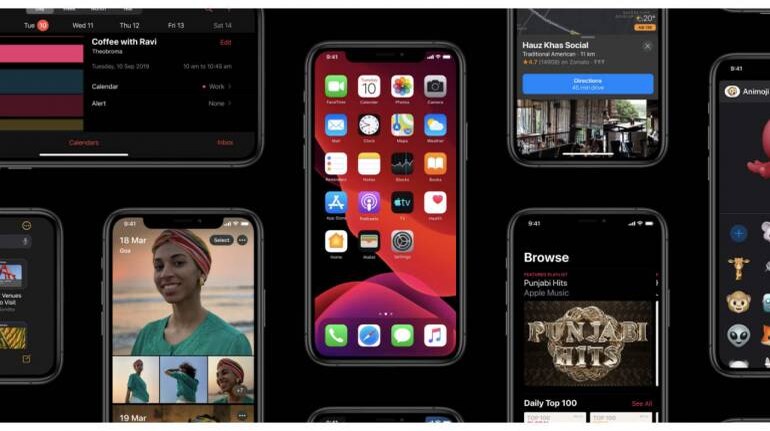
Apple has rolled out iOS 13 for iPhone and iPod touch users. The new software update comes with a host of new features and security updates. One of the features rolled out with iOS 13 is Dark Mode.

Dark mode has been one of the most-awaited features of iOS 13. As the name suggests, the dark mode would change the user interface’s background colour to black.

The dramatic, elegant look and feel of a darkly themed user interface not only offers the user something new in terms of visuals but also aids in saving battery life on iPhones with OLED displays.

To activate Dark Mode on iPhone or iPod touch, you need to update your device to iOS 13.

Also Read: List of iPhones and iPod eligible, how to download and install iOS 13

There are three ways to activate or deactivate Dark mode on your iPhone or iPod.

1) Activate or deactivate Dark Mode on iPhone or iPod via Settings
  • Open Settings on your iPhone/ iPod touch
  • Scroll down or search for Display and Brightness
  • Under Display & Brightness, select ‘Dark’ under Appearance.

If you want to schedule Dark mode between Sunset to sunrise or a custom schedule, you can do so by enabling the ‘Automatic’ toggle. After enabling the toggle, tap on options and select your preferred schedule.

2) Activate or deactivate Dark Mode on iPhone or iPod touch via Control Centre
  • Swipe up from the bottom of the screen to open Control Centre on your iPhone or iPod touch.
  • Long press the brightness bar.
  • At the bottom, tap on Dark Mode to turn it on or off.

3) Activate or deactivate Dark Mode on iPhone or iPod touch via Siri

  • Activate Siri by long-pressing the power button on iPhone 6s/ iPhone 7/ iPhone 8 or by pressing the power button on iPhone X or later, or by just saying ‘Hey Siri’.
  • Once Siri is live, say ‘Turn on dark mode’ or ‘Turn off dark mode’ to activate or deactivate dark mode.
Invite your friends and family to sign up for MC Tech 3, our daily newsletter that breaks down the biggest tech and startup stories of the day

Pranav Hegde
first published: Sep 20, 2019 04:41 pm

Discover the latest Business News, Sensex, and Nifty updates. Obtain Personal Finance insights, tax queries, and expert opinions on Moneycontrol or download the Moneycontrol App to stay updated!

Subscribe to Tech Newsletters

  • On Saturdays

    Find the best of Al News in one place, specially curated for you every weekend.

  • Daily-Weekdays

    Stay on top of the latest tech trends and biggest startup news.

Advisory Alert: It has come to our attention that certain individuals are representing themselves as affiliates of Moneycontrol and soliciting funds on the false promise of assured returns on their investments. We wish to reiterate that Moneycontrol does not solicit funds from investors and neither does it promise any assured returns. In case you are approached by anyone making such claims, please write to us at grievanceofficer@nw18.com or call on 02268882347