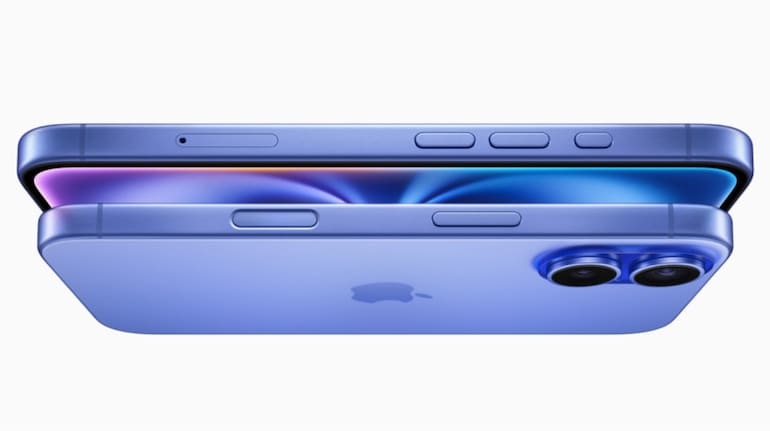
All the Apple iPhone 16 models feature a new physical button called the Camera Control button. The new button on the iPhone 16 series phones is located on the right side of the phone body, under the power button.
The Camera Control button: What it can do
As per Apple, the Camera Control button will work in either portrait or landscape mode. The Camera Control button is equipped with a force sensor and a touch sensor to support various gestures.
The Camera Control button will support third-party apps. Social media apps like Snapchat are supported. You can use the button to search Google for something you’d like to buy and even use ChatGPT.
You can use the Camera Control button for a variety of tasks outlined below.
The Camera Control button allows you to swap between the control functions without having to open the Camera app.
Apple will release a visual intelligence feature to the Camera Control button later in 2024. To use the feature, you just have to click and hold the button, which will open the Camera app. Now, when you point it at an object, you’ll be able to get information on that object. A ‘lock focus and exposure’ feature is also coming to the Camera Control button this fall.



Discover the latest Business News, Sensex, and Nifty updates. Obtain Personal Finance insights, tax queries, and expert opinions on Moneycontrol or download the Moneycontrol App to stay updated!
Find the best of Al News in one place, specially curated for you every weekend.
Stay on top of the latest tech trends and biggest startup news.