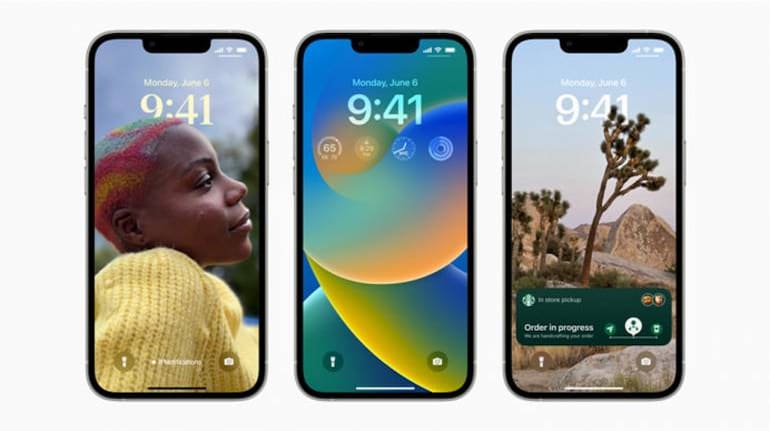
Apple has released the first public beta for iOS 16. Anyone who owns an iPhone 8 or above can test out the beta and try out the new features.
How do I get access to the beta?
Visit Apple's beta software program page by clicking here and sign in using your Apple account.
Select "enroll your devices" and agree to Apple's terms and conditions. You will see an option to try out all software that is in beta. Select iOS 16 from the options.
Click on the button that says "Download profile". You will see a message on your phone that it is trying to download a configuration profile. Approve the request.
Navigate to Settings on your iPhone and you should see a message on top saying a new profile has been downloaded. Click on the message and it should start downloading the profile. Once complete, restart your phone.
Visit the Settings page again and check for an update. Your iPhone will automatically download the latest version of the beta. Once completed, install it and restart your iPhone.
Things to keep in mind when testing beta operating systems
Remember this is not an official public release and the public beta will be used to test features and fix bugs.
Since this is not the final software expect some problems. It is not recommended you download and test this on a phone you use for daily work.
Apple recommends you take a backup of your iPhone using Time Machine, in case you need to roll back the changes and go back to the previous version of the software.
We have a full list of new features that are part of iOS 16. In case you are wondering if iOS 16 is compatible with your device, here is a list of supporting devices.


Discover the latest Business News, Sensex, and Nifty updates. Obtain Personal Finance insights, tax queries, and expert opinions on Moneycontrol or download the Moneycontrol App to stay updated!
Find the best of Al News in one place, specially curated for you every weekend.
Stay on top of the latest tech trends and biggest startup news.