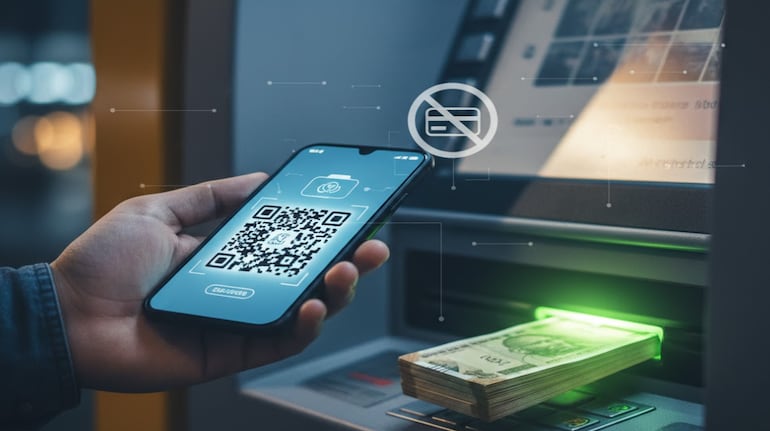
You no longer need to carry your debit card to withdraw money from an ATM. Thanks to UPI-powered cardless cash withdrawals, you can now use apps like Google Pay to take out cash securely. The feature, known as UPI Cash Withdrawal or ICCW (Interoperable Cardless Cash Withdrawal), allows users to scan a QR code displayed on the ATM screen and complete the withdrawal through UPI.
Here’s everything you need to know, including the step-by-step process, requirements, and transaction limits.
Things you’ll need
Before you begin, ensure you have:
A smartphone with any UPI-enabled app.
A bank account linked to your UPI ID.
Access to an ATM that supports UPI Cash Withdrawal or ICCW.
Supported ATMs display options such as “UPI Cash Withdrawal,” “ICCW,” or “Interoperable Cardless Cash Withdrawal” on their home screens.
How to withdraw cash using Google Pay
Follow these steps to withdraw cash without a debit card:
Visit an ATM near you
Go to any ATM that supports UPI Cash Withdrawal or ICCW.
Choose the UPI option
On the ATM screen, select one of the following options (based on availability):
UPI Cash Withdrawal
Enter the withdrawal amount Choose from the pre-filled options or enter the desired amount manually.
The ATM will then generate a secure, signed QR code valid for 30 seconds.
Open Google Pay and scan the QR On your mobile device, open the Google Pay app.
Tap on the QR scanner and scan the code displayed on the ATM screen.
The amount and payee details are automatically filled in.
Select your bank account Google Pay will display all eligible linked bank accounts.
Choose the account you want to withdraw from.
Confirm and pay using your UPI PIN
Enter your UPI PIN to authorize the transaction.
Once the transaction is successful, follow on-screen instructions on the ATM.
Collect your cash The ATM dispenses the amount after successful verification.
Transaction limits and important notes
Before using this feature, keep the following limitations in mind:
Parameter Details
Maximum withdrawal per transaction ₹10,000
Minimum amount ₹100 (in multiples of ₹100)
Daily withdrawal limit As per UPI limit (varies by bank)
Supported apps Google Pay, PhonePe, Paytm, BHIM, etc.
ATM support Depends on the bank’s ICCW-enabled machines
If you exceed your bank’s ATM transaction limit or UPI daily limit, an error message will appear on-screen or within the app.


Discover the latest Business News, Sensex, and Nifty updates. Obtain Personal Finance insights, tax queries, and expert opinions on Moneycontrol or download the Moneycontrol App to stay updated!
Find the best of Al News in one place, specially curated for you every weekend.
Stay on top of the latest tech trends and biggest startup news.