
Microsoft has introduced a whole host of new features in its latest update of Teams video conferencing app. With these new features, Microsoft aims at making virtual interactions “more natural, more engaging, and ultimately, more human.”
Microsoft claims that the new features introduced in Teams offer three key benefits for people at work and in education. These include helping users feel more connected with their team and reduce meeting fatigue. Second, they make meetings more inclusive and engaging. And third, they help streamline your work and save time.
Here are the new Microsoft Teams features being rolled out worldwide.
Together mode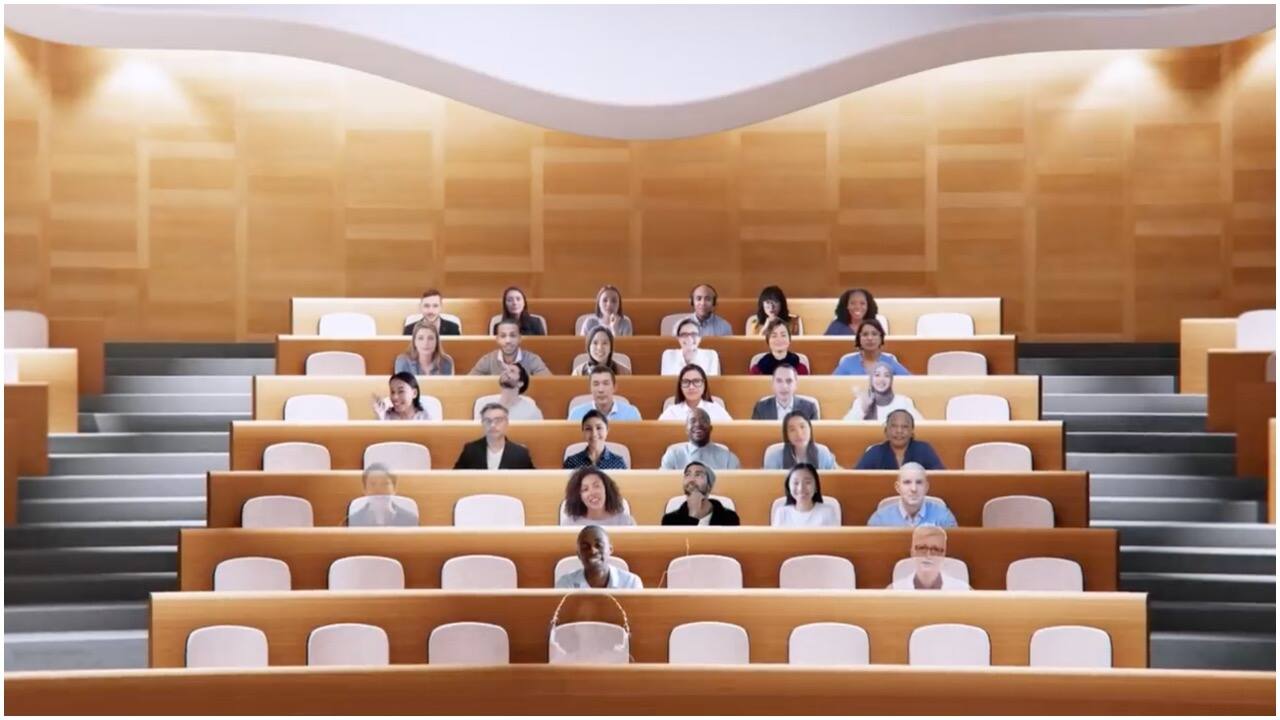
Together mode uses Artificial Intelligence (AI) segmentation technology to digitally place participants in a shared background, making it feel like you’re sitting in the same room with everyone else in the meeting or class. It aims at making meetings more engaging by helping users focus on other people’s faces and body language and making it easier to pick up on the non-verbal cues. Together mode with auditorium view is rolling out now and will be generally available in August.
Dynamic View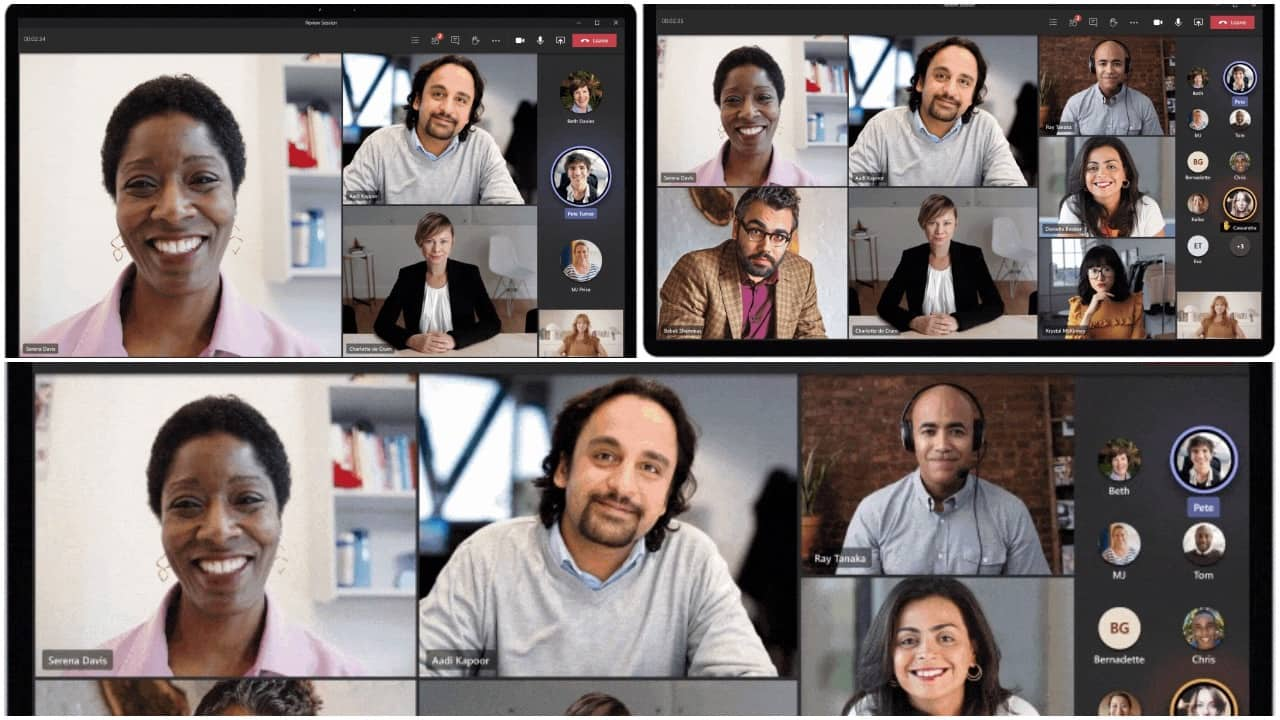
Dynamic View gives users more control over how you see shared content and other participants in a meeting. It uses AI to dynamically optimise shared content and video participants. Dynamic view builds on the meetings enhancements, which include large gallery view, where you can see the video of up to 49 people in a meeting simultaneously, and virtual breakout rooms, which allow meeting organisers to split meeting participants into smaller groups for things like brainstorming sessions or workgroup discussions.
Video filters
Teams will allow users to use various filters to subtly adjust lighting levels and soften the focus of the camera to customise their appearance before joining a meeting.
Reflect messaging extension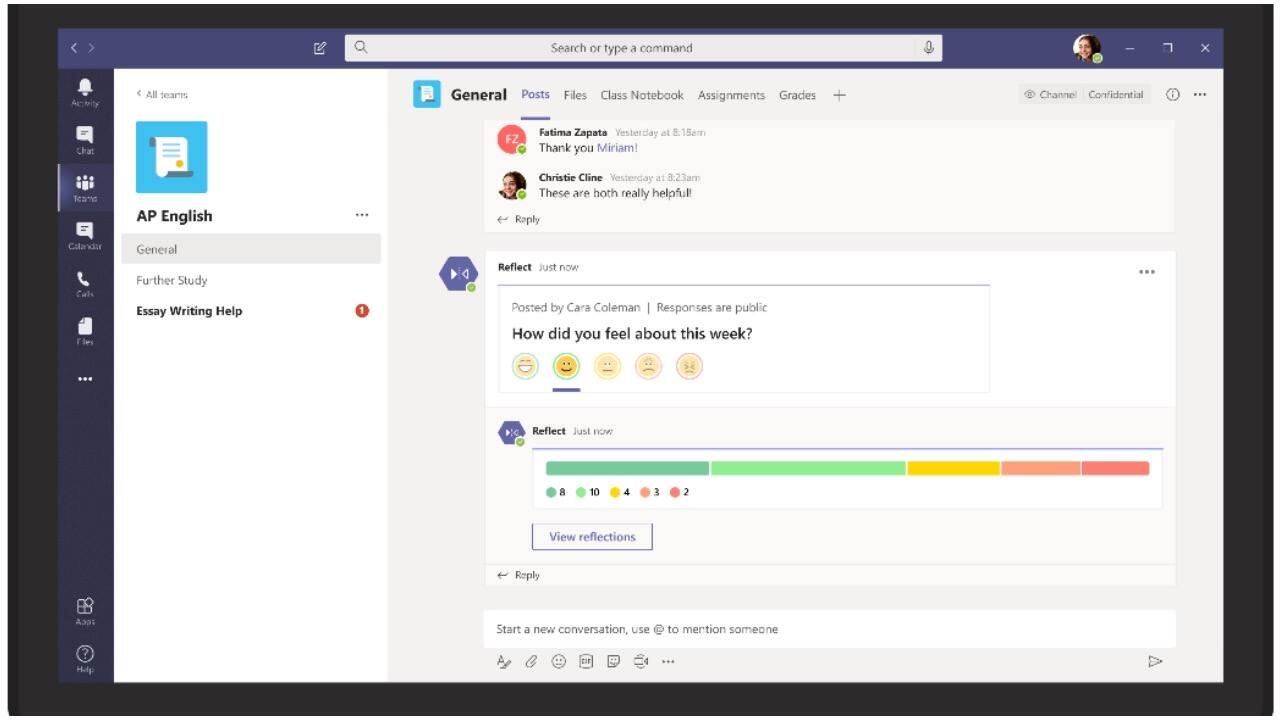
For a more-human interaction, Teams is introducing Reflect messaging extension which gives managers, leaders and teachers an easy way to check in with how their team or students are feeling — either in general, or about a specific topic like work-life balance, the status of a project, current events, or a change within the organisation. The feature, however, needs to be incorporated by the admin team on the backend, following which employees will see an extension that provides suggested check-in questions and the ability to add custom questions that team members can respond to in a poll-like experience. Managers or teachers can also choose to make poll results anonymous.
Live reactions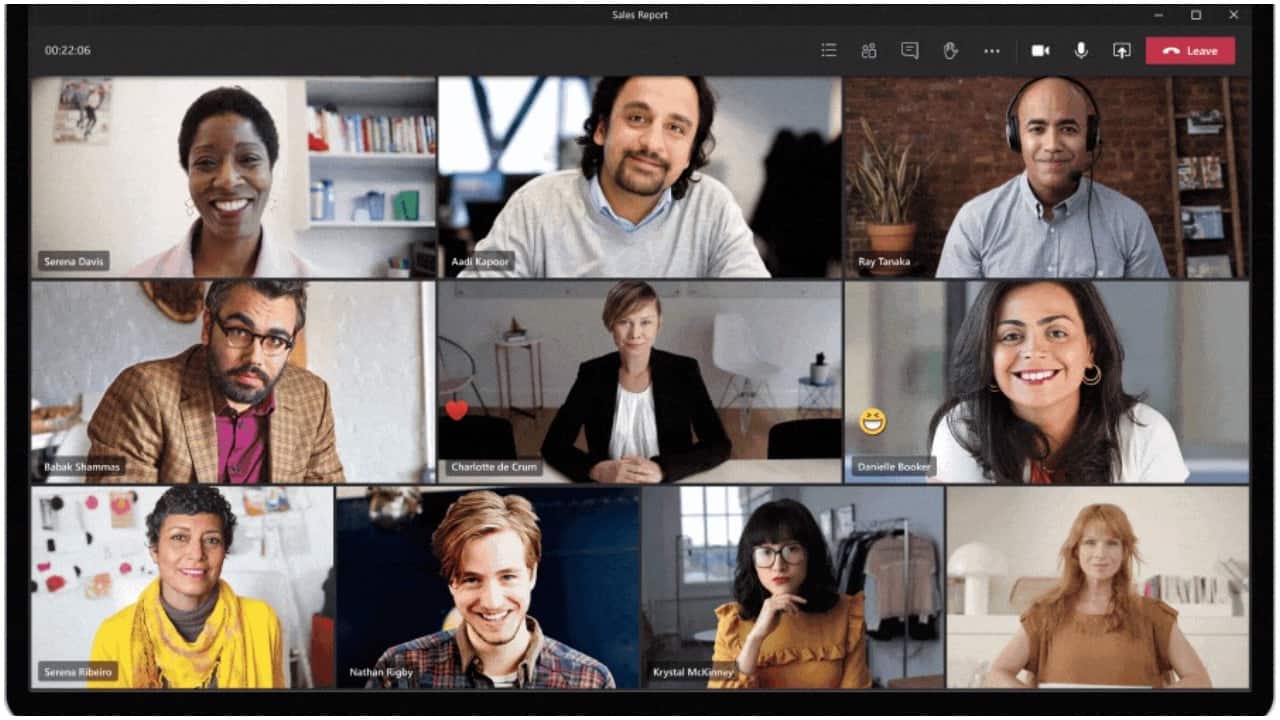
With features like Live reactions, Microsoft aims at making meetings more inclusive and engaging. Users will be able to react during a meeting using emojis that will appear to all participants. Live reaction is a shared feature with PowerPoint Live Presentations, which allows audience members to provide instant feedback to the presenter. Microsoft also said that it will bring bringing PowerPoint Live Presentations to Teams in the future.
Chat BubblesCurrently, Teams users need to manually open a chat window to view the chat screen. The new feature will show chats sent during a Teams meeting on the screens of all meeting participants, making the chat more central to the conversation.
Tasks app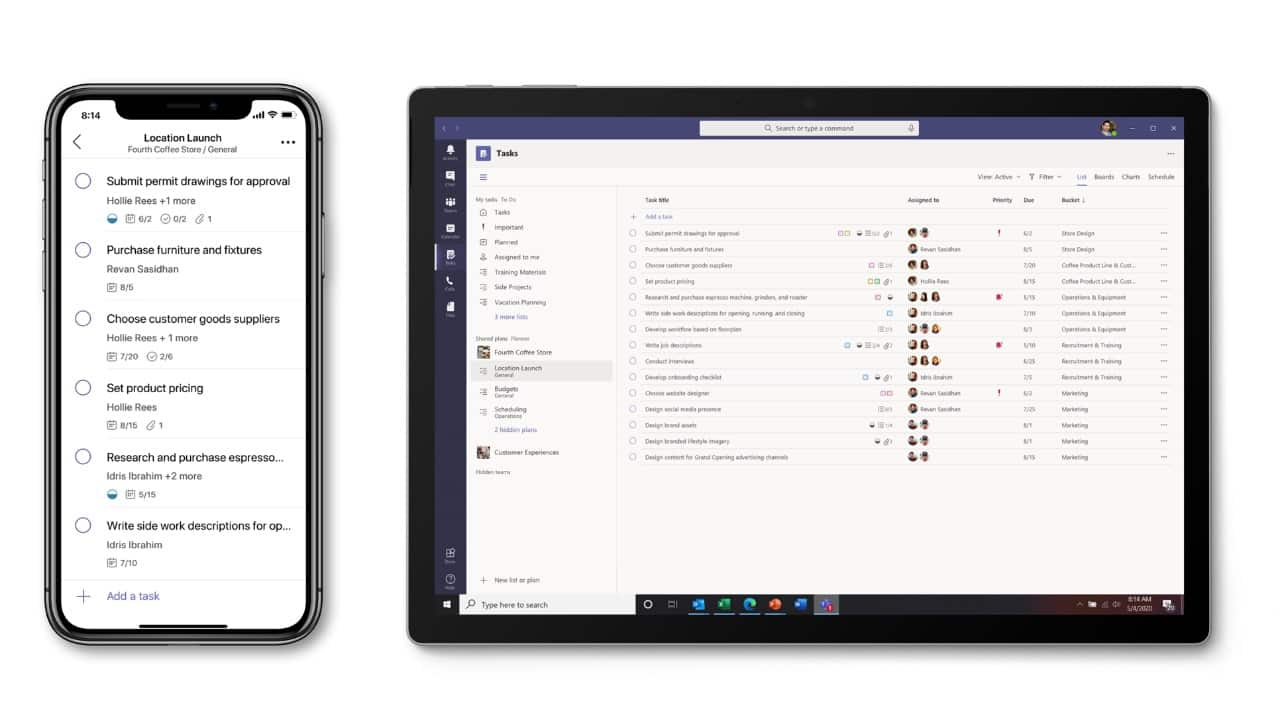
To streamline tasks and save time, Microsoft will roll out the Tasks app later this month. The app provides a new unified view of tasks from across Microsoft To Do, Planner, and Outlook. Smart lists like “Assigned to me” bring tasks together across different shared plans on desktop, web, or mobile. You can add Tasks as a tab in a channel and get a Planner tab experience with the new list view.
Suggested replies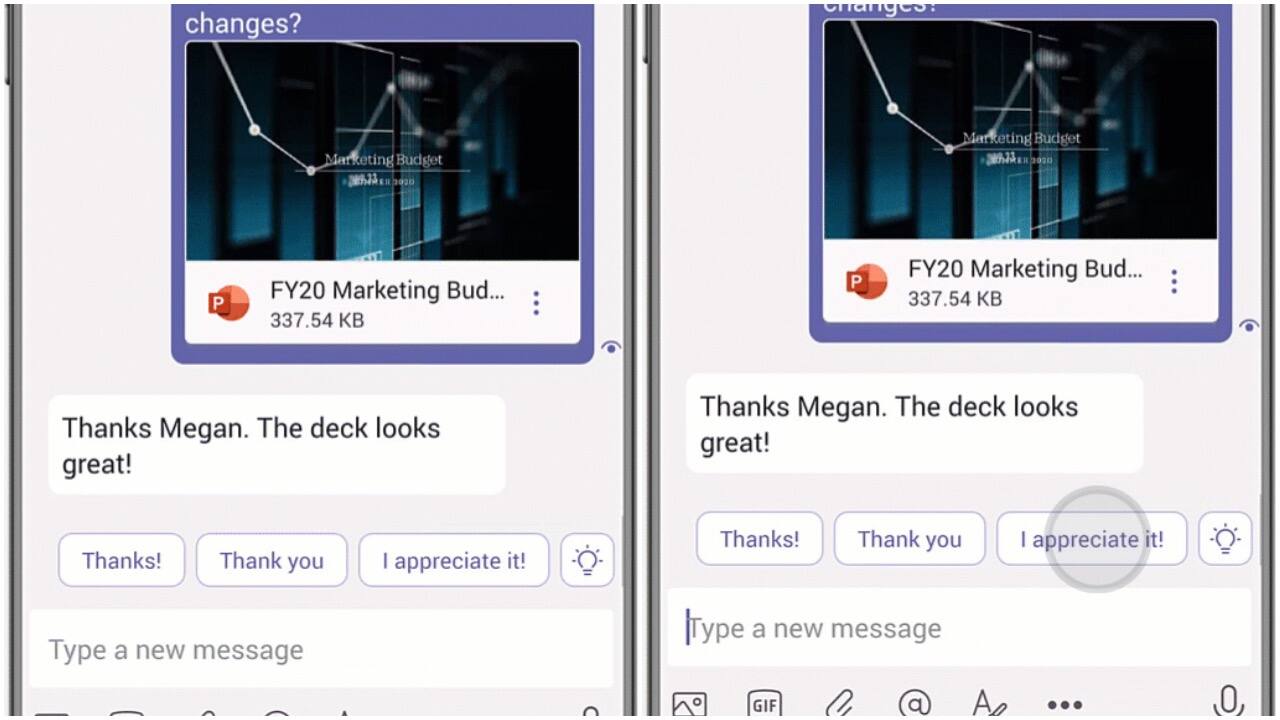
Suggested replies in Teams chat uses assistive AI to create short responses based on the context of the previous message. For example, when someone asks you “Do you have time to meet today?” you can respond “I sure do!” without even pulling up your keyboard. The feature will be rolling out this month.
CortanaMicrosoft’s virtual voice assistant Cortana is soon making its way to Teams. Cortana will make use of AI and the Microsoft Graph to provide voice assistance in Teams. The assistant can also be used to make a call, join a meeting, send chat messages, share files, and more.


Discover the latest Business News, Sensex, and Nifty updates. Obtain Personal Finance insights, tax queries, and expert opinions on Moneycontrol or download the Moneycontrol App to stay updated!
Find the best of Al News in one place, specially curated for you every weekend.
Stay on top of the latest tech trends and biggest startup news.