Intel recently unveiled its 10th Gen H series mobile processor for powerhouse laptops. However, not everyone needs eight cores and boost clock speeds surpassing 5.0GHz. Most users just want a device that will deliver decent performance, good battery life, a light build and a bright display. Enter the Lenovo ThinkBook 14, a high-end enterprise-grade computing solution designed for professional use. But does the new ThinkBook meet all the criteria for being a good “pro” laptop; well, let’s us find out.
Before we get to the review; let’s look at the specifications of the new Lenovo ThinkBook.
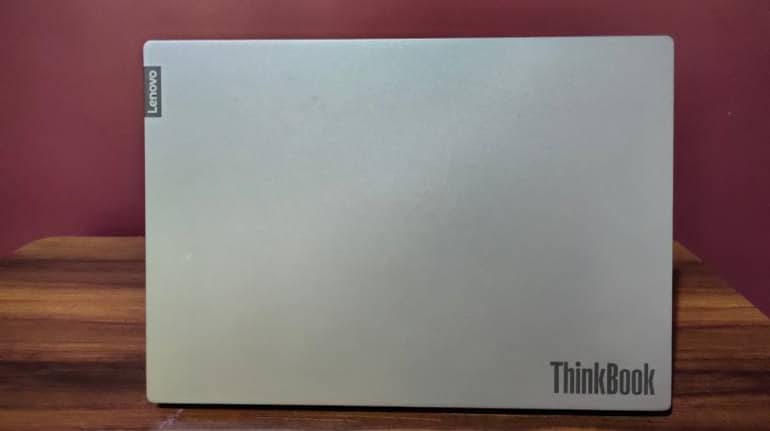
DesignThe new ThinkBook sports a minimalistic design with a plain silver finish. There’s a Lenovo logo and the ThinBook branding on the lid. The lid is connected to the body with a unique hinge that allows to open the laptop up to 180 degrees, which means it can lay flat on a surface. The chassis and lid are made of anodised aluminium, which gives the laptop a premium feel. The ThinkBook 14 weighs around 1.5 kg and is 0.7-inch thick, the ideal weight and size for on-the-go users.
PortsIn terms of I/O, the notebook features two USB Type-C ports (One for power delivery and the other for DisplayPort), one HDMI port, one USB Type-A port, a 3.5mm headphone jack, and one LAN port. You also get a DC charging slot, full-size SD card reader and a “Lenovo Hidden Port” (USB-A Port) tucked away inside a tethered flap that is spacious enough to house a wireless mouse dongle. There’s an excellent assortment of ports here, and we really appreciated the extra effort to store a mouse dongle in the notebook.
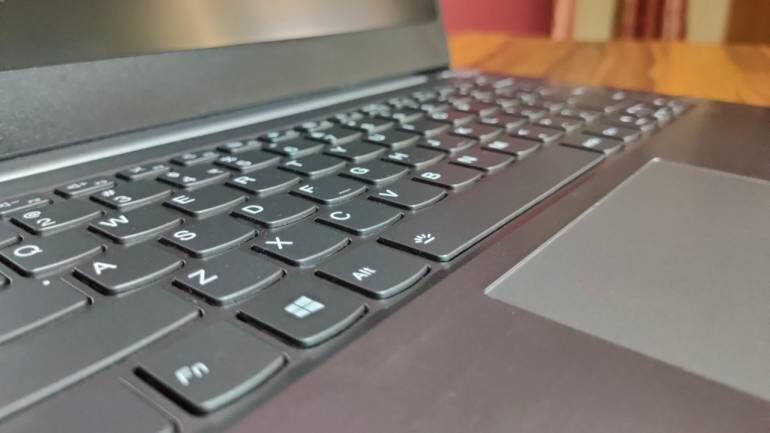
The Lenovo ThinkBook gets a LED-backlit keyboard without a number pad. The keys feature good travel and even better feedback, making them comfortable for typing. Additionally, we also liked the spacing between the keys. While there’s little to critique about this keyboard experience, the touchpad comes with its set of flaws. While the touchpad has a smooth surface that’s quite large, it doesn’t support Windows Precision drivers, which has become the standard for modern laptops.
DisplayOur review unit arrived with a 14-inch IPS display with an FHD (1920*1080 pixels) resolution. The panel is not the best and has a peak brightness of around 250 nits, which is below the industry average. The display is good for watching movies and TV shows, but colours look washed out when viewing content from an angle. The screen gets the job done for indoor use but struggles in outdoor scenarios. Overall, for a professional laptop in 2020, the display is quite underwhelming.
BatteryWhen it comes to battery life, the 45Wh lithium-ion battery capacity on the ThinkBook 14 is pretty impressive. Lenovo claims up to 11 hours of battery life depending on the task, but that’s an unrealistic number for average users. Depending on the use, the notebook can give you up to six to eight hours of battery life. However, the ThinkBook 14 won’t get you through an eight-hour workday, if your work demands multitasking between Google Chrome and MS Office. Additionally, the notebook also supports 65W USB Type-C Rapid Charge.
The ThinkBook 14 model can be powered by a top-end 10th Gen Intel Core processor paired with up to 24GB of RAM and up to 1TB of SSD storage or up to 2TB of HDD storage. Our review unit arrived with a quad-core Intel Core i7-10150U clocked at 1.8GHz. It also featured 16GB of RAM and a 512GB PCIe SSD. You also have an option for dual-drive storage and Intel Optane Memory.
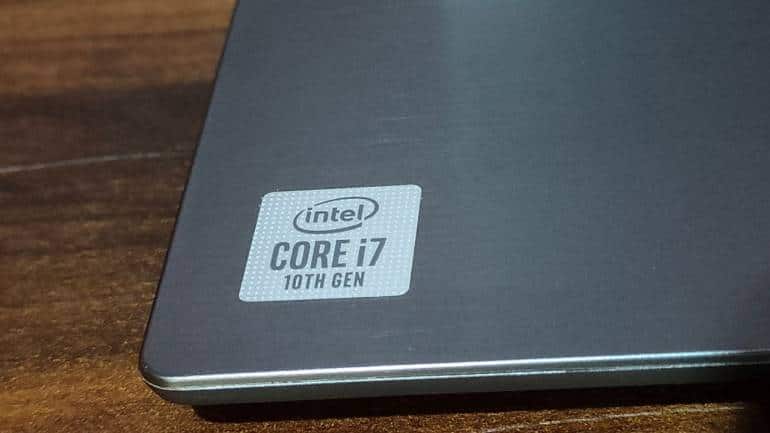
As compared to the 8th Gen Intel chips, the 10th Gen Intel processor offers a decent boost in performance. Multitasking on the ThinkBook 14 wasn’t an issue; you can even do some light photo editing without any problem. In terms of casual gaming, we tried Counter Strike: Global Offensive, DOTA 2, and Heroes of the Storm. On low settings, we got playable frame rates with little under 60 fps. However, increasing the settings to medium or high will make the game virtually unplayable, more so on the latter.
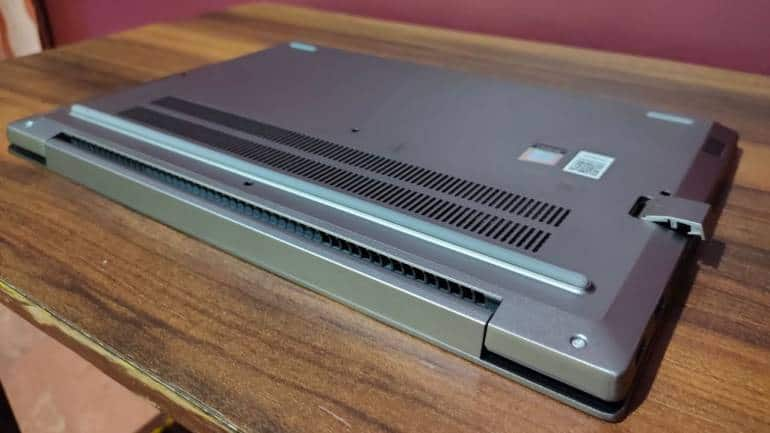
Everyday performance on the ThinkBook 14 was excellent. You can run MS Office, OneNote, Chrome, WhatsApp Web, and other apps and software flawlessly without any signs of slowing down. This notebook is as good as it gets in terms of performance and there’s little to complain about, especially when it is used for work. There are ventilation grills on the back of the laptop to help with cooling.
Other FeaturesThe ThinkBook 14 features two downward-firing speakers with Dolby Atmos. However, the audio here is best suited for video calls. When listening to music, lows are mostly absent, while highs and mids appear distorted.
The ThinkBook 14 gets an HD camera on the top of the screen, which is pretty decent. Moreover, Lenovo has also fitted a ThinkShutter, which blocks the view of the camera when it is not in use.
The power button doubles as a fingerprint reader, which works quite well. The notebook is compatible with Windows Hello and allows users to power and unlock the laptop at a push of a button.
| Pros | Cons |
| Fast and Reliable Performance | Sub-par Display |
| Premium Build Quality | Lack of Windows Precision Drivers |
| Great Assortment of Ports | Battery Life could be Better |
| Excellent Keyboard |
Our ThinkBook 14 model costs around Rs 80,000, but the entry-level model is priced as low as Rs 37,000. However, if your primary objective is work, we’d recommend opting for the Intel Core i5 ThinkBook version. Yes, the ThinkBook 14 is certainly a notebook we’d recommend for work.
The notebook features a premium build quality, but is quite portable at the same time, making it an excellent choice for use on-the-go. We found the battery life on this machine is quite inadequate, but the USB-C power delivery is on the positive side. As a professional laptop, the ThinkBook 14 does a great job with performance.
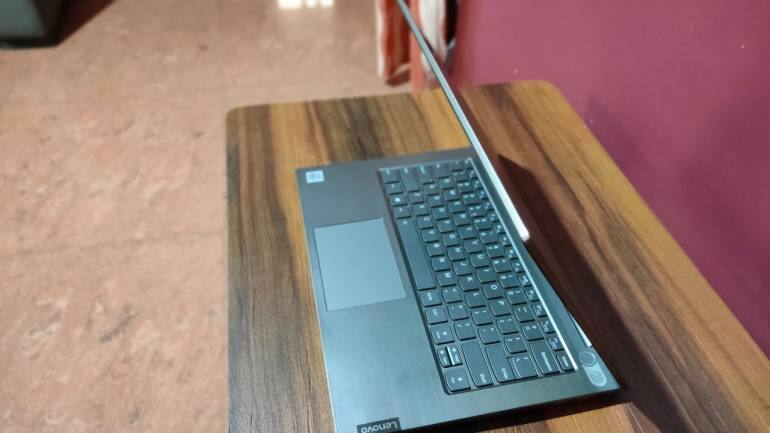
Another area where this notebook excels is in the keyboard department. At this price, this is one of the best keyboards on a “Pro” laptop. However, the lack of Windows Precision drivers makes you always want to use a mouse. The ThinkBook 14 does have a good amount of ports, including a hidden slot for a dongle, which was quite useful for connecting all our accessories.
The 1080p panel on the notebook isn’t the brightest and lacks colour and contrast. Battery life isn’t bad, but at this price, we’d expect it to be better as there are other laptops at this price with certainly better battery life. Overall, the Lenovo ThinkBook 14 is flawless on the outside and delivers on the performance front, but does have some glaring issues.


Discover the latest Business News, Sensex, and Nifty updates. Obtain Personal Finance insights, tax queries, and expert opinions on Moneycontrol or download the Moneycontrol App to stay updated!
Find the best of Al News in one place, specially curated for you every weekend.
Stay on top of the latest tech trends and biggest startup news.