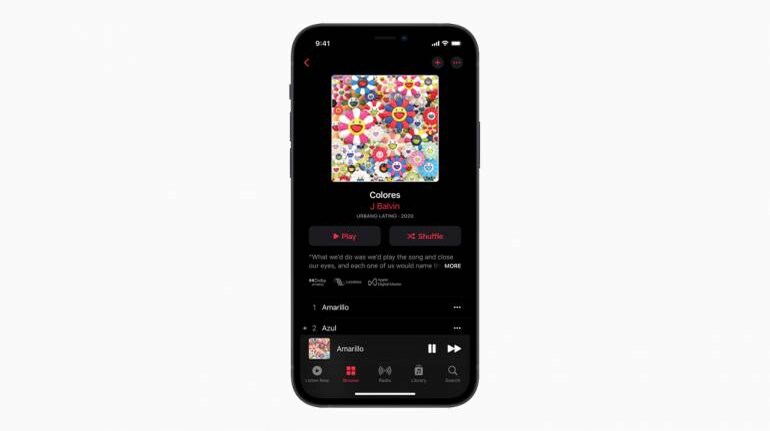
You may have already heard about it but Apple Music is currently in the process of being updated with support for Lossless Music and Spatial Audio. The update won't go live for everyone at once and is being rolled out in a phased manner slowly. So it you are not seeing the update on one of your Apple devices, don't freak out, it will come.
Okay but what is Lossless Music?Lossless Music is a form of compression algorithm for music data that allows for high-quality playback at the cost of some extra file space compared to traditional file formats like MP3. These file sizes are still half of what uncompressed file sizes are, so they can be used on streaming services like Apple Music to provide high quality audio.
To better understand this, think of audio files as two components: Sound and Silence. Nearly all of recorded audio whether it be high-energy euro dance or high octane metal have these two components. What lossless does is take the silence in the audio file and compress it to nearly zero space, allowing for more details while maintaining manageable file sizes compared to uncompressed music.
Apple will offer Lossless audio on its service using one of its custom built lossless codecs called Apple Lossless Audio Codec (ALAC). This will be offered in qualities ranging from CD Quality to High-Resolution Lossless.
Apple has said that 20 million songs in their library will be available in CD Quality or more at launch, while the entire catalogue will be compatible by the end of the year.
What is the big deal about Spatial Audio?In real life, the sounds around you don't come from a single source, they are spread out and your ear picks up things all around you. Spatial audio is an attempt to mimic this behaviour in a sound environment either through dedicated hardware like surround audio systems or in a virtual environment using algorithms to distribute sound in 360 degree cone around your ears.
Spatial audio on Apple's services needs media you are consuming to be compatible and mixed in a format that supports Spatial audio. If a movie or song supports it then it will add considerable depth to what you are hearing including a sense of height and surround sound.
That sounds great! When can I start?Let's start with the bad news first, all of your expensive AirPods purchases like AirPods Pro, AirPods Max or Beats wireless headphones work with a Bluetooth codec to maintain the ability to be wireless, the trade-off? They aren't lossless and don't have support for it, so you can't listen to Lossless music on them. You are going to have to spend a little extra to get a pair of cans or speakers that support lossless.
Spatial Audio however is better represented on Apple devices. They work with any iPhone or an iPad connected to headphones and is also available on all AirPods or Beats headphones with a H1 or W1 chip inside them.
The thing to note here is that this only applies to Apple Music and its library of content and not third-party apps. Spatial audio support for Apple TV requires the use of sensors in Apple Headphones to enable support.
The HomePod line of speakers will support both Spatial Audio and Lossless with an update down the line. If you have an Apple TV 4K, you are going to a need a Dolby Atmos compatible sound bar or sound system.
What devices work with these new formats?You can listen to Lossless on any device with support for iOS or iPadOS 14.6 and above, to listen to songs in higher qualities above 48 kHz, you are also going to need an external digital-to-analog converter.
In India, Lossless isn't available just yet with the official support page still listing it as 'coming soon' but it should arrive within the next few days.
To enable Lossless, once the update has rolled out, head to the settings menu in your Apple Music app, tap on music and then preferences. Now tap on Playback and under Audio quality select Lossless.
To try out Spatial Audio, connect your AirPods Pro or AirPods Max and open settings on your iOS device. Tap on Bluetooth and then the 'i' icon next to your AirPods. From here you can toggle Spatial Audio on or off. Remember, you are going to need media that supports this feature. You are also going to need iPhone 7 or later. As for iPads, the support starts with iPad Pro 3rd generation or later, iPad Air 3rd generation or later, iPad 6th generation or later and the iPad mini 5th generation or later.


Discover the latest Business News, Sensex, and Nifty updates. Obtain Personal Finance insights, tax queries, and expert opinions on Moneycontrol or download the Moneycontrol App to stay updated!
Find the best of Al News in one place, specially curated for you every weekend.
Stay on top of the latest tech trends and biggest startup news.