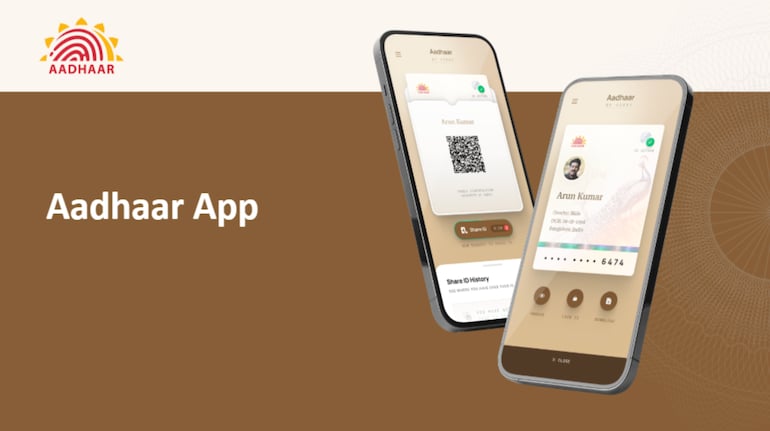

The Aadhaar App is being promoted as a new way for travellers to complete hotel check-ins without carrying physical identity documents. In a recent promotional video shared by the Unique Identification Authority of India (UIDAI) on X, the organisation demonstrated how the app allows users to verify their identity digitally using Aadhaar authentication.
The video, published on March 6, 2026, shows a scenario where a traveller arrives at a hotel but realises that she has forgotten her Aadhaar card. Instead of presenting a physical ID or submitting photocopies, the traveller downloads the Aadhaar App and completes the verification process using biometric authentication.
According to the demonstration, the system enables hotels to verify a guest’s identity instantly through a QR code generated within the Aadhaar App.
How Aadhaar app hotel check-in works
The process begins with the user downloading the Aadhaar App from the Google Play Store. After installing the app, the user enters their Aadhaar number and completes identity authentication using the phone’s camera for face verification.
Once authentication is successful, the app generates a QR code that contains the user’s verified identity details. The hotel receptionist scans the QR code using a device at the reception desk. The system then verifies the identity instantly, allowing the guest to complete the check-in process without providing a physical document.
The demonstration also highlights features such as privacy-protected data sharing and instant verification, which are intended to reduce the need for photocopies of identification documents.
UIDAI says the approach can help streamline hotel registration processes while allowing users to share only the required information digitally.
Steps to enable Aadhaar-based hotel check-in
Users who want to use the Aadhaar App for hotel verification can follow these steps:
Download the Aadhaar App from the Google Play Store on a smartphone.
Open the app and enter the Aadhaar number linked to the user.
Authenticate identity using face authentication through the phone’s camera.
After verification, generate the Aadhaar QR code within the app.
Show the QR code to the hotel receptionist for scanning and instant identity verification.
Once the QR code is scanned and validated, the hotel can complete the check-in process digitally.


Discover the latest Business News, Sensex, and Nifty updates. Obtain Personal Finance insights, tax queries, and expert opinions on Moneycontrol or download the Moneycontrol App to stay updated!
Find the best of Al News in one place, specially curated for you every weekend.
Stay on top of the latest tech trends and biggest startup news.