Moneycontrol PRO
Black Friday Sale
Black Friday Sale
HomeNewsTechnologyHow to transfer data from Android to iOS: A step-by-step guide to set up your iPhone

How to transfer data from Android to iOS: A step-by-step guide to set up your iPhone

The process is quite simple and needs some basic steps that need to be followed to transfer all your data from Android to iOS.

January 24, 2022 / 10:10 IST
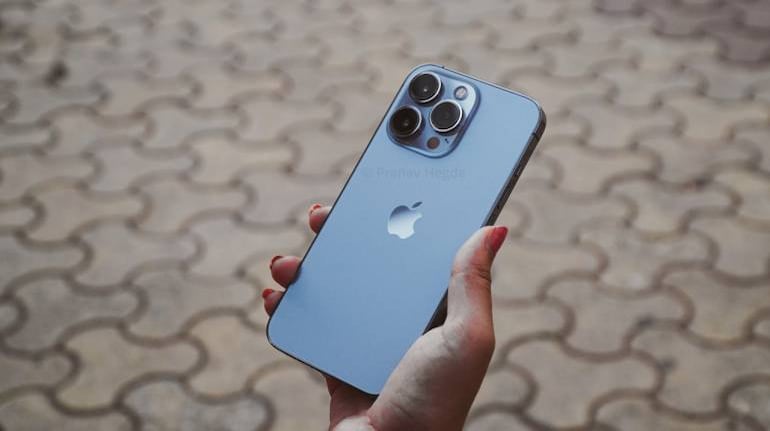
iPhone 13 Pro

iPhone sales in India have skyrocketed in 2021. Apple dominated the premium smartphone space in India with nearly six million iPhone units shipped throughout the year. Several Android smartphone users might have switched to an iPhone during the e-commerce sale. The new iPhone 13 models also seem to have had a strong demand late last quarter. 

One of the biggest challenges that Android users face while switching to iOS is data transfer. Since both platforms are different, transferring data from an Android phone to an iPhone is different in comparison to some other Android device. In case you plan to join the iOS clan, here is how to transfer data from your Android smartphone to an iPhone.

Transfer data from Android to iPhone 

Previously, it was very difficult for Android smartphone users to transfer their data to an iPhone until Apple released the Move to iOS app. As the name suggests, the Move to iOS app helps users transfer data from Android to iOS. 

The Move to iOS app is available for download on the Google Play Store. The process is quite simple and needs some basic steps that need to be followed to transfer all your data from Android to iOS.

How to migrate from Android to iPhone:
  1. Set up your iPhone 13 (Review) or any other iPhone model until you reach the “Apps and Data” screen.
  2. Here, tap on “Move Data from Android”.
  3. On your Android smartphone, open the Move to iOS app and click on “Continue”.
  4. Enter the 12-digit code that is displayed on your iPhone on your Android smartphone.
  5. Once the correct 12-digit code is entered, your Android device will connect with your iPhone over peer-to-peer WiFi.
  6. The app will also ask you to check the type of data you want to move to iOS. This includes your Google account information, bookmarks, messages, contacts, photos, etc.
  7. Once the transfer process is complete, tap on “Continue Setting Up iPhone” and finish the process.
Also read: iPad review

Do note that certain apps might require to be installed manually as the platforms are different. Most of the popular Android apps are available on iOS as well. You can download these apps on the Apple App Store.

Invite your friends and family to sign up for MC Tech 3, our daily newsletter that breaks down the biggest tech and startup stories of the day

Pranav Hegde
Pranav Hegde A Journalist at Moneycontrol, Pranav writes about everything tech. He is also passionate about photography and enjoys bike rides to picturesque locations.
first published: Jan 24, 2022 10:10 am

Discover the latest Business News, Sensex, and Nifty updates. Obtain Personal Finance insights, tax queries, and expert opinions on Moneycontrol or download the Moneycontrol App to stay updated!

Subscribe to Tech Newsletters

  • On Saturdays

    Find the best of Al News in one place, specially curated for you every weekend.

  • Daily-Weekdays

    Stay on top of the latest tech trends and biggest startup news.

Advisory Alert: It has come to our attention that certain individuals are representing themselves as affiliates of Moneycontrol and soliciting funds on the false promise of assured returns on their investments. We wish to reiterate that Moneycontrol does not solicit funds from investors and neither does it promise any assured returns. In case you are approached by anyone making such claims, please write to us at grievanceofficer@nw18.com or call on 02268882347