






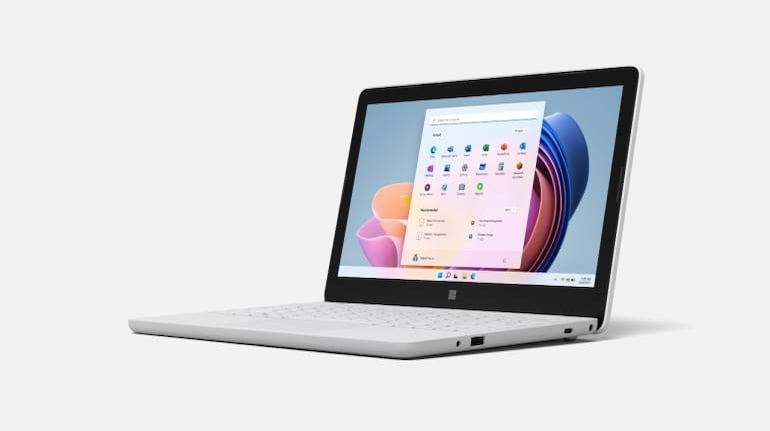
Microsoft has announced it is rolling out the 2022 update for Windows 11, which will allow users to create start menu folders, better touchscreen gestures, snap layouts and more.
The big highlightsYou can now create Start menu folders that allow you to club similar applications together, for instance, Productivity, Tools, etc. This function was available on Windows 10 and the initial versions of Windows 11 also but was removed soon after without any explanations.
Microsoft has also improved its Snap Layout feature, with optimisations for performance and the ability to now snap multiple tabs using Microsoft Edge. It has also improved touch gestures.
Snap layout allows users to snap applications together on the screen for better visibility. You can select from a preset grid when you hover maximise or minimise buttons and the apps windows will snap to that position.
Also enabled are system-wide Live Captions that generate text from audio across the entire operating system. You can now also issue system commands using voice.
Focus assist allows you to snooze notifications for a preset period of time, during which time Windows 11 will only display priority notifications.
Touch gestures have also been improved and made snappier. Microsoft has introduced new gestures as well, such as swiping up to access the start menu and more.
Microsoft's built-in Defender SmartScreen will now warn you when you visit malicious sites and stop you from entering your credentials. Smart App Control will prevent the execution or installation of untrusted or unverified applications, scripts, or macros.
Besides the 2022 update, Microsoft also shared what it has in store with the updates that will come in October.
File Explorer will be enhanced with a new homepage for quick access to your favourite files and folders. This will also allow you to pin important files or folders for easier access.
The Photos app will be updated with a new gallery, a streamlined browsing experience and better management of photos.
The Copy command will be updated with Suggested Actions that pick up on the context and give options based on it. For example, when copying a phone number, you will get the option to call with Teams or Skype, or adding an event to the Calendar app when selecting a date.
The Taskbar will be updated with the ability to see all background apps in one 'overflow' space.
The update is rolling out to users in over 190 countries. If you don't get notification to update, you can check manually by visiting Settings, then selecting Windows Update and then Check for updates.


Discover the latest Business News, Sensex, and Nifty updates. Obtain Personal Finance insights, tax queries, and expert opinions on Moneycontrol or download the Moneycontrol App to stay updated!
Find the best of Al News in one place, specially curated for you every weekend.
Stay on top of the latest tech trends and biggest startup news.








