






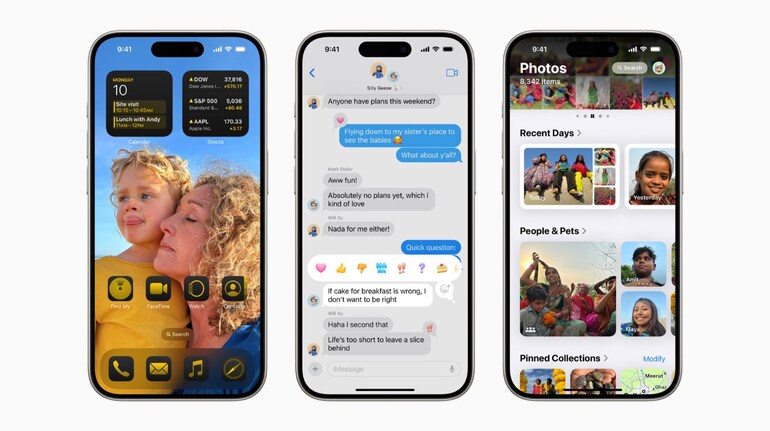
While the launch of the new iPhone always sees a lot of anticipation, the roll out of new iOS update isn’t far behind in terms of excitement. Apple is set to roll out iOS 18 — the latest software update for iPhones later tonight. iOS 18 brings a slew of new features that will change the way people interact with their iPhones. Having used the beta version for a while, we can tell you that some of the features will truly change the way you use an iPhone. Here are 10 such features:
Customisable home screen, icons and more
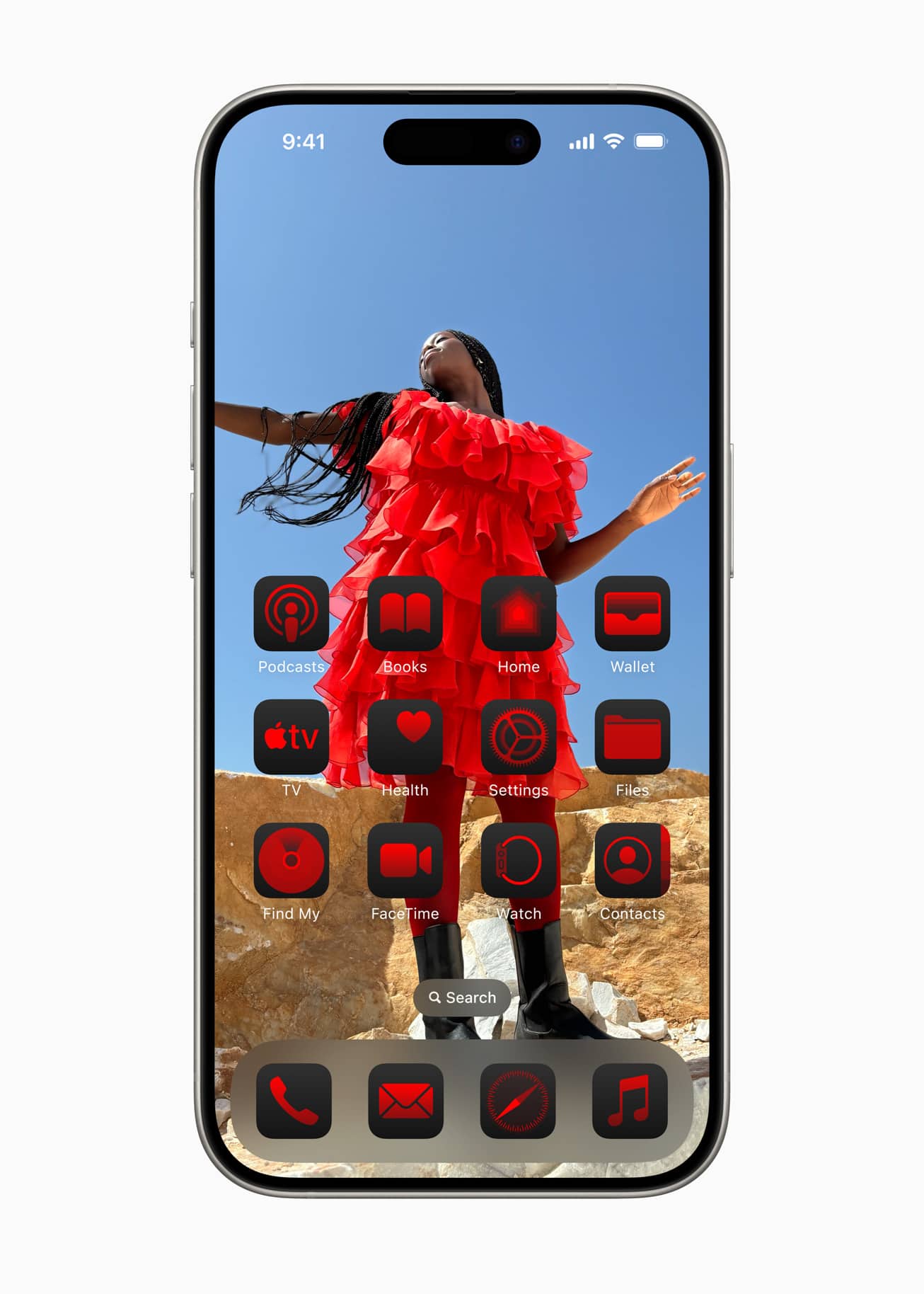
No more same looking home screen on the iPhone. Users will now be able to customise the Home Screen, Lock Screen, and Control Center. Users can now arrange apps and widgets in any open space on the Home Screen. Furthermore, app icons and widgets can take on a new look with a dark or tinted effect. Users can also make them larger and just see the app icon and not the name.
All-new Control Centre
Apple has also redesigned the Control Centre with iOS 18. Control Centre also gets more customisation options. Users can get quick access to new groups most-used controls, such as media playback, Home controls, and connectivity. Users can now also add controls from supported third-party apps into Control Center.
New iMessage features
iOS 18 brings new text effects to messages. Users can better express tone by adding formatting like bold, underline, italics, and strikethrough. There’s also a new feature where users can compose a message and schedule to send it at a later time. Also, the Messages app now supports RCS for richer media and more reliable group messaging compared to SMS and MMS.
Mail app gets new features
The Mail app has been relatively ignored by Apple for a while now. However, that is set to change with iOS 18. Mail app will give new ways to users to manage their inbox and stay up to date. The Mail app will do on-device categorisation and organise and sort incoming email into Primary for personal and time-sensitive emails,
Mail app will also bring a new digest view that pulls together all of the relevant emails from a business, allowing users to quickly scan for what’s important in the moment.
Gesture support for AirPods
If you have a pair of AirPods Pro (2nd-gen), then you can simply nod your head yes or gently shake your head no to respond to Siri announcements. So a nod of the head will answer a call directly to the AirPods.
New privacy, security features
iPhone users will now have a folder for locked and hidden apps. This will ensure privacy as app notifications and content, will not inadvertently be seen by others. Users can now lock an app; and for additional privacy, they can hide an app, moving it to a locked, hidden apps folder. When an app is locked or hidden, content like messages or emails inside the app are hidden from search, notifications, and other places across the system.
Safari gets enhancements
Safari gets an all-new redesigned Reader. Apple has redesigned it to offer even more ways to enjoy articles without distraction, with a summary and table of contents included for longer articles. Also, using machine learning, Safari can surface key information about a webpage. For example, users can review a summary to get the gist of an article; quickly see the location of a restaurant, hotel, or landmark.
All-new Passwords app
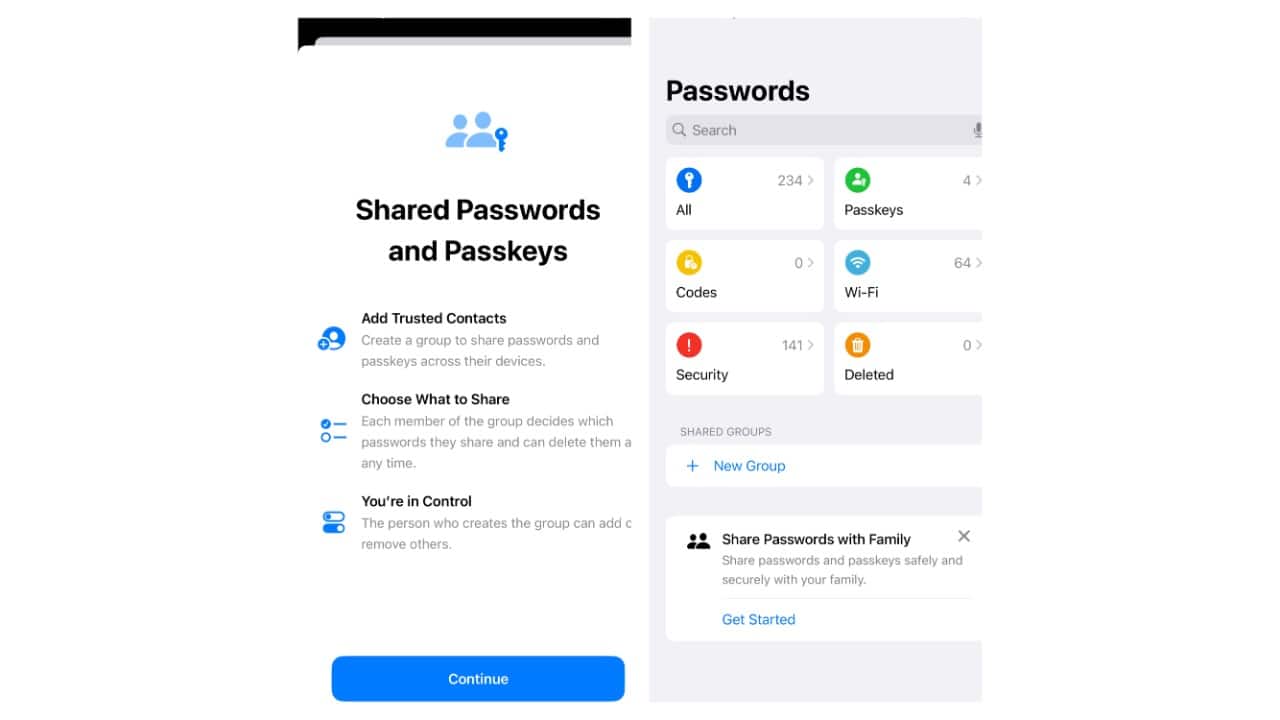
The Passwords app consolidates everything you need—passwords, passkeys, Wi-Fi credentials, verification codes, and even “Sign in with Apple” information—all under one roof. Whether you need to autofill your login details for websites and apps, save new passwords, or manually add passkeys, the Passwords app does it all.
Game Mode on iPhone
The improved Game Mode on iPhone enhances the gaming experience with more consistent frame rates, especially during long play sessions, and makes wireless accessories like AirPods and game controllers incredibly responsive.
New accessibility features
Apple has added new accessibility features including Eye Tracking, a built-in option for navigating iPhone with just eyes. There’s Music Haptics, a new way for users who are deaf or hard of hearing to experience music using the Taptic Engine in iPhone. You can also use Vocal Shortcuts that enable you to perform tasks by making a custom sound.
Also, we haven’t mentioned Apple Intelligence anywhere as all AI features are expected to come some time in October.


Discover the latest Business News, Sensex, and Nifty updates. Obtain Personal Finance insights, tax queries, and expert opinions on Moneycontrol or download the Moneycontrol App to stay updated!
Find the best of Al News in one place, specially curated for you every weekend.
Stay on top of the latest tech trends and biggest startup news.