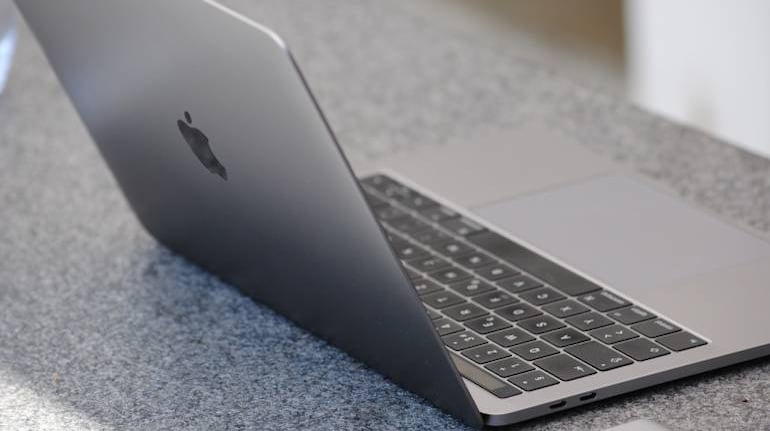
To assure safety while using its range of Macbooks, Apple recently asked its users of Macbook Air and Macbook Pro to avoid covering their cameras while closing the laptop, in a support document recently published by them.
This comes after several users reported having cracked displays after they covered their cameras. It was especially so in the case of 16-inch Macbook users, which has a thinner bezel in comparison to other models, Gadget News says.
Apple warned that, by practicing such methods, they could be damaging the display. This is because the clearance between its keyboard and display is designed to have tight tolerances.
"Covering the built-in camera might also interfere with the interfere with the ambient light sensor and prevent features like automatic brightness and True Tone from working properly," the company said in a support document it recently published.
For users concerned whether the camera is on, an alternative may be to check whether the camera light indicator is active. Users may also alter their settings to give only select apps permission to use the camera. The Facetime HD camera, installed on all Macbooks will turn green when the camera is used. It is engineered to light up when the camera is in use, and will only turn green when it is active, Apple says.
For users who are still concerned they need a camera cover, or may be required to do so, Apple has issued the following guidelines:
- The camera cover must not be more than 0.01mm in thickness
- Avoid using a camera cover that leaves behind any adhesive residue
-If you do end up having a cover that is thicker than 0.01mm, remember to take it off before you close your laptop.


Discover the latest Business News, Sensex, and Nifty updates. Obtain Personal Finance insights, tax queries, and expert opinions on Moneycontrol or download the Moneycontrol App to stay updated!
Find the best of Al News in one place, specially curated for you every weekend.
Stay on top of the latest tech trends and biggest startup news.