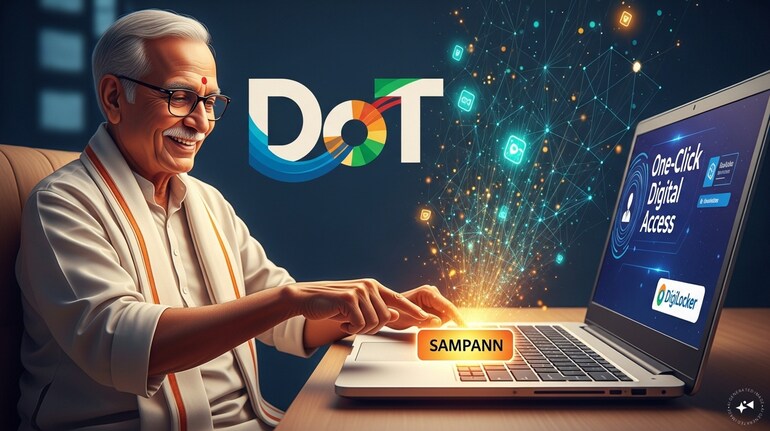

In a move to give a digital push to pension services, the Office of the Principal Controller of Communication Accounts (Pr CCA), Delhi has integrated the SAMPANN pension portal with DigiLocker, enabling Department of Telecommunications (DoT) pensioners to access key pension documents online anytime.
With this facility, pensioners no longer need to keep track of physical files or visit offices for copies of pension papers. Key documents such as e-Pension Payment Orders (e-PPOs), gratuity sanction orders, communication sanctions, and Form-16 can now be safely downloaded from DigiLocker using a mobile phone or computer. The digital documents can be used for bank work, medical reimbursements, or tax purposes, bringing much-needed ease and peace of mind to retirees.
All about SAMPANN
SAMPANN, short for System for Accounting and Management of Pension, is a government-run digital platform designed to make pension services easier for DoT retirees. Developed and managed by the Office of the Controller General of Communication Accounts, the platform handles pension payments and related financial work online.
It was launched by Prime Minister Narendra Modi in December 2018. The platform allows retirees and their families to access pension services from home, reducing the need to visit government offices to receive payments or resolve issues.
The platform has digitised the entire pension lifecycle—from initiation and processing of cases to issuance of e-Pension Payment Orders, disbursement, accounting, reconciliation, financial reporting, audit facilitation, and grievance redressal.
Pensioners now receive payments directly into their bank accounts, eliminating the need to visit banks or government offices; they can check payment status, submit life certificates, generate e-PPOs, request changes like mobile numbers or addresses, and register complaints from home.
What is DigiLocker?
DigiLocker is a secure digital platform provided by the government that allows citizens to store, access and share important documents online. It works like a digital locker where documents such as driving licences, vehicle papers and educational certificates can be safely kept and used whenever needed.
These digital documents are accepted for official purposes, reducing the need to carry or submit physical copies. DigiLocker is part of the Digital India initiative and can be accessed through a mobile app on Android and iOS, as well as on the web.
How to Access DigiLocker?
Digilocker can be accessed by anyone with a smartphone or a laptop. For people with laptop/ computers below mentioned steps can be followed.
a. Via Web Portal
1. Go to the official portal: https://digilocker.gov.in/
2. Click Login / Register at the top.
For pensioners or their families who have access to smartphone below mentioned steps can be followed.
b. Via Mobile App
1. Download the DigiLocker app from Google Play Store (Android) or Apple Store (iOS).
2. Open the app and choose a language of your choice.
3. Allow required permissions (for a better user experience).
How to register on DigiLocker
1. Open the app/portal and tap Register.
2. Enter your mobile number/Aadhaar number.
3. You’ll receive an OTP (One-Time Password) — enter it to verify your number,
Set MPIN
1. After verifying OTP, you will be prompted to create an MPIN (mobile PIN) — this secures your login.
2. Save your MPIN for future logins.
How to log-in on DigiLocker
You can login using:
✔MPIN
✔OTP
How to explore Services on DigiLocker?
Find & Use Services
1. After login, you’ll see the DigiLocker dashboard.
2. Users can use the Search Documents option to find services.
3. SAMPANN service can be explored on DigiLocker portal with keywords viz. SAMPANN, Controller, Communication, DoT, Pension, Gratuity, Commutation, etc.
How to use SAMPANN Services on UMANG?
It is worth noting that presently e-PPO, Gratuity Payment order, Commutation Payment order and Form-16 documents of SAMPANN are hosted on Digilocker.
SAMPANN users can enter their PPO number in each category of service and Click on Get Document. The system will generate the Pension Certificate/Gratuity Payment order/Commutation Payment order/Form-16 (As requested by the SAMPANN user) associated with the entered details.

Discover the latest Business News, Sensex, and Nifty updates. Obtain Personal Finance insights, tax queries, and expert opinions on Moneycontrol or download the Moneycontrol App to stay updated!





Find the best of Al News in one place, specially curated for you every weekend.
Stay on top of the latest tech trends and biggest startup news.