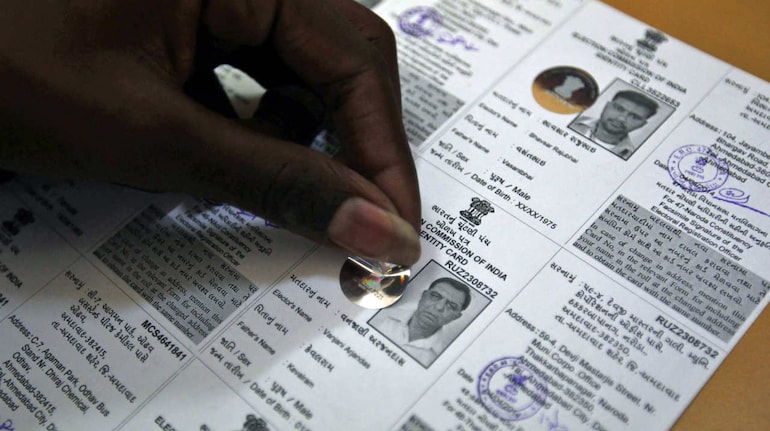
The Election Commission of India (ECI) runs periodic updates to the electoral database, and the ongoing Special Intensive Revision (SIR) involves booth-level officials (BLOs) handing out enumeration forms to voters. Every elector is expected to confirm that their name is correctly listed, because as per ECI rules, a citizen can cast a vote only if their name appears on the Voter List.
The sections below explain how to access the voter roll, check for your details, and obtain your Voter ID digitally.
Accessing the voter list (PDF e-eoll)Follow the steps below to view or download the electoral roll for your area.
1. Visit the official website of the Election Commission of India.
2. On the homepage, look for the option labelled “PDF E-Roll” and open it.
3. A page will appear showing links to electoral rolls of all states. Choose the state where you are registered.
4. After selecting your state, a list of districts will be displayed. Pick the district in which you live.
5. Once a district is chosen, names of different constituencies will show up. Select the constituency where you are enrolled.
6. A list of polling stations within that constituency will appear next. Against your station, choose the option titled “Final Roll.”
7. The voter list should now open, and you can download it.
There is also an alternative: search the list using your EPIC card details. Your EPIC number is required for this search.
How to look up your name in the e-rollYou can verify your entry using your EPIC number or other details.
1. Go to the official website of the Election Commission of India.
2. Select the feature that reads “Search your name in E-roll.”
3. Provide your EPIC number and the requested information, then click on “Search.”
4. The EPIC (Election Photo Identity Card) number is the identifier printed on the upper portion of the Voter ID card.
5. This EPIC number or the “Form Reference No” is also needed when downloading a digital voter ID online.
Downloading your Voter ID (e-EPIC)A digital version of your Voter ID can be obtained through the Voter Services Portal.
1. Visit the official Voter Services Portal.
2. Enter your mobile number, password and the captcha code, then choose “Request OTP.”
3. Input the OTP sent to your mobile and press “Verify & Login.”
4. Navigate to the section called “E-EPIC Download.”
5. Select either "EPIC No.” or “Form Reference No.” as your preferred option. (The EPIC No. corresponds to the Voter ID number, and the Form Reference Number appears on the acknowledgement provided after submitting Form 6.)
6. Type in the chosen number, pick your state, and click “Search.”
7. Your voter details will appear. Select “Send OTP.”
8. Enter the OTP you receive and click “Verify.”
9. Finally, hit “Download e-EPIC” to get your digital Voter ID.
Discover the latest Business News, Sensex, and Nifty updates. Obtain Personal Finance insights, tax queries, and expert opinions on Moneycontrol or download the Moneycontrol App to stay updated!
Find the best of Al News in one place, specially curated for you every weekend.
Stay on top of the latest tech trends and biggest startup news.