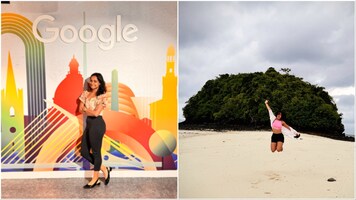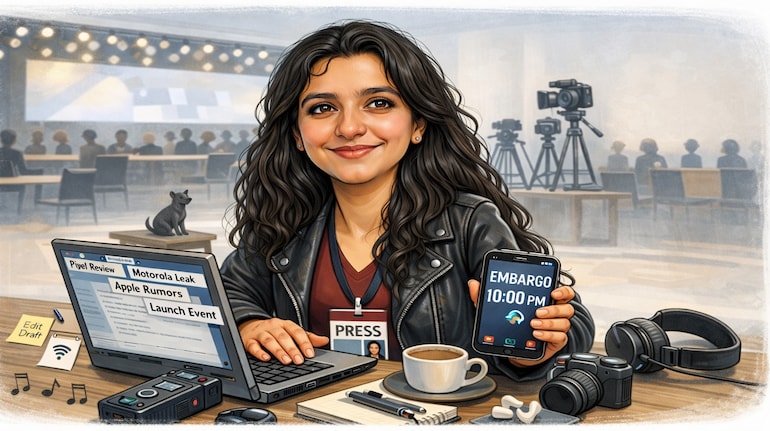

A new AI trend is quietly taking over social media, and it is far more personal than the usual filters and photo edits. People are using ChatGPT to turn their photos into caricatures and then sharing the results online. These are not random cartoons or exaggerated memes. Many of these images reflect what a person does for a living, their habits, and even their personality. That mix of fun and familiarity is what has made the trend spread so quickly.
So what exactly is the ChatGPT caricature trend? In simple terms, users upload a photo of themselves and ask ChatGPT to generate a caricature based on it. The result is a cartoon-style image with slightly exaggerated facial features, but still close enough to the original photo to be recognisable. What makes it interesting is that people often ask the AI to include elements from their daily life. A journalist might appear with a notebook and coffee, a designer with sketches, or a tech professional with a laptop-filled background. The caricature ends up feeling playful but personal.
The trend has taken off because it is easy and accessible. You do not need any drawing skills, design software, or editing experience. All you need is a photo and a clear prompt. The result appears quickly, and since it feels tailor-made, people enjoy sharing it. Many users have started using these caricatures as profile pictures on WhatsApp, LinkedIn, X, and Instagram, which has helped the trend spread even further.
Behind the scenes, ChatGPT looks at the photo you upload and studies basic features like face shape, expressions, and proportions. The text prompt you write then guides the style of the image. This includes whether the caricature should look hand-drawn, colourful, professional, or even three-dimensional. The more specific your prompt is, the closer the result will be to what you imagine. Small details like background, mood, or objects can make a noticeable difference.
If you want to try this yourself, the process is straightforward. First, open ChatGPT and make sure you are using a version that allows image uploads. Next, upload a clear photo where your face is visible and well lit. Avoid blurry or heavily filtered images, as they can affect the output. After uploading the photo, write a detailed prompt explaining what kind of caricature you want. You can mention the art style, your profession, the setting, and how exaggerated you want the features to be. Then ask ChatGPT to generate the caricature. If you are not fully happy with the result, you can ask for changes and regenerate the image.
If you are unsure what to write, you can start with simple prompts and adjust them later. For example, you could ask for a colourful cartoon-style caricature with exaggerated facial features. You could also request a professional-looking caricature based on your job and personality, or a 3D-style image showing you at work with tools related to your profession. If you want something subtle, asking for a clean caricature suitable for a profile picture with a simple background works well.
That is really all there is to it. The charm of this trend lies in how personal it feels without requiring much effort. It is lighthearted, creative, and easy to try, which explains why so many people are jumping on it.



Discover the latest Business News, Sensex, and Nifty updates. Obtain Personal Finance insights, tax queries, and expert opinions on Moneycontrol or download the Moneycontrol App to stay updated!
Find the best of Al News in one place, specially curated for you every weekend.
Stay on top of the latest tech trends and biggest startup news.