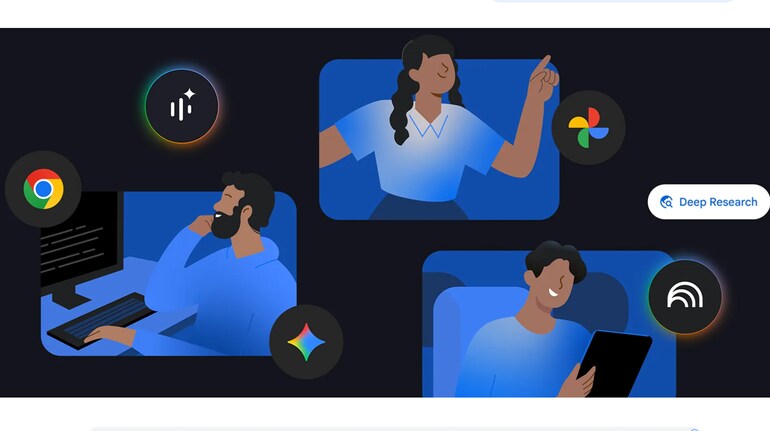

Google has shared a detailed list of 40 AI-focused tips outlining how users can get more value from its products across Search, Photos, Maps, Workspace and the Gemini app. Published as part of its year-end roundup, the guide reflects how AI has moved from experimental features to everyday tools across Google’s ecosystem.
The tips are organised around practical use cases rather than technical explanations. Google highlights how AI can help users research topics, plan travel, edit photos, manage daily tasks and improve productivity at work. Most of these features are powered by Gemini, Google’s flagship AI model, which is now deeply integrated across apps and services.
The company says the aim is to show how AI can reduce friction in routine tasks, while also enabling more creative and personalised experiences for users.
How AI improves Google Search
Several tips focus on new AI-powered capabilities in Search. With AI Mode enabled, users can ask complex, multi-part questions and receive structured answers with visual aids, comparisons and interactive tools. Google also highlights features like Circle to Search, which lets users tap or circle anything on their screen to get instant AI-generated explanations without switching apps.
AI-powered Search can also help with shopping, translations, travel planning and even calling local businesses to check availability or pricing on the user’s behalf.
What Gemini adds across apps
Gemini plays a central role in many of the tips. Google notes that users can rely on Gemini for guided learning, homework assistance, summarising documents, creating flashcards, generating images and building presentations. In Workspace apps like Gmail and Sheets, Gemini can help draft replies, analyse data and schedule meetings based on context.
The company also points to Gemini Live, which allows users to show real-world problems through their phone camera and get step-by-step help in real time.
AI features in Photos, Maps and Pixel devices
Google Photos now supports natural language photo editing, letting users ask AI to remove objects, fix lighting or restore old images. Maps integrates Gemini for navigation-related questions, nearby recommendations and hands-free assistance while driving.
On Pixel phones and wearables, AI powers features like call screening, automated replies, gesture controls and proactive reminders, reinforcing Google’s push to make AI a background assistant rather than a separate tool.
Google says more AI features and tips are planned in the coming year as adoption grows.
Google's 40 AI tips
Use Gemini to break down complex topics with visuals and step-by-step explanations.
Turn long research papers into interactive guides using Gemini.
Ask multi-part questions in AI Mode in Search for structured answers.
Use AI Mode to compare options like loans, gadgets or travel plans.
Enable Circle to Search to get instant explanations without switching apps.
Use NotebookLM’s Fast Research for quick scans of a topic.
Switch to Deep Research in NotebookLM for detailed reports.
Create flashcards and quizzes automatically in NotebookLM.
Use Guided Learning in Gemini for homework help and concept clarity.
Simplify dense web text using the Simplify feature in the Google app.
Ask Gemini for hands-free help while navigating in Google Maps.
Get restaurant recommendations and parking info during drives.
Use AI-powered Flight Deals to find cheaper travel options.
Build trip itineraries in Search using Canvas in AI Mode.
Save locations from screenshots directly into Google Maps lists.
Ask follow-up questions inside Circle to Search for deeper context.
Translate content on screen continuously using Circle to Search.
Shop conversationally in Search using natural language prompts.
Refine shopping results visually using AI Mode suggestions.
Get real-time business availability via AI-powered calling in Search.
Edit photos in Google Photos using plain language prompts.
Remove unwanted objects or restore old images with AI tools.
Use AI templates in Photos to create shareable edits quickly.
Turn photos into short videos using Gemini’s photo-to-video feature.
Generate illustrated storybooks using Gemini prompts.
Animate static images for social sharing with AI.
Create yearly photo recaps automatically in Google Photos.
Experiment with creative prompting for image generation.
Try Remix and AI styles in Google Photos for creative edits.
Convert holiday photos into digital albums or books.
Use Gemini Live with your phone camera to troubleshoot problems.
Ask Gemini to summarise multiple tabs in Chrome.
Create and share custom Gems to reuse prompt workflows.
Schedule recurring tasks directly with Gemini.
Get proactive suggestions using Pixel’s Magic Cue.
Control Pixel Watch using AI-powered gestures.
Use Raise to Talk for hands-free Gemini access on Pixel Watch.
Let Gemini help schedule meetings in Gmail automatically.
Analyse and categorise data in Google Sheets using AI formulas.
Combine Gemini Deep Research with Workspace files for richer reports.


Discover the latest Business News, Sensex, and Nifty updates. Obtain Personal Finance insights, tax queries, and expert opinions on Moneycontrol or download the Moneycontrol App to stay updated!
Find the best of Al News in one place, specially curated for you every weekend.
Stay on top of the latest tech trends and biggest startup news.