Microsoft is planning to remove the Control Panel from the Windows OS altogether. On its support page, the Redmond-based tech giant mentioned its plan to eventually replace the Control Panel in Windows with the Settings app. On its support page that lists several system configuration tools for Windows 11 and 10, Microsoft says that the Control Panel is “in the process of being deprecated”.
“The Control Panel is in the process of being deprecated in favor of the Settings app, which offers a more modern and streamlined experience,” says the Microsoft support page. In the long term, Microsoft has confirmed the sure demise of Control Panel but it’s going to be a slow one as there is no mention of when the long-time feature is going to be axed from the Windows operating system.
For the time being, the Control Panel will stay for the sake of compatibility and providing access to a bunch of settings that haven’t been migrated. But Microsoft encourages Windows users to start using the Settings app, “whenever possible”.
Microsoft outlines the advantages of the Settings app over Control Panel
For the Windows OS, the Settings app seems to be the future now and as per Microsoft, it provides “a more intuitive and user-friendly experience than the traditional Control Panel”.
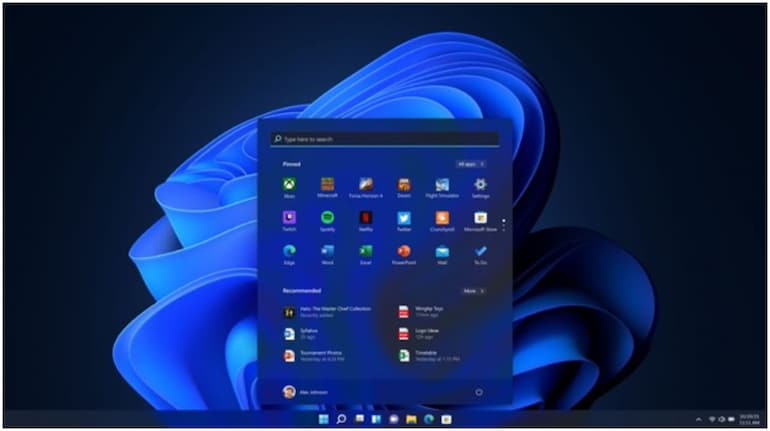
The Settings app in Windows is the central hub from where you can access any Windows-related feature categorised under different sections like Display, Devices, Network & Internet, Apps, Accounts, Ease of Access etc. For any Windows troubleshooting, you can head over to the Settings app.
“The Settings app is continually updated to support the latest Windows features,” adds Microsoft.
To go to Settings in Windows OS, right-click on the Start button in the bottom left corner and select Settings or left-click Start and click on the gear-shaped Settings icon. There is a keyboard shortcut to open the Settings app too. Just press Start +I and it will open.



Discover the latest Business News, Sensex, and Nifty updates. Obtain Personal Finance insights, tax queries, and expert opinions on Moneycontrol or download the Moneycontrol App to stay updated!
Find the best of Al News in one place, specially curated for you every weekend.
Stay on top of the latest tech trends and biggest startup news.