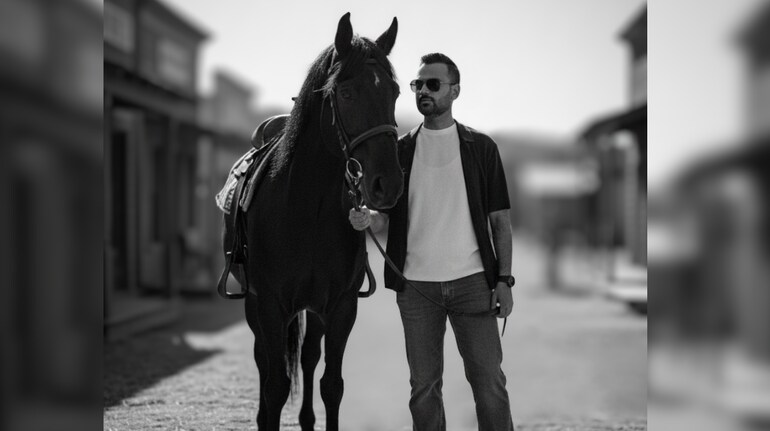

Aura farm images, where a real person is placed into a cinematic, emotionally charged setting, are becoming a major trend on Instagram Reels and YouTube Shorts. Unlike animal-only visuals, this format focuses on creating a strong personal presence using lighting, mood, and storytelling. Many creators are using Google Gemini to turn their own photos into aura farm–style images. Here is a step-by-step guide to creating your own aura farm image, including prompts and refinement tips.
Step 1: Choose the right base photo
Start with a clear photo of yourself. The image should be well-lit, face clearly visible, and preferably taken from the waist up or full body. Avoid heavy filters or low-light selfies, as clean inputs help the AI generate more accurate and realistic outputs.
Step 2: Decide the aura and setting
Before opening Gemini, decide the mood you want to project. This could be calm and confident, powerful and grounded, or cinematic and mysterious. Also decide the environment, such as open farmland, misty fields, sunset landscapes, or rustic rural backdrops. Having this clarity improves consistency in results.
Step 3: Open Gemini and upload your image
Open Gemini on the app or web interface and switch to image generation. Upload your photo and select a high-quality or photorealistic image model. Mention that the generated image should preserve facial features and body structure from the uploaded photo.
Step 4: Write a personal aura farm prompt
Your prompt should clearly state that the AI must use your uploaded image as reference while changing the environment, lighting, and mood.
Sample prompt:
“Using my uploaded photo as reference, create a cinematic aura farm portrait of me standing in an open field at golden hour. Dramatic sunlight, soft shadows, shallow depth of field, calm and confident mood, editorial photography style, realistic skin tones, high-detail output.”
Step 5: Generate and review the output
After generating the image, carefully check facial accuracy, posture, lighting balance, and background realism. The first output may not be perfect, which is normal when creating personalised AI images.
Refinement tips for better results
Refinement is key to achieving a viral-ready aura farm image. If your face looks slightly altered, add “accurate facial features” or “preserve original face structure.” If the image feels flat, include “cinematic contrast” or “strong backlighting.”
To improve realism, use phrases like “natural skin texture,” “subtle film grain,” or “realistic shadows.” If the background overpowers your presence, specify “softly blurred background” or “subject in sharp focus.” Make only one or two changes per prompt to clearly see improvements.
Step 6: Regenerate with small adjustments
Regenerate the image after each refinement. Small, focused edits produce better results than rewriting the entire prompt every time.
Step 7: Optimise for social media
Once satisfied, download the image in high resolution and keep it in a vertical 9:16 format. Pair it with trending audio and a short caption that matches the mood to maximise reach and engagement.
Key details to remember
Aura farm images work best when your personal presence remains authentic. Clear base photos, precise prompts, and gradual refinement help create visually striking results while maintaining realism and consistency.


Discover the latest Business News, Sensex, and Nifty updates. Obtain Personal Finance insights, tax queries, and expert opinions on Moneycontrol or download the Moneycontrol App to stay updated!
Find the best of Al News in one place, specially curated for you every weekend.
Stay on top of the latest tech trends and biggest startup news.