-
My Account









All you need to know about Gmail’s redesign and its new features
Gmail has added multiple features including snooze, Smart Reply, high-priority notifications and confidential mode, besides a visual face lift.




1/10

Google has redesigned Gmail — its popular email service which boasts of 1.04 billion users. The redesign involves a host of new features such as email snoozing, nudging and confidential mode. The overhaul also gives Gmail a substantial visual facelift. Check out what’s new in Gmail. (Image: Reuters)
2/10
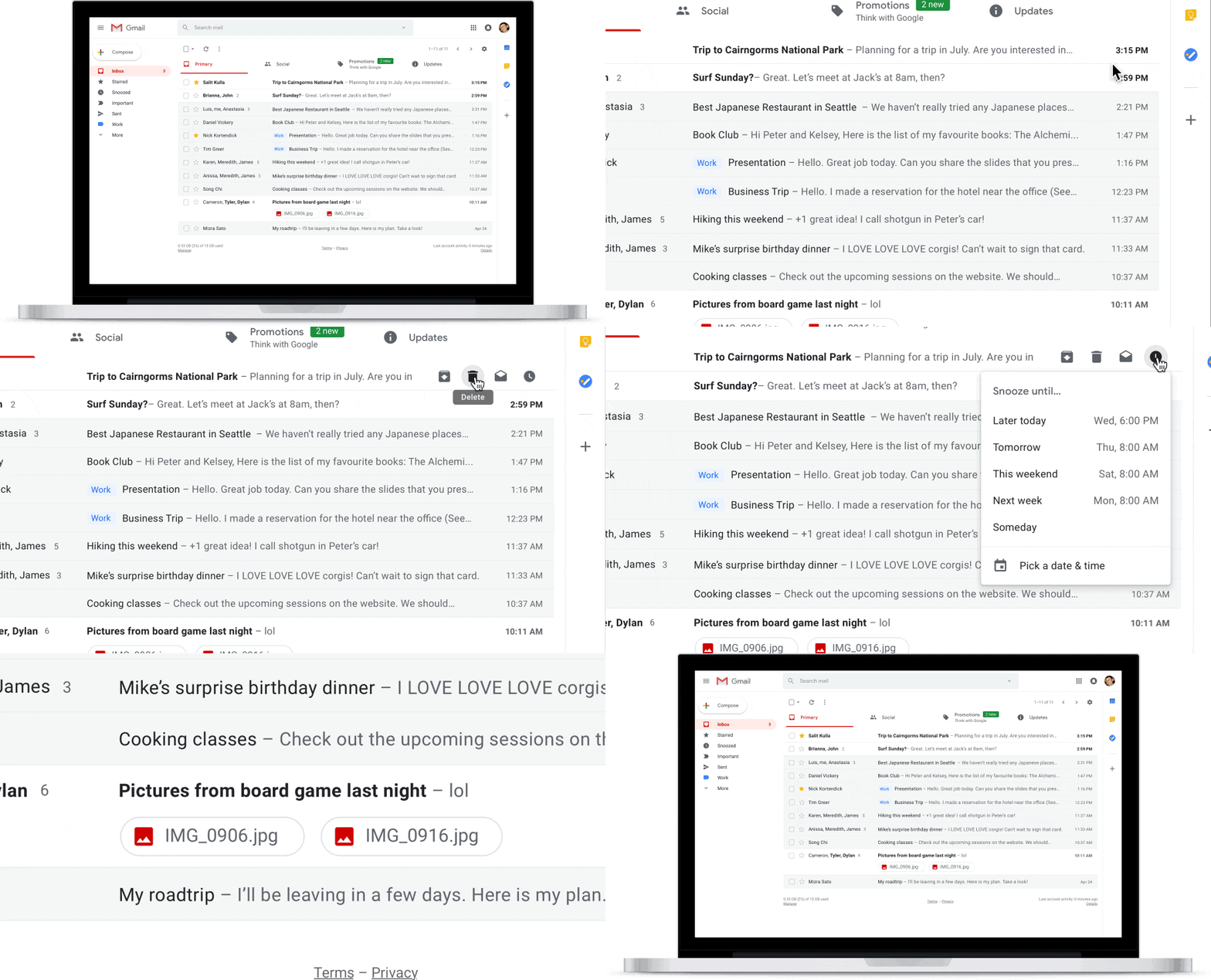
Gmail Attachment Preview | Users will be able to check attachments, such as images, without opening them. (Image: Google)
3/10
Gmail Snooze Feature | Google has also rolled out a new ‘snooze’ button will allow users to snooze conversations. (Image: Reuters)
4/10
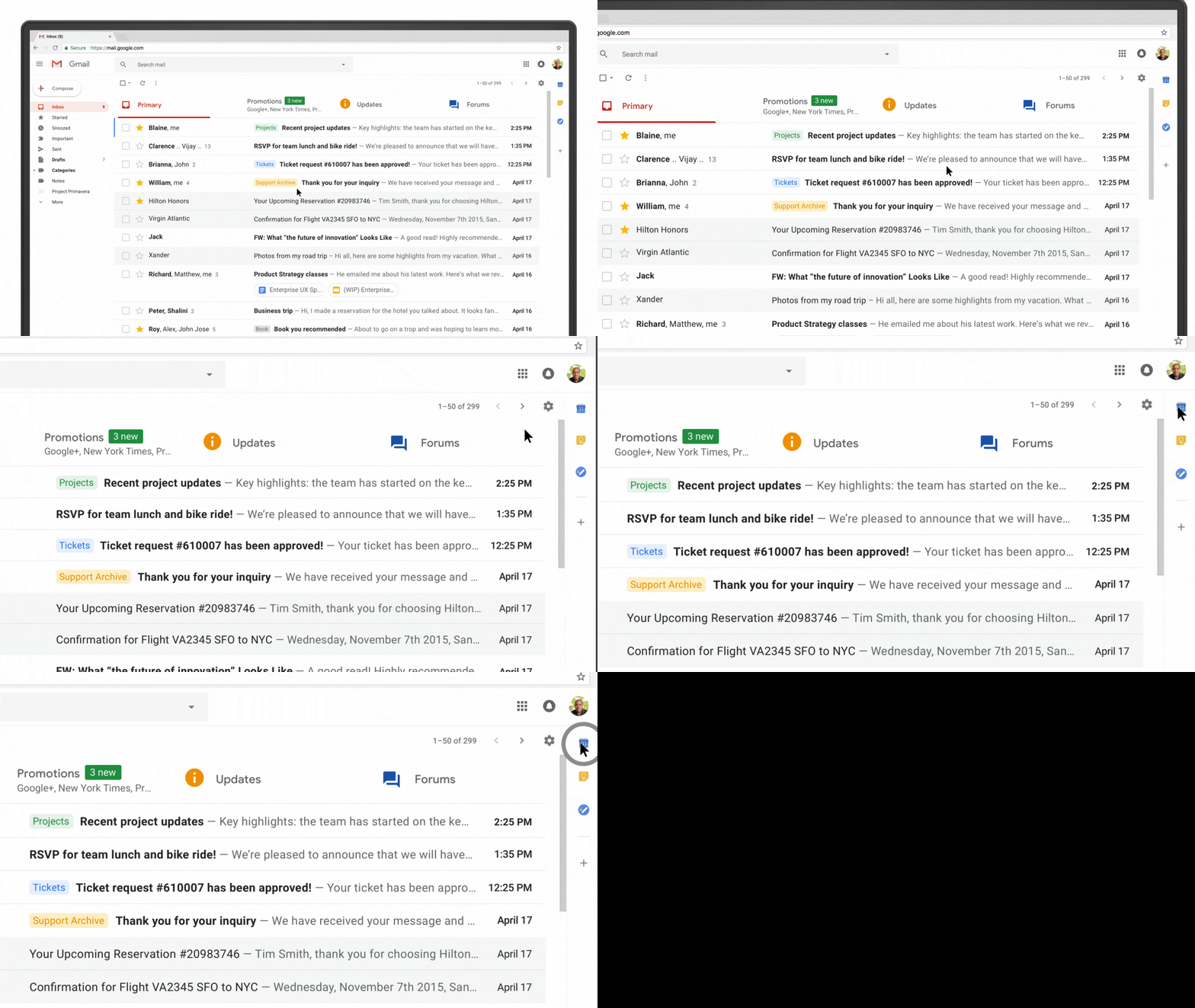
Easy Access for Google Tools | Google has also made it easier for people to access features that they use often such as Google Calendar, Tasks and Google Keep. (Image: Google)
5/10
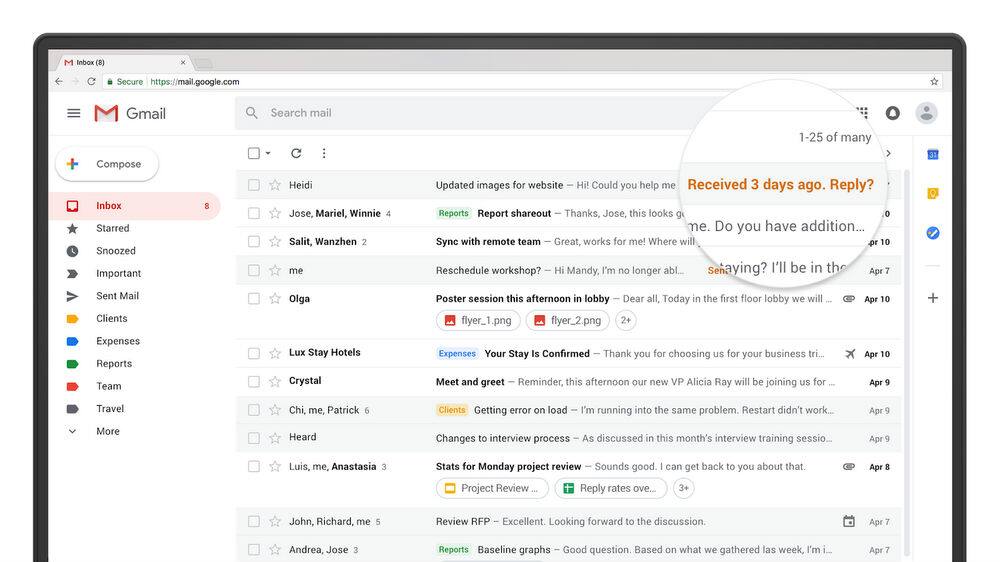
Gmail Nudge | Gmail will now ‘nudge’ you to follow up and respond to emails and messages with reminders that will appear next the emails. (Image: Google)
6/10
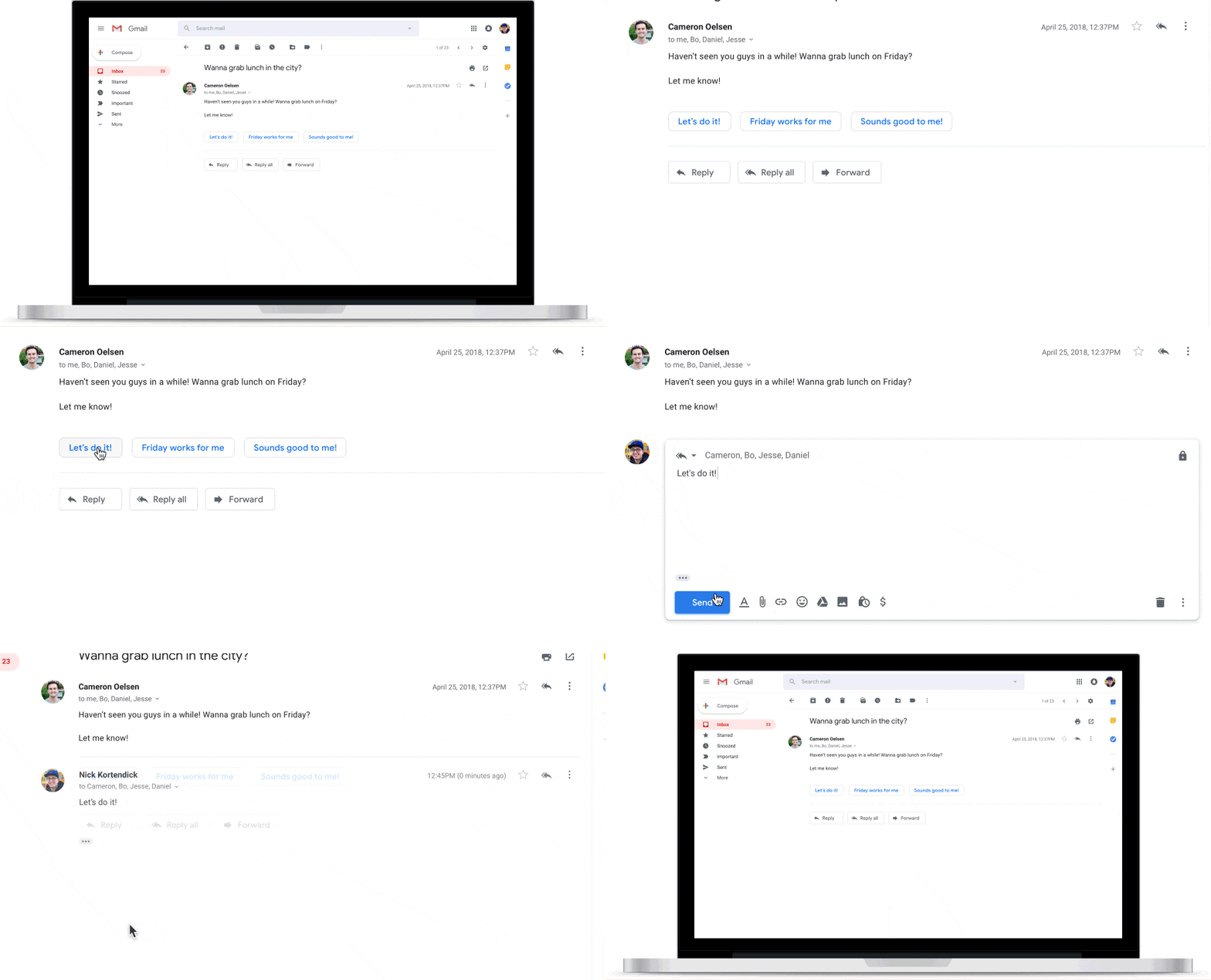
Gmail Smart Reply | Google has also added the ‘Smart Reply’ option on the web to help users reply to messages faster. (Image: Google)
7/10
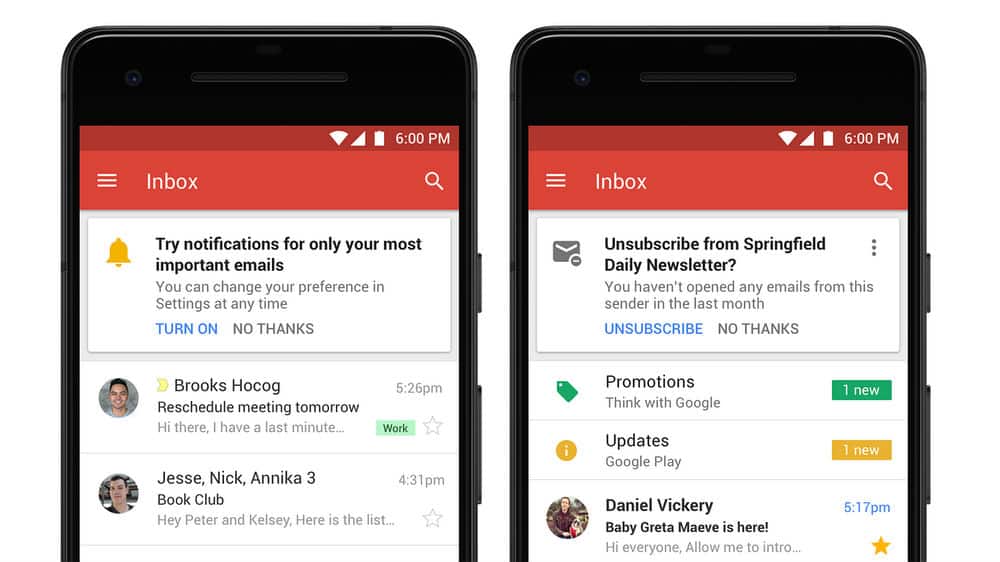
High-priority Notifications | Gmail has introduced the new high-priority notifications feature for important emails. (Image: Google)
8/10
Unsubscribe Suggestions | Gmail will now suggest when to unsubscribe from newsletters or offers you may not want about anymore. (Image: Reuters)
9/10

Risky Email Alert | The service will also send out a clear warning at the top of an email which Gmail deems potentially risky. (Image: Google)
10/10
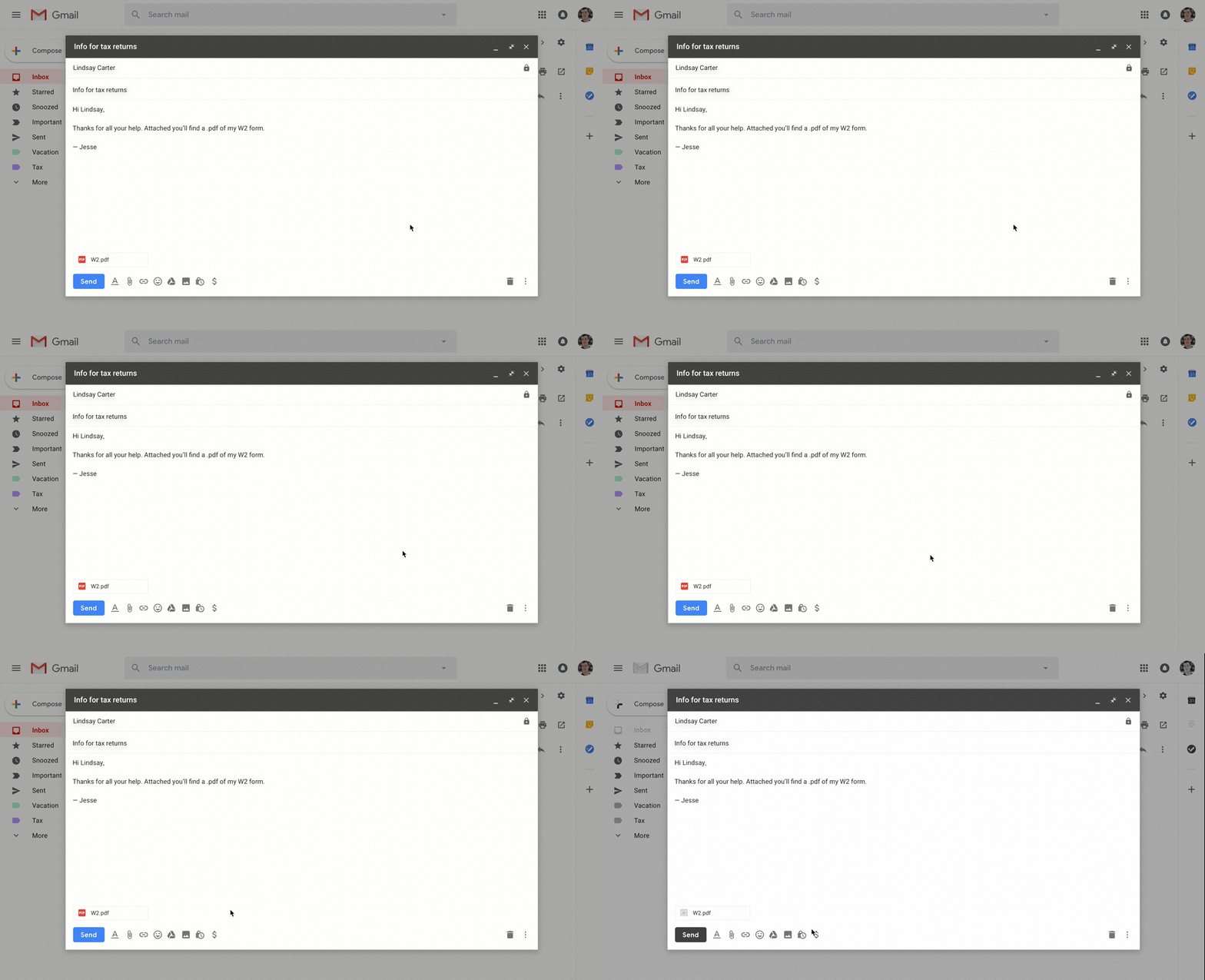
Confidential Mode | The new feature will allow users to remove the option to forward, copy, download or print emails. This could be useful while sending sensitive information via email such as a tax return or your Aadhaar number. Users may also choose to expire an email after a set period — just like Snapchat and Instagram stories expire after 24 hours. (Image: Google)
Discover the latest Business News, Budget 2025 News, Sensex, and Nifty updates. Obtain Personal Finance insights, tax queries, and expert opinions on Moneycontrol or download the Moneycontrol App to stay updated!



