- My Alerts
- Go Ad-Free
-
My Account











Wedding photography tips: 10 tips to capture memorable photos from phone
Wedding season is on and while your friends and family are getting married, you can use your phone to capture the best moments that can be cherished for life. Here are 10 tips for capturing stunning photos from your phone.




1/12

Prepare your phone
More than you, your phone needs to be ready for a wedding photography session. Start with cleaning the lenses. Wipe the lens with a soft, lint-free cloth before you start shooting. Smudges and fingerprints can significantly impact image quality, creating blurry or hazy photos.
More than you, your phone needs to be ready for a wedding photography session. Start with cleaning the lenses. Wipe the lens with a soft, lint-free cloth before you start shooting. Smudges and fingerprints can significantly impact image quality, creating blurry or hazy photos.
2/12
Utilize available light at hand
Many modern phones are more than capable of handling all kinds of light scenarios. They even come with built-in night mode or low light mode that can be used to improve the overall image quality. But, identify existing light sources like string lights, candles, or spotlights. Position subjects to take advantage of these sources, using diffusers or reflectors if needed. Experiment with shadows for added depth.'
Many modern phones are more than capable of handling all kinds of light scenarios. They even come with built-in night mode or low light mode that can be used to improve the overall image quality. But, identify existing light sources like string lights, candles, or spotlights. Position subjects to take advantage of these sources, using diffusers or reflectors if needed. Experiment with shadows for added depth.'
3/12

Be playful with angles
Don't be afraid to experiment with different perspectives. Shoot from above to capture the grandeur of a scene, or get down low for a unique view. Eye-level shots are classic, but varying your angles can add visual interest to your photos. Consider the background and how it interacts with your subject when choosing your angle.
Don't be afraid to experiment with different perspectives. Shoot from above to capture the grandeur of a scene, or get down low for a unique view. Eye-level shots are classic, but varying your angles can add visual interest to your photos. Consider the background and how it interacts with your subject when choosing your angle.
4/12

Work on your composition
Composition is key to a compelling photograph. Use techniques like the rule of thirds, where you divide the frame into nine equal sections and place key elements along those lines or at their intersections. Leading lines, such as paths or fences, can draw the viewer's eye into the image. Pay attention to the background and try to eliminate distracting elements.
Composition is key to a compelling photograph. Use techniques like the rule of thirds, where you divide the frame into nine equal sections and place key elements along those lines or at their intersections. Leading lines, such as paths or fences, can draw the viewer's eye into the image. Pay attention to the background and try to eliminate distracting elements.
5/12

Steady the shot
Camera shake can result in blurry photos. Hold your phone firmly with both hands, or use a tripod for maximum stability. If you don't have a tripod, try leaning against a wall or other stable surface. Taking a deep breath and exhaling slowly before you press the shutter button can also help to minimize movement.
Camera shake can result in blurry photos. Hold your phone firmly with both hands, or use a tripod for maximum stability. If you don't have a tripod, try leaning against a wall or other stable surface. Taking a deep breath and exhaling slowly before you press the shutter button can also help to minimize movement.
6/12

Digital zoom is your enemy, optical isn’t
Don't rely on digital zoom, which degrades image quality. Instead, physically move closer to your subject to capture more detail. Getting close to the subject either moving closer to the subject or using the optical zoom lens, allows you to capture expressions, textures, and other nuances that you might miss from a distance. Fill the frame with your subject for a more impactful image.
Don't rely on digital zoom, which degrades image quality. Instead, physically move closer to your subject to capture more detail. Getting close to the subject either moving closer to the subject or using the optical zoom lens, allows you to capture expressions, textures, and other nuances that you might miss from a distance. Fill the frame with your subject for a more impactful image.
7/12

Don’t behave like paid photographer, go candid
Weddings are full of spontaneous moments that are perfect for candid photography. Be ready to capture genuine emotions, interactions, and details. Look for laughter, tears, hugs, and other authentic expressions. Candid photos often tell the story of the day more effectively than posed shots.
Weddings are full of spontaneous moments that are perfect for candid photography. Be ready to capture genuine emotions, interactions, and details. Look for laughter, tears, hugs, and other authentic expressions. Candid photos often tell the story of the day more effectively than posed shots.
8/12

Beauty lies in portrait mode and that background blur
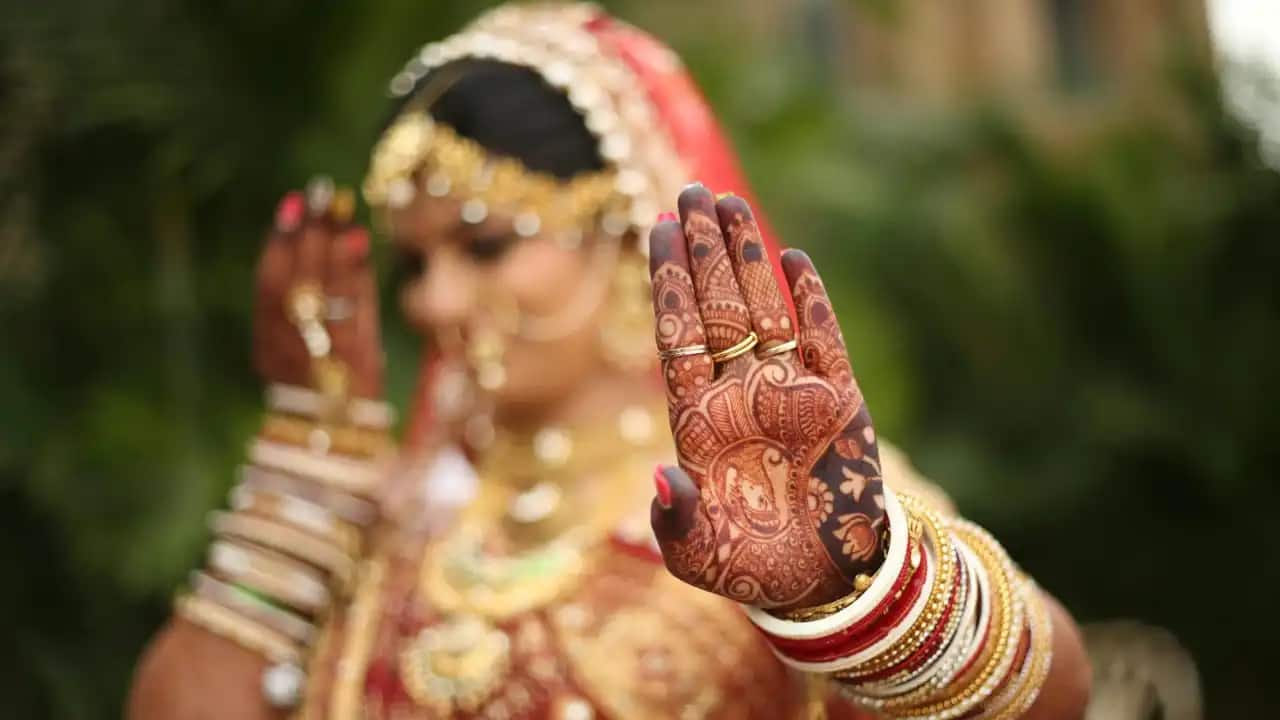
Portrait mode or bokeh effect in the photos can truly elevate the look and feel of it. Try capturing portrait photos as much as you can.
Portrait mode or bokeh effect in the photos can truly elevate the look and feel of it. Try capturing portrait photos as much as you can.
9/12

Burst mode
Burst mode allows you to capture a series of photos in rapid succession. This is particularly useful for capturing action sequences, such as the bride walking down the aisle or the couple's first dance. Burst mode increases your chances of getting the perfect shot, even if your subject is moving quickly.
Burst mode allows you to capture a series of photos in rapid succession. This is particularly useful for capturing action sequences, such as the bride walking down the aisle or the couple's first dance. Burst mode increases your chances of getting the perfect shot, even if your subject is moving quickly.
10/12

Use dedicated wedding mode or wedding filters
Some phones come with built-in wedding mode – Vivo V50, X200 Pro, etc that you can use to capture wedding photos hassle-free. But you can also get wedding filters online and apply it to change the effect and feel of the photos accordingly.
Some phones come with built-in wedding mode – Vivo V50, X200 Pro, etc that you can use to capture wedding photos hassle-free. But you can also get wedding filters online and apply it to change the effect and feel of the photos accordingly.
11/12

Edit your photos
Post-processing can significantly enhance your photos. Use editing apps to adjust brightness, contrast, colour balance, and other parameters. Cropping can also improve composition. However, avoid over-editing, which can make your photos look unnatural. A little editing can go a long way.
Post-processing can significantly enhance your photos. Use editing apps to adjust brightness, contrast, colour balance, and other parameters. Cropping can also improve composition. However, avoid over-editing, which can make your photos look unnatural. A little editing can go a long way.
12/12

Back-up photos
It's crucial to back up your photos to multiple locations. This will protect your precious memories in case of device loss, theft, or damage. Consider backing up your photos to a cloud service, an external hard drive, or a computer. Don't rely solely on your phone's storage.
It's crucial to back up your photos to multiple locations. This will protect your precious memories in case of device loss, theft, or damage. Consider backing up your photos to a cloud service, an external hard drive, or a computer. Don't rely solely on your phone's storage.
Discover the latest Business News, Budget 2025 News, Sensex, and Nifty updates. Obtain Personal Finance insights, tax queries, and expert opinions on Moneycontrol or download the Moneycontrol App to stay updated!



