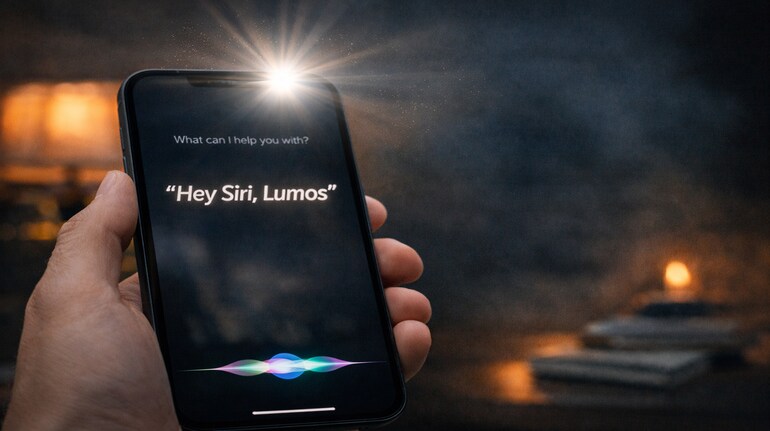

If you say “Hey Siri, Lumos” and your iPhone’s torch suddenly switches on, you’re not imagining things. We tried it ourselves, again and again, and it works perfectly. The phone can be locked, lying on the bed, or sitting across the room. As long as Siri can hear you, the torch turns on instantly.
So what is “Lumos,” and why does your iPhone understand it?
Lumos is a word from the Harry Potter books and films. It’s the spell used to light up a wizard’s wand. When the light needs to be turned off, the spell is “Nox.” Over the years, these words have become part of everyday pop culture. Even people who aren’t big fans often know that “Lumos” means light on.
Apple hasn’t made a big announcement about this, but Siri understands the meaning behind the word. When you say “Lumos,” Siri takes it as a request to turn on the flashlight. It’s the same as saying “turn on the torch,” just shorter and more fun. Siri isn’t looking for a special spell, it’s simply recognising what you want to do.
This works because the torch is a safe feature for Siri to control. Turning on a light doesn’t reveal any personal information, so Apple allows Siri to do it even when the phone is locked. That’s why you don’t have to touch your phone or unlock it first. You just speak, and it responds.
We tested this in everyday situations. Late at night, lights off, phone locked—Lumos worked every time. Saying “Hey Siri, Nox” turned the torch off just as quickly. It felt surprisingly useful, especially when your hands are full or you don’t want to squint at your screen in the dark.
If the command doesn’t work on your phone, it’s usually because Siri isn’t switched on. Make sure “Hey Siri” is enabled in your settings. Once that’s done, you can use Lumos anytime. And if you forget the word, you can always say “Hey Siri, turn on the flashlight,” but honestly, that’s far less fun.
What makes this trick special isn’t just that it works, it’s how natural it feels. You don’t need to remember steps or menus. You just ask, and the phone helps out. It’s one of those small features that Apple never really talks about, but once you discover it, you start using it without thinking.
Sometimes, the best tech tricks are the simplest ones. And this one feels just a little bit magical.



Discover the latest Business News, Sensex, and Nifty updates. Obtain Personal Finance insights, tax queries, and expert opinions on Moneycontrol or download the Moneycontrol App to stay updated!
Find the best of Al News in one place, specially curated for you every weekend.
Stay on top of the latest tech trends and biggest startup news.