






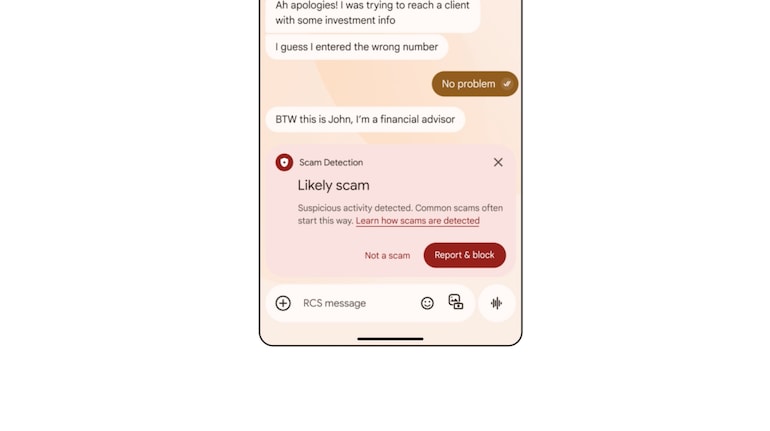
Google has announced a couple of new AI-powered scam detection feature for messages. The new feature enables users to monitor scam messages in real-time and stay protected. A similar feature is available for calls as well. If you want to enable the real-time AI-powered Scam detection feature on your Android phone, here’s our step-by-step guide:
What you need
An Android smartphone running Android 6 or above
Android phone with Google Phone app
How to enable spam protection for calls
Open Phone app and tap on More
Head to Settings and choose Calller ID and spam option
Turn See caller ID & spam on or off.
Additionally, to block spam calls on your phone, turn on "Filter spam calls." You don't get missed call or voicemail notifications, but filtered calls are in your call history, and you can check your voicemail.
How to enable scam protection for messages
Update Google Messages app and open it
Now, tap on your profile icon at the top right corner
Head to Settings and choose Spam Protection option
Now, enable the toggle to turn on the feature
Once done, Google Messages will automatically scan the messages and detect whether the message or SMS received is spam or not. Accordingly, the users will be notified with option to “Report & block”.


Discover the latest Business News, Sensex, and Nifty updates. Obtain Personal Finance insights, tax queries, and expert opinions on Moneycontrol or download the Moneycontrol App to stay updated!
Find the best of Al News in one place, specially curated for you every weekend.
Stay on top of the latest tech trends and biggest startup news.





