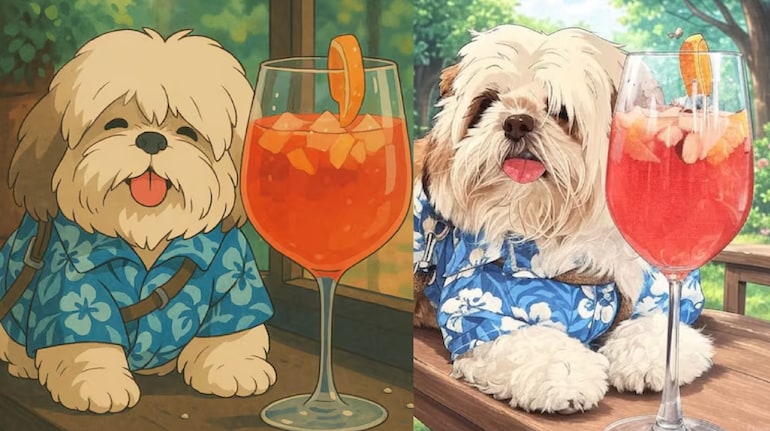
Studio Ghibli-style images are trending these days, and you can find one all over your social media platforms. ChatGPT’s new image generation model started this trend, and soon after that, OpenAI added the limit of 3 per day for free users. Elon Musk’s Grok picked up on the trend and added the Studio Ghibli-style support with practically no limit on how many images users can generate in a day.
Having said that, the Ghibli style adaptation of Grok is not as good and accurate as ChatGPTs, and if you are also tired of Grok creating average Ghibli art, ChatGPT can come in handy here.
Ask how?
Well, ChatGPT has limits over image generation, not on text-based prompts. So, considering ChatGPT can do better with Ghibli art, it understands the prompts better. You can combine the strengths of both platforms—ChatGPT’s prompt-generation skills and Grok’s image processing—to create better Ghibli-style visuals.
Also Read: 10 tips for turning your photos into Ghibli art
Check out our detailed guide on how you can use ChatGPT to create that perfect prompt and use Grok to generate Ghibli-style images using that prompt.
Part 1: Create a Ghibli-style art prompt using ChatGPT
Step 1: Open ChatGPT on the web or app
Step 2: Then, upload the photo that you want to convert into Ghibli style art.
Step 3: Now, the idea to ChatGPT you have in mind for the conversion. Include details about the setting, style, mood, and colors.
Step 4: Ask ChatGPT to generate a “text prompt” that can be used in Grok to create this image. Do note that you want a text prompt and not the image.
Sample command for ChatGPT: "Generate a text prompt to convert the uploaded image into Ghibli style art."
Also Read: Generate Ghibli Videos: Alibaba Qwen can create Ghibli studio art videos for free
ChatGPT’s response:
“A vibrant and detailed Studio Ghibli-style illustration of two cricket players standing on the field, exchanging a fist bump in a moment of sportsmanship. One player is dressed in a red and black uniform with gold lettering, holding a cricket bat, while the other is in a blue and gold outfit, holding a helmet. Their expressions reflect mutual respect and determination. The scene is set in a grand cricket stadium with a glowing evening sky, warm stadium lights casting a soft golden hue. The art style features hand-painted textures, lush colors, soft lighting, and expressive character designs with delicate facial details. The background is rich with blurred spectators and banners, adding depth and atmosphere to the composition, evoking the signature charm of classic Ghibli films.”
Part 2: Creating Ghibli-style art with Grok using ChatGPT’s prompt
Step 1: Open Grok’s website or X.com and login
Step 2: Upload the same image and then enter the prompt provided by ChatGPT
Step 3: Wait for Grok to process and generate the output.
Step 4: Make the necessary adjustments if you want
Step 5: Save and share
Also Read: Try these Ghibli art alternatives that ChatGPT can create
Grok with and without ChatGPT’s prompt: A detailed comparison
If you look at the two images below, you’ll notice that the image generated using Grok with ChatGPT’s command has far superior details, sharpness and even colours. Here’s a detailed analysis.
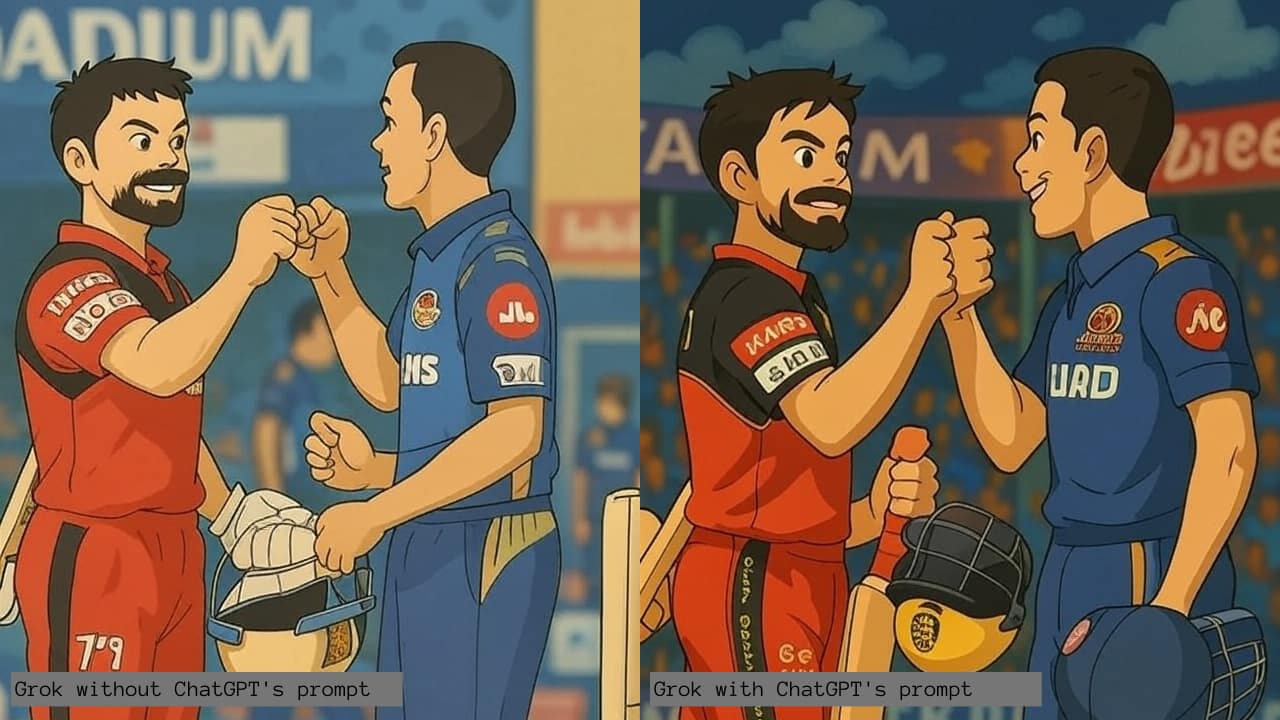 Grok Ghibli art using ChatGPT
Character details
With ChatGPT’s prompt: The characters’ facial features are well-defined, closely resembling their real-life counterparts. Their expressions appear natural, with a sense of emotion and realism. The eyes, beard, and facial contours are detailed, making the characters more recognizable and relatable.
Without ChatGPT’s prompt: The characters look more generic, with simplified facial features that do not resemble the actual players. Their expressions feel static, and the overall look lacks depth. The eyes and beards are less defined, making the characters seem cartoonish rather than realistic.
Also Read: 5 image editing ChatGPT can do other than Ghibli effect
Team jerseys and accessories
With ChatGPT’s prompt: The jerseys are highly accurate, featuring correct colors, logos, and sponsor details. The design elements, such as text, patches, and sleeve details, are well-executed. Even the helmet carries a recognizable logo, contributing to the authenticity of the image. The attention to small details like the texture of the clothing makes the image feel more immersive.
Without ChatGPT’s prompt: The jerseys have inconsistencies, such as missing or misplaced logos, incorrect text, and design elements that do not match the original team outfits. The helmet also lacks accuracy, with simplified detailing that does not correctly depict the real-world versions. The overall attire appears less polished.
Background and atmosphere
With ChatGPT’s prompt: The stadium setting is more immersive, with a vibrant crowd, detailed banners, and realistic lighting effects. The colors and shading in the background create depth, making the image feel like a scene from an animated movie. The composition ensures the setting complements the characters without overpowering them.
Without ChatGPT’s prompt: The background appears flatter and less engaging, with fewer details and a generic feel. The stadium lacks the depth and realism needed to make it an immersive setting. The crowd and banners look static, and the lighting effects do not add much vibrancy to the image.
Color and artistic quality
With ChatGPT’s prompt: The color palette is rich and well-balanced, creating a visually appealing Ghibli-style effect. Smooth shading, proper lighting, and vibrant tones give the image a polished and high-quality appearance. The blend of colors enhances the animation-style aesthetic.
Without ChatGPT’s prompt: The colors are duller, with less dynamic shading and weaker contrasts. The image lacks the depth and refinement seen in the enhanced version. The flat shading makes the image appear less lively and detailed.
Why this works
AI models can misinterpret vague prompts, often adding unintended or incorrect elements. ChatGPT helps by creating precise, context-rich prompts that reduce ambiguity. This improves the output quality even on platforms like Grok that may not have fine-tuned stylistic capabilities.


Discover the latest Business News, Sensex, and Nifty updates. Obtain Personal Finance insights, tax queries, and expert opinions on Moneycontrol or download the Moneycontrol App to stay updated!
Find the best of Al News in one place, specially curated for you every weekend.
Stay on top of the latest tech trends and biggest startup news.