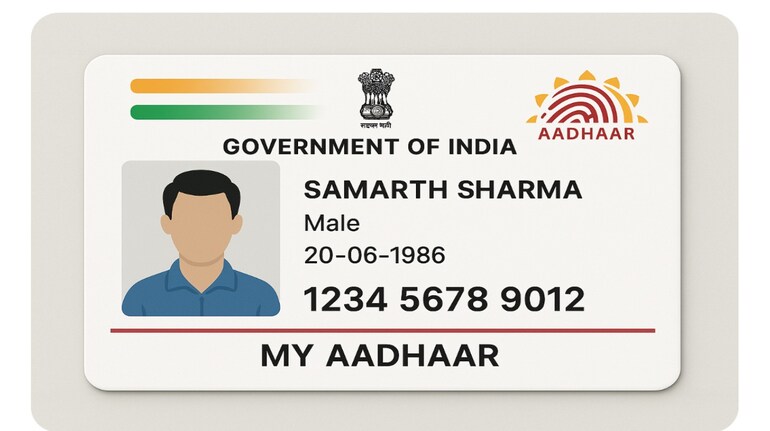
Amid the rising popularity of AI image generation tools, alarming concerns are surfacing over the misuse of ChatGPT and similar models to create fake Aadhaar cards. While the AI tool officially refuses to generate or modify government IDs, some users have bypassed these restrictions and produced fake Aadhaar images by uploading template-based requests.
Here’s a step-by-step guide on how to verify whether an Aadhaar card is authentic or generated by AI.
Step 1: Inspect visual elements carefully
Fake Aadhaar cards created through AI often show inconsistencies in formatting and design. Start by checking:
Photograph: AI-generated Aadhaar cards may alter even genuine user-uploaded images. Compare the photo with a known original.
Font mismatch: Look at both Hindi and English text. Fake cards may use slightly different fonts or text alignments.
Syntax and punctuation: Real Aadhaar cards follow a consistent structure—watch for misplaced colons, slashes, or comma placements.
Logos: Closely examine the Aadhaar and Government of India logos. AI replicas may have distortion or alignment errors.
QR code: Genuine Aadhaar cards feature a scannable QR code that links to UIDAI authentication.
Step 2: Scan the QR code
The QR code on the Aadhaar card holds the encrypted demographic and biometric data of the user. Use the UIDAI-approved QR code scanner app or any standard QR code scanner. If the scan fails or redirects to invalid data, the card is most likely fake.
Step 3: Verify Aadhaar on UIDAI website
To ensure authenticity, visit the UIDAI verification portal.
Go to https://myaadhaar.uidai.gov.in/verifyAadhaar
Click on “Check Aadhaar Validity”
Enter the 12-digit Aadhaar number and the captcha code
If the Aadhaar number is fake, you will be prompted to re-enter a valid number
If valid, the system will confirm: “Aadhaar number exists” and display name, state, and gender
Match these details with the physical card.
Step 4: Use Virtual Aadhaar for privacy
Instead of sharing your actual Aadhaar number, generate a Virtual ID (VID) via UIDAI. This 16-digit temporary ID ensures your original Aadhaar number remains protected during authentication.
Important tip
Only the Aadhaar number holder can generate VID. No third party, including authentication service providers, can do it on your behalf.


Discover the latest Business News, Sensex, and Nifty updates. Obtain Personal Finance insights, tax queries, and expert opinions on Moneycontrol or download the Moneycontrol App to stay updated!
Find the best of Al News in one place, specially curated for you every weekend.
Stay on top of the latest tech trends and biggest startup news.