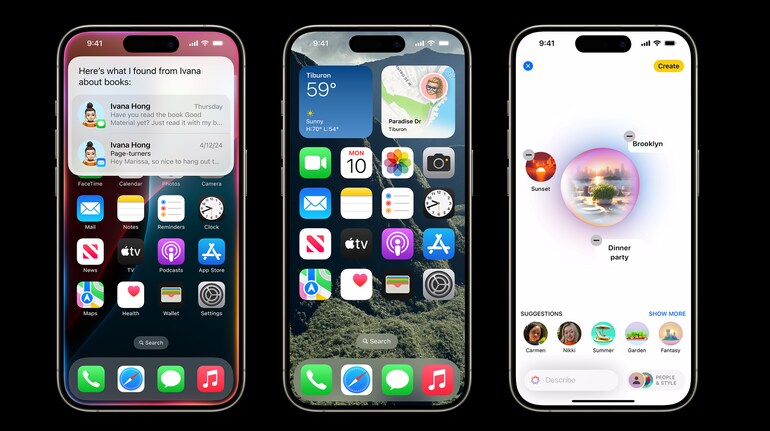
Apple has unveiled new lock screen customisation features in iOS 18, enabling users to access essential tools, manage screen time, and focus on productivity directly from their lock screens. The update aims to help users streamline tasks, reduce distractions, and maintain a better balance between device usage and productivity.
Key features
The enhanced lock screen features include dynamic widgets, real-time interactivity, and focus-centric design. Users can now perform quick actions like replying to emails, managing schedules, and accessing notifications without unlocking their devices. This approach minimises the temptation to switch between apps, helping users concentrate on tasks.
For example, a chef can monitor timers without unlocking the phone, a student can check deadlines, and professionals can review notifications during meetings.
Dynamic widgets and Real-time updates
Dynamic widgets on the lock screen allow users to personalize their device interfaces with tools like calendars, weather updates, and timers. These widgets are designed for quick access to essential information, reducing the need to unlock the device for routine tasks.
Interactive widgets also enable users to perform real-time actions, such as completing reminders or replying to messages, making the lock screen a functional workspace.
Screen time management
The updated lock screen supports users in managing screen time effectively. Customization options let users prioritize workflow by limiting unnecessary distractions. By integrating essential tools directly into the lock screen, users can stay focused on tasks without the urge to browse unrelated apps.
This design promotes healthier digital habits, especially for individuals managing multiple priorities, such as students and working professionals.
Personalising lock screen
Users can create multiple lock screens, each tailored to specific focus modes, such as work or leisure. The customization process includes options to:
• Add wallpapers, photos, or shuffle features.
• Adjust font styles and colors for time displays.
• Incorporate widgets for real-time updates.
• Link lock screens to focus modes for seamless transitions.
To create a new lock screen, users can access customisation options by pressing the side button twice and following the prompts to add or modify elements.
Adjusting lock screen controls
iOS 18 introduces flexible control options at the bottom of the lock screen. Users can replace default controls with quick actions, such as a calculator for shopping or a translation app for travel. These controls can be tailored to specific lock screens and linked to focus modes for added convenience.
iOS 18’s lock screen updates are available to all compatible devices, with Apple positioning the iPhone as a productivity tool that adapts to diverse user needs. The features are part of Apple’s broader effort to balance digital well-being and functionality.


Discover the latest Business News, Sensex, and Nifty updates. Obtain Personal Finance insights, tax queries, and expert opinions on Moneycontrol or download the Moneycontrol App to stay updated!
Find the best of Al News in one place, specially curated for you every weekend.
Stay on top of the latest tech trends and biggest startup news.