February 26, 2025 / 07:31 IST
Photoshop comes to iPhone
Adobe is bringing Photoshop to mobile and expanding the web experience, with Photoshop on iPhone available now and Android coming later this year. "The free Photoshop mobile app offers premium upgrades through a new Photoshop Mobile and Web plan at $7.99/month or $69.99/annually, which includes additional features on mobile and iPad, along with access to Photoshop on the web", Adobe said in a press statement.
Photoshop on iPhone: Features
Story continues below Advertisement
Photoshop on iPhone comes with several features and capabilities. Adobe says that with these, users can:
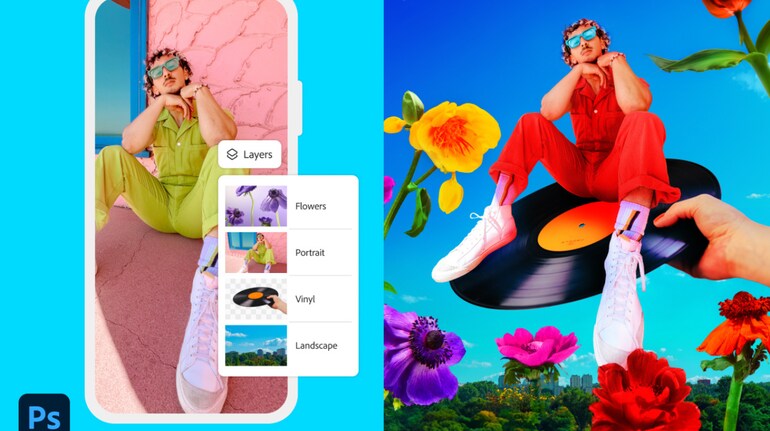
- Create unique images and designs by combining, compositing and blending images with core Photoshop tools and features, including selections, layers and masks
- Remove, recolour or replace parts of an image with the intuitive Tap Select tool
- Utilize advanced removal tools like the Spot Healing Brush to brush away distractions in seconds
- Leverage powerful generative AI tools powered by Adobe Firefly including the popular Generative Fill and
- Generative Expand to easily add new elements to designs and quickly edit photos
- Navigate across workflows easily with direct integration with creative apps including Adobe Express, Adobe Fresco and Adobe Lightroom
- Add, replace and create with a vast library of free Adobe Stock assets
All-New Photoshop Mobile and Web Plan
Photoshop is introducing a new Photoshop Mobile and Web plan with expanded access to Photoshop on the web and advanced editing features on mobile, including:
- Transition from Photoshop mobile to Photoshop on the web to create with added precision and control across workflows and surfaces
- Expanded access to commercially safe, Firefly-powered tools including Generate Similar and Reference Image in Photoshop web to easily add unique design and image elements to create fun visuals
- Access more than 20,000 fonts or import additional options for limitless typography options
- Make precise selections with enhanced precision of people and objects with Object Select
- Isolate objects and make targeted adjustments with selection tools like Magic Wand
- Remove distractions with ease with Remove Tool, hide unwanted objects with Clone Stamp and seamlessly fill portions of an image with Content-Aware Fill
- Control transparency, color effects and add unique styles with Advanced blend modes
- Lighten or darken areas of an image without affecting hue or saturation with Lighten and Darken Responsible Innovation
Discover the latest Business News, Sensex, and Nifty updates. Obtain Personal Finance insights, tax queries, and expert opinions on Moneycontrol or download the Moneycontrol App to stay updated!