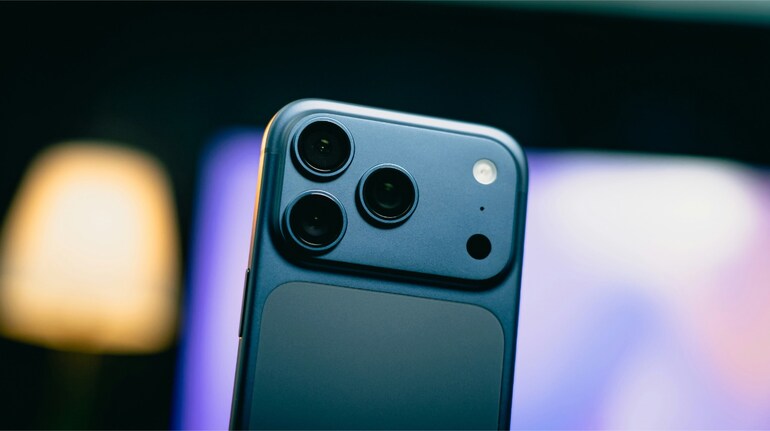

The iPhone 17 Pro marks a major step forward for mobile photography by introducing Apple’s most powerful optical zoom system to date. With a new 48MP Pro Fusion camera setup, Apple has brought consistency across all rear cameras, ensuring that image quality remains high whether you are shooting wide, standard, or fully zoomed in.
For the first time on an iPhone, the main, ultra-wide, and telephoto cameras all capture images at 48MP. This means switching between lenses no longer feels like a compromise. Photos retain similar detail, colour accuracy, and dynamic range across focal lengths, which has historically been one of the biggest challenges in smartphone photography.
The standout upgrade, however, is the new telephoto lens. The iPhone 17 Pro now reaches a 200mm focal length, delivering true 8x optical quality zoom. This is the longest optical zoom Apple has ever shipped on an iPhone. Unlike digital zoom, which crops and enhances an image after it is captured, optical zoom uses dedicated camera hardware to magnify the subject before the image reaches the sensor. The result is sharper detail, better colour fidelity, and far less noise.
Apple has also paid close attention to light performance. At 8x zoom, the telephoto lens operates at an ƒ/2.8 aperture, allowing more light to reach the sensor than many competing long-zoom smartphone lenses. This becomes especially important in low-light scenes, where zoomed images typically struggle. Night mode photography benefits directly from this wider aperture, helping the iPhone 17 Pro maintain usable results even when shooting distant subjects after dark.
Using the new optical zoom is straightforward. In the Camera app, users can tap the zoom selector at the bottom of the viewfinder and choose between 0.5x, 1x, 2x, 4x, and 8x optical options. Once 8x is selected, it is possible to continue zooming digitally up to 40x by sliding across the zoom scale. While Apple’s image processing does a respectable job at moderate digital zoom levels, quality does drop the further you push beyond optical limits.
Apple’s Camera Control button also plays a key role in making zoom adjustments feel more natural. A light press activates a tactile control interface that behaves like a camera dial. From here, users can smoothly scroll through zoom levels, select their desired magnification, and take a photo with a full press, all without cluttering the screen with on-screen controls. This physical interaction is especially useful when shooting in landscape orientation or when trying to maintain stability at longer focal lengths.
It is worth noting that Apple continues to resist chasing extreme digital zoom numbers. While rivals advertise figures as high as 100x, Apple has consistently argued that digital zoom beyond a certain point does more harm than good. The company’s philosophy remains focused on optical quality first, with digital zoom acting as a last resort rather than a headline feature.


Discover the latest Business News, Sensex, and Nifty updates. Obtain Personal Finance insights, tax queries, and expert opinions on Moneycontrol or download the Moneycontrol App to stay updated!
Find the best of Al News in one place, specially curated for you every weekend.
Stay on top of the latest tech trends and biggest startup news.