
Moneycontrol PRO
LAMF
LAMF

How parents can set up and manage a child’s WhatsApp account: A step-by-step guide

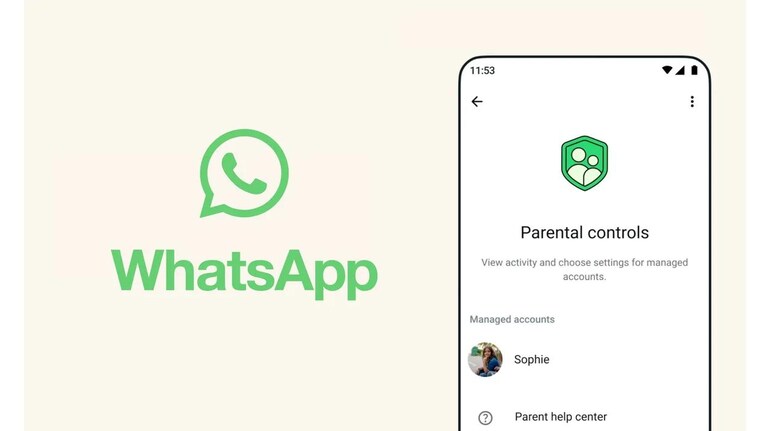
WhatsApp has introduced parent-managed accounts for children under 13. Here’s how parents can set up a supervised account, link it to their phone, and control contacts, messages and privacy settings.
March 13, 2026 / 18:54 IST
WhatsApp
Snapshot AI
  • WhatsApp launches parent-managed accounts for kids under 13
  • Parents can approve contacts and control privacy settings
  • Parents monitor group participation and messaging activity.

WhatsApp has introduced parent-managed accounts designed for children under the age of 13. The feature allows parents to supervise messaging activity and control privacy settings so younger users can stay connected more safely.

Instead of leaving moderation entirely to automated systems, the new setup lets guardians directly manage how their child’s WhatsApp account works. Once linked, parents can approve contacts, control group participation and manage privacy settings.

Here’s how to set up a parent-managed WhatsApp account for a child.

How to create a parent-managed WhatsApp account for your child

  • Install WhatsApp from the Google Play Store or Apple App Store on your child’s phone.
  • Open WhatsApp, select the language and tap Agree and continue.
  • Tap More options and select Create a parent managed account.
  • Add your child’s phone number and complete the verification process.
  • Enter the child’s date of birth to confirm they are under 13. In some regions, Apple or Google may automatically share the device user’s age range with WhatsApp.
  • Tap Continue to begin linking the child’s account to a parent account.

How to link your phone to your child’s WhatsApp account

  • Use your phone’s camera to scan the QR code shown on your child’s device. This will open the link needed to connect both accounts.
  • Tap Agree and continue when prompted so WhatsApp can verify adult supervision.
  • Set up a six-digit parent PIN. This PIN allows access to your child’s privacy and safety settings and should not be shared with the child.
  • Enter the PIN again and tap Next.
  • Tap Done to complete the setup on your child’s device.

What parents can control after setup

Once the accounts are linked, parents can configure several safety settings for the child’s account. For example, only approved contacts will be able to message or call the child. Parents can also review and approve group invitations through a Requests section before their child joins any group.

Children can still personalise their profile by adding their name and profile photo, but parents remain in control of the privacy and safety settings connected to the account.

 

Invite your friends and family to sign up for MC Tech 3, our daily newsletter that breaks down the biggest tech and startup stories of the day

Sarthak Singh Sarthak is an experienced writer having covered personal and consumer tech, gadgets news, social media trends, and more for several years
first published: Mar 13, 2026 06:53 pm

Discover the latest Business News, Sensex, and Nifty updates. Obtain Personal Finance insights, tax queries, and expert opinions on Moneycontrol or download the Moneycontrol App to stay updated!

Subscribe to Tech Newsletters

  • On Saturdays

    Find the best of Al News in one place, specially curated for you every weekend.

  • Daily-Weekdays

    Stay on top of the latest tech trends and biggest startup news.

Advisory Alert: It has come to our attention that certain individuals are representing themselves as affiliates of Moneycontrol and soliciting funds on the false promise of assured returns on their investments. We wish to reiterate that Moneycontrol does not solicit funds from investors and neither does it promise any assured returns. In case you are approached by anyone making such claims, please write to us at grievanceofficer@nw18.com or call on 02268882347