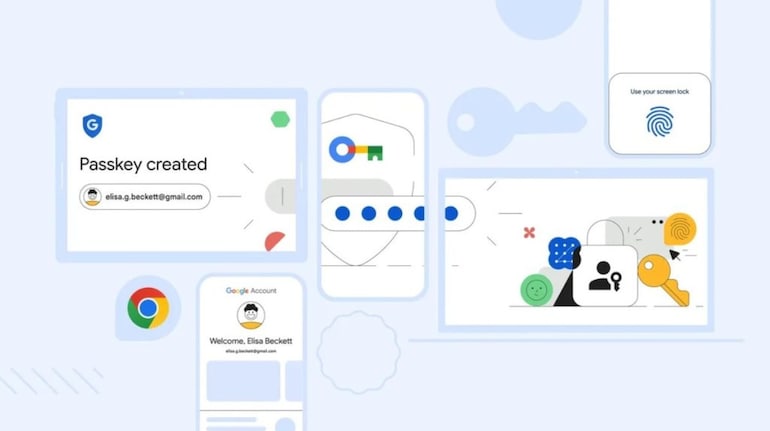
Google is making it easy for Chrome users by enhancing the way they use their saved passwords in the Chrome browser. The company is making it simpler to sign in without passwords across various devices, enabling users to create a Google Password Manager. Previously, Passkeys, which offer a secure and convenient way to sign into apps and websites using biometrics like fingerprints, face recognition, or screen locks, were only saveable to Google Password Manager on Android.
If you wanted to use them on other platforms, that involved a slightly unwieldy process of scanning QR codes. However, Google, via its new blog post, announced that it would make it easier to use Passkeys on Chrome across various devices with cross-platform support to save and sync the encrypted keys to Google Password Manager.
This Passkey support will be available on Windows, macOS, and Linux. Additionally, beta access for Chrome OS, and while iOS support isn’t ready yet, it will be available soon. With the new update, once a passkey is saved, it will sync automatically across devices, making signing in or using your saved passwords by just entering your biometrics.
An extra layer of security
Google has also added that the Google Password Manager will come with a PIN to create and access passkeys across devices. This PIN adds extra security by ensuring that your passkeys remain end-to-end encrypted and inaccessible to intruders. Hence to access Passkey on any device you’ll need to use either your Google Password Manager PIN or the screen lock on your Android device.
This is particularly convenient for Chrome users, particularly those who use the browser on various operating systems, there’s no need to download additional apps to access saved passwords.


Discover the latest Business News, Sensex, and Nifty updates. Obtain Personal Finance insights, tax queries, and expert opinions on Moneycontrol or download the Moneycontrol App to stay updated!





Find the best of Al News in one place, specially curated for you every weekend.
Stay on top of the latest tech trends and biggest startup news.