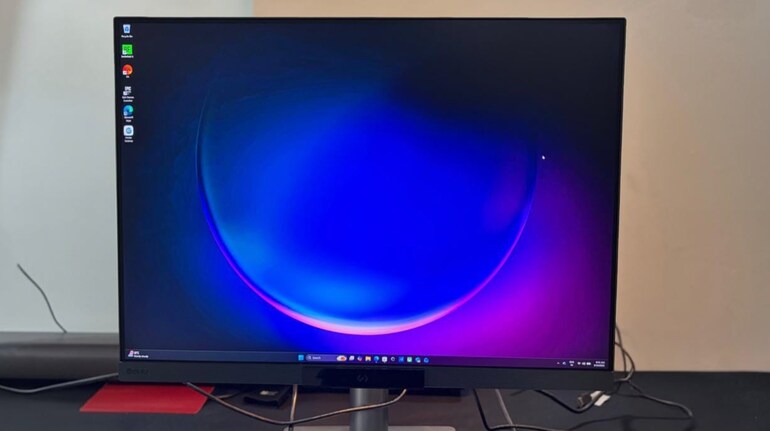

When it comes to BenQ, the brand has managed to create categories within categories. And, this new BenQ RD280UG which is a monitor is being pitched at a 'Programming Monitor' and on paper it carries all the bells and whistles that a monitor much have to qualify as one. For instance, there's the Moon Lighting mode, dedicated programing settings to adjust the colours and tones of the panel to reduce eye fatigue and also a host of customisations that users may need to make things more personalised. But at the same time, BenQ has baked in the regular viewing modes -- like Game, Cinema, M-Book and so on.
There’s a growing category of monitors that aren’t trying to be everything for everyone. Instead, they’re built with a specific user in mind. The BenQ RD280UG falls squarely into that camp. It’s a programming-focused monitor that prioritises readability, vertical space, and long-hour comfort over the usual gaming or creative-centric metrics.
On paper, the RD280UG stands out with its 28-inch 4K+ panel, a 3:2 aspect ratio, 120Hz refresh rate, and features like MoonHalo backlighting and dedicated coding modes. But beyond the spec sheet, the real question is whether these additions meaningfully improve the experience of someone who spends hours staring at lines of code.
After using it for extended work sessions, the answer isn’t straightforward — but it is interesting. Let's find out.
Design and display
The RD280UG doesn’t try to stand out in terms of the way it looks visually in the way gaming monitors do. Instead, it leans into a clean, understated design that fits well into a work setup. The rear panel features a subtle metallic finish, and the circular MoonHalo lighting system is the most distinctive design element — more on that later.
The 28.2-inch display size feels slightly unusual at first, especially paired with the 3:2 aspect ratio. But this is where the monitor begins to justify its positioning. Compared to a standard 16:9 display, the extra vertical space is immediately noticeable. You scroll less, you see more lines of code at once, and long documents feel less cramped.
Resolution is another highlight. The 4K+ panel ensures that text appears sharp, which matters more for coding than raw colour vibrancy. Fonts look clean even at smaller sizes, and there’s a level of clarity that reduces strain over time.
The Nano Matte panel does its job well. Reflections are minimal, and the screen remains usable even in well-lit environments. But that’s intentional. The goal here is consistency and comfort rather than visual punch. And, not that the vibrance or the colours are faded -- it is not as much as you would find in a glossy panel.
The 120Hz refresh rate might seem unnecessary for a programming monitor, but in daily use, it does make a difference. Scrolling through code, browsing, and general navigation feel smoother. And, it is an important feature to have while dealing with long codes -- this reduces ghosting in the text and unnecessary blurring and in the longer run it helps a lot.
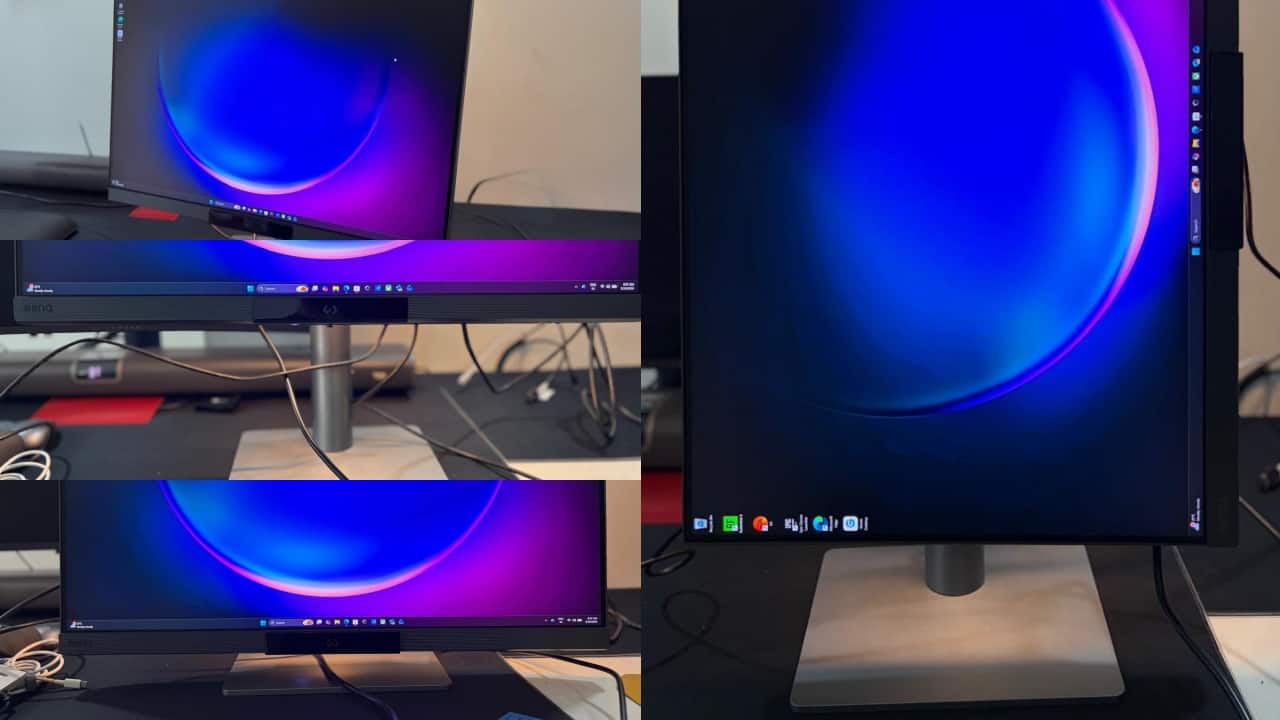
For that added comfort, the monitor can tilt, sweivel and can also height adjust as per the requirement.
Performance and usability
Where the RD280UG starts to separate itself is in how it handles long working sessions.
The 2000:1 contrast ratio is higher than typical IPS panels, and it shows in text clarity, especially when working in dark mode. Backgrounds look deeper, and text stands out more clearly. This becomes particularly useful when switching between light and dark themes depending on ambient lighting.
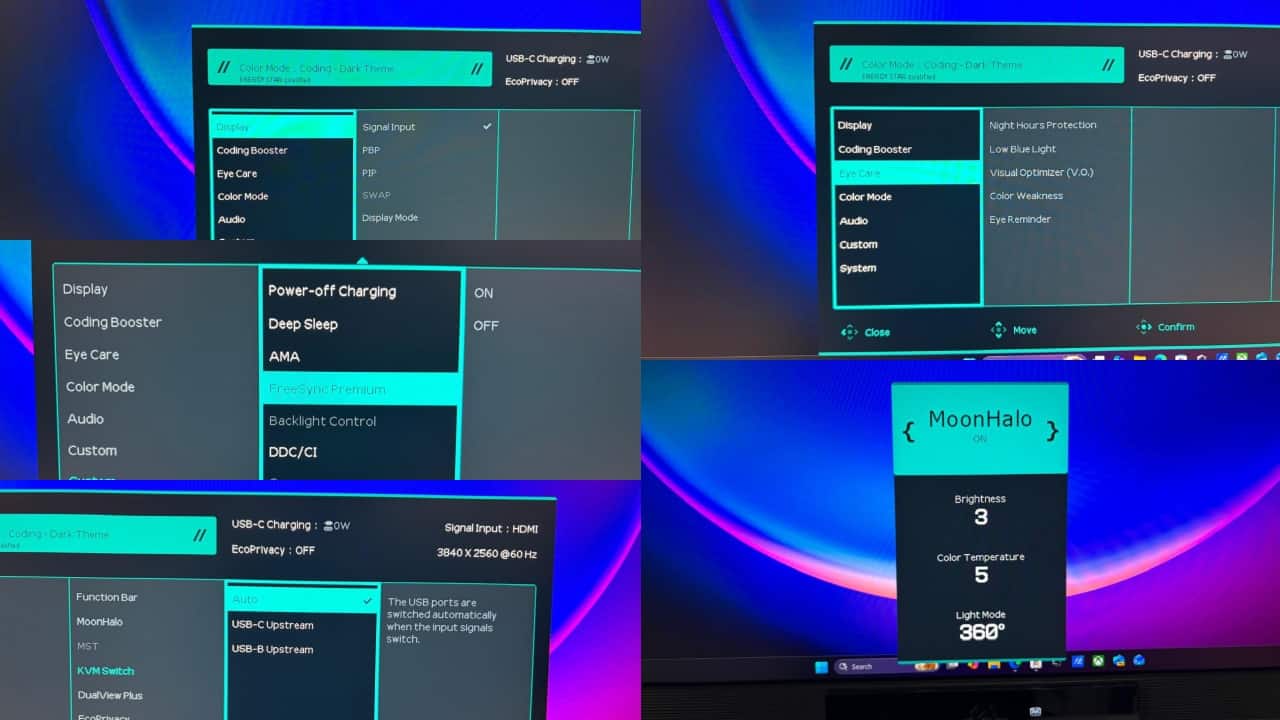
BenQ’s coding modes are not just marketing additions. The display offers dedicated presets tuned for coding environments, including dark theme, light theme, and a paper-like mode. The Paper Colour mode is particularly interesting — it reduces contrast and mimics the feel of reading printed text. It’s not something you’ll use all the time, but during long reading or documentation sessions, it feels easier on the eyes.
 BenQ adjustments
The inclusion of Night Hours Protection is another practical touch. The monitor can go down to very low brightness levels, which helps during late-night work without overwhelming your eyes. Combined with low blue light and flicker-free certifications, the RD280UG clearly prioritises eye comfort.
One of the more underrated aspects is the 3:2 ratio in multitasking. When working with split windows — say, code on one side and documentation on the other — the layout feels more natural than on a wider display. It’s a small shift, but over time, it improves workflow efficiency. And, the aspect ration also enables a good viewing experience if you are using it in portrait mode.
Features and connectivity
The RD280UG isn’t short on features, but what stands out is how many of them are actually useful.
The MoonHalo backlight is perhaps the most visible addition. It’s a circular lighting system at the back of the monitor that provides ambient illumination. Unlike typical RGB lighting, this is designed to reduce eye strain by balancing the contrast between the screen and surrounding environment. In practice, it works best in dim rooms. It’s subtle, customisable, and more functional than decorative.
Connectivity is straightforward but practical. The monitor supports USB-C with 90W power delivery, which means you can connect and charge a laptop with a single cable. This is particularly useful for MacBook or thin-and-light users who want a clean desk setup.
 BenQ modes
There’s also built-in KVM functionality, allowing you to switch between multiple devices while using the same keyboard and mouse. For users juggling a work laptop and personal system, this becomes genuinely useful over time.
Daisy chaining support is present, though with typical limitations depending on the device you’re using. For most users, the single-monitor experience is where the RD280UG feels most natural anyway.
The Display Pilot 2 software adds another layer of control. It allows you to tweak settings, manage modes, and customise workflows directly from your system. It’s not essential, but it complements the monitor’s positioning as a productivity-focused tool.
Ergonomics and comfort
If there’s one area where the RD280UG delivers consistently, it’s ergonomics.
The stand supports height adjustment, tilt, swivel, and pivot, making it easy to find a comfortable position. The 3:2 aspect ratio also makes vertical orientation particularly useful, especially for reading long documents or reviewing extended code blocks.
The combination of low reflection, eye-care features, and ambient lighting creates a setup that feels designed for long hours. It’s not about making the display look impressive at first glance — it’s about making it sustainable to use over time.
Verdict
Priced at Rs 64,990, the BenQ RD280UG is built with a clear focus on developers and professionals who spend long hours working with text-heavy content. The 3:2 aspect ratio and sharp 4K+ resolution offer more vertical space, which makes coding, reading, and writing more efficient in daily use. Features like MoonHalo lighting and dedicated coding modes add to long-session comfort without feeling unnecessary.
However, its positioning limits broader appeal. It is not intended for gamers (who are into super hight refresh rates or the gaming aesthetics). For users who can benefit from its layout and features, the RD280UG delivers a practical and purpose-driven experience that focuses on usability over general versatility.


Discover the latest Business News, Sensex, and Nifty updates. Obtain Personal Finance insights, tax queries, and expert opinions on Moneycontrol or download the Moneycontrol App to stay updated!
Find the best of Al News in one place, specially curated for you every weekend.
Stay on top of the latest tech trends and biggest startup news.