





Moneycontrol PRO
LAMF
LAMF

Apple Music brings Dolby Atmos support to Windows, here’s how to enable it

To make this work on a Windows PC, you’ll need to install the Dolby Access app, which enables Atmos playback on supported hardware.
April 06, 2025 / 22:45 IST
Apple Music

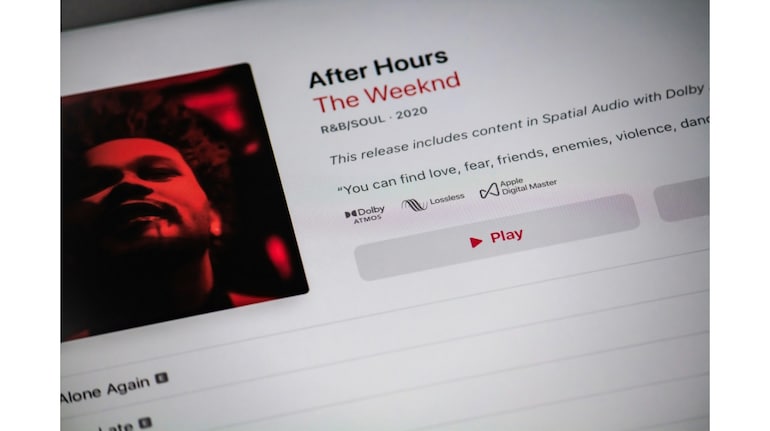
Apple Music listeners on Windows can now enjoy tracks in Dolby Atmos, Apple’s take on immersive spatial audio, designed to make your music sound more three-dimensional—whether you’re using stereo headphones or Dolby Atmos-compatible speakers.

Things to keep in mind

To make this work on a Windows PC, you’ll need to install the Dolby Access app, which enables Atmos playback on supported hardware.

Once that’s done, enabling the feature is pretty straightforward through the Apple Music app.

Here’s how to set it up:

  • Open the Music app on your Windows device.
  • Click the More button in the top sidebar and head to Settings.
  • Under the Playback tab, choose your preferred Dolby Atmos option from the pop-up menu.
  • If you want to download tracks in Dolby Atmos quality, go to the General tab and check the Download Dolby Atmos box.

If you’re already playing a track and want to switch audio quality on the fly, click the Audio Quality Settings button in the playback controls and adjust the Dolby Atmos setting from there.

Albums and songs available in Dolby Atmos are marked with a Dolby icon, so you can quickly tell if you’re about to dive into spatial audio territory.

Do keep in mind that Dolby Atmos and Apple Music may not be available in all regions, so check Apple Support if you don’t see the options.

Invite your friends and family to sign up for MC Tech 3, our daily newsletter that breaks down the biggest tech and startup stories of the day

MC Tech Desk Read the latest and trending tech news—stay updated on AI, gadgets, cybersecurity, software updates, smartphones, blockchain, space tech, and the future of innovation.

Discover the latest Business News, Sensex, and Nifty updates. Obtain Personal Finance insights, tax queries, and expert opinions on Moneycontrol or download the Moneycontrol App to stay updated!

Subscribe to Tech Newsletters

  • On Saturdays

    Find the best of Al News in one place, specially curated for you every weekend.

  • Daily-Weekdays

    Stay on top of the latest tech trends and biggest startup news.

Advisory Alert:

It has come to our attention that certain individuals are representing themselves as affiliates of Moneycontrol and soliciting funds on the false promise of assured returns on their investments. We wish to reiterate that Moneycontrol does not solicit funds from investors and neither does it promise any assured returns. In case you are approached by anyone making such claims, please write to us at grievanceofficer@nw18.com or call on 02268882347


