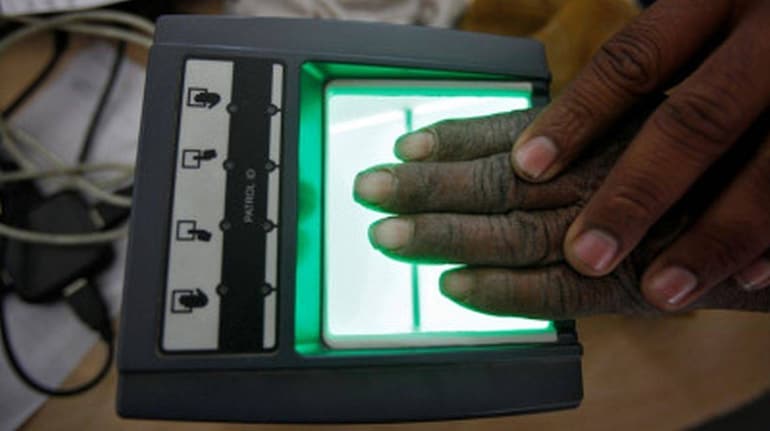
To safeguard privacy in Aadhaar-related transactions, the UIDAI offers an Aadhaar Virtual ID—a 16-digit temporary ID that can be used instead of your Aadhaar number. This virtual ID can be used for services requiring Aadhaar authentication, enhancing privacy by keeping your actual Aadhaar number confidential and allowing easy ID updates as needed.
Aadhaar is essential for accessing various government services and benefits in India. With the increasing importance of data privacy, the Unique Identification Authority of India (UIDAI) introduced the Aadhaar virtual ID.
What is an Aadhaar virtual ID?
The Aadhaar virtual ID is a temporary, revocable number that serves as an alternative to your actual Aadhaar number. It allows you to authenticate your identity without exposing your sensitive details, thereby enhancing your privacy and security. This feature is particularly beneficial for users who are wary of sharing their Aadhaar number for fear of misuse.
On the UIDAI homepage, look for the “My Aadhaar” tab. Under this menu, you will find the option for generating and retrieving your virtual ID. Click on the relevant link to proceed.
To generate a virtual ID, you must authenticate your Aadhaar. You can do this in two ways:
· Biometric authentication: Use your fingerprint or iris scan at a nearby Aadhaar enrolment centre.
· OTP authentication: Enter your registered mobile number to receive a One-Time Password (OTP). This OTP will be sent to the phone number linked to your Aadhaar.
Once you successfully authenticate, follow the on-screen instructions to generate your virtual ID. The system will provide you with a new 16-digit virtual ID. This ID can be used for various services instead of your Aadhaar number.
After generation, make sure to securely note down your virtual ID. It can be used for transactions requiring Aadhaar verification, ensuring that your actual Aadhaar number remains confidential.
Retrieving your virtual ID
If you need to retrieve your virtual ID, follow these steps:
1. Return to the UIDAI website.
2. Select the option to retrieve your virtual ID.
3. Authenticate your Aadhaar using either biometric or OTP methods
4. The system will display your existing virtual ID.
Benefits of using a virtual ID
Using a virtual ID offers several advantages:
· Enhanced privacy: Your actual Aadhaar number is not shared during authentication, reducing the risk of identity theft.
· Revocability: If you feel your virtual ID has been compromised, you can easily generate a new one.
· Convenience: The virtual ID can be used in any service that requires Aadhaar authentication, streamlining processes without exposing your sensitive data.
Important points to remember
· Validity: The virtual ID remains valid for authentication until you generate a new one. Always check for updates on UIDAI's website regarding any changes in policy or usage.
· Use cases: The virtual ID can be used for KYC processes, accessing government services, and more, making it versatile for various needs.
By following the steps outlined above, you can easily generate and retrieve your virtual ID, ensuring that you can engage with the Aadhaar system safely.
Discover the latest Business News, Sensex, and Nifty updates. Obtain Personal Finance insights, tax queries, and expert opinions on Moneycontrol or download the Moneycontrol App to stay updated!
Find the best of Al News in one place, specially curated for you every weekend.
Stay on top of the latest tech trends and biggest startup news.