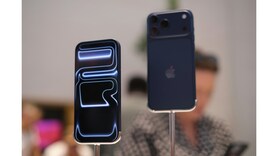
Open your phone’s built-in measuring appMost modern phones come with a preinstalled measuring tool. iPhones have the Measure app, while many Android phones include a similar tool in Google’s Measure or AR features. Just open the app, allow camera access and point it at the object you want to measure. Let your phone detect flat surfaces automaticallyMove your phone around slowly so the camera can scan the floor, wall or table. You will see dots or lines appear, which means the app has detected a surface. This helps your phone understand the space and ensures your measurements are accurate. Tap again to lock the endpointOnce you reach the other end of the object, tap again to mark the finish. The app will instantly show you the measurement on screen. You can measure length, width and height simply by repeating the process from different angles. . Tap to set your starting pointPoint the camera at the edge of the object and tap to mark the beginning. A small circle or dot will appear. Then slowly move your phone along the object’s length. The app keeps drawing a virtual line as you move, almost like dragging a digital tape measure. Save or screenshot your measurements for laterAfter measuring, many apps let you copy the numbers or even save them with a photo. If not, just take a quick screenshot. This helps when you're shopping for furniture, planning room decor or checking whether something fits in a particular space.