

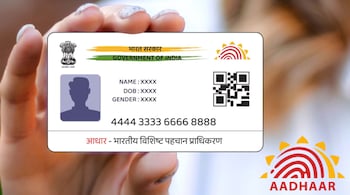
The Aadhaar Mobile Number Update service through IPPB and the official Aadhaar mobile app eliminates the need for paper forms or photocopies. Users can complete the process using only their fingerprint for verification. The service is available at all post offices and through rural Gramin Dak Sevaks (GDS), ensuring accessibility across urban and rural areas.
How to update your Aadhaar mobile number
Visit your nearest India Post Payments Bank (IPPB) branch or post office.
Alternatively, in rural areas, a Gramin Dak Sevak (GDS) can visit your home to complete the process.
Provide your Aadhaar number and the new mobile number you want to link.
Authenticate using your fingerprint on the biometric device.
Once verified, your mobile number will be instantly updated in the Aadhaar database.
You will receive an SMS confirmation on your new mobile number once the process is completed.
Key advantages
No documents or forms required — completely paperless.
Biometric verification ensures authenticity and security.
Updates are processed instantly, usually within five minutes.
Available across India, including remote areas through postal agents.
Using the mAadhaar app
Users can also check the update status or access digital Aadhaar features through the mAadhaar app:
Download the app from Google Play Store or Apple App Store.
Register your Aadhaar number and verify it using OTP.
Use the app to verify updates, download e-Aadhaar, or generate QR codes for identity proof.
Discover the latest Business News, Sensex, and Nifty updates. Obtain Personal Finance insights, tax queries, and expert opinions on Moneycontrol or download the Moneycontrol App to stay updated!





