

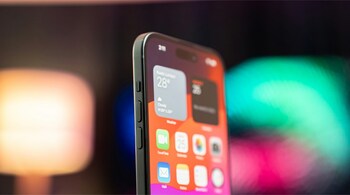


When Apple launched the iPhone 14 Pro in 2022, it quietly redefined how the front of the iPhone works. Instead of simply hiding sensors behind a static notch, Apple turned the cutout into an active part of the interface. That design is called Dynamic Island, and it has since expanded beyond the Pro models to become a core part of the modern iPhone experience.
At a hardware level, Dynamic Island is made up of the pill-shaped cutout and the hole punch that house the TrueDepth camera system. What makes it different is how Apple uses software to visually merge those cutouts into a single shape. Pixels around the area light up, stretch and contract, allowing the island to change size depending on what information it needs to show.
On newer devices such as the iPhone 15 lineup, iPhone 17 series and iPhone Air, Dynamic Island behaves like a floating status bar. It is always visible, but rarely intrusive. Instead of interrupting you with banners or pop-ups, it quietly surfaces important information exactly where your eyes already are.
Dynamic Island is Apple’s replacement for the notch introduced with the iPhone X. While the notch simply sat there, the island reacts. It expands to show alerts, shrinks when idle and splits into multiple sections when more than one background activity is running.
Not all iPhones have it. In the iPhone 14 generation, Dynamic Island was exclusive to the Pro and Pro Max models, while the standard iPhone 14 retained the older notch. From the iPhone 15 onwards, Dynamic Island became standard across Apple’s flagship phones, with the exception of the entry-level iPhone 16e, which still uses a notch.
In daily use, Dynamic Island handles two broad categories of information: system alerts and live background activities.
On the alert side, it shows things like Apple Pay confirmations, privacy indicators when the camera or microphone is active, AirDrop transfers, AirPods connection status, charging indicators, silent mode changes, Face ID activity, CarKey actions, AirPlay connections, Focus mode switches, shortcut triggers, SIM warnings, NFC interactions and Find My alerts. These updates appear briefly, then retreat without disrupting what you are doing.
For background activities, Dynamic Island becomes more interactive. It can display turn-by-turn Maps directions, ongoing phone calls and call duration, music playback progress, active timers, live sports scores via Live Activities, SharePlay sessions, screen recordings, voice memo recordings and Personal Hotspot connections. Instead of occupying the entire screen, these tasks stay neatly tucked into the island.
Interaction is simple. A single tap on Dynamic Island usually opens the relevant app. If music is playing or a timer is running, a long press expands the island into a compact control panel, letting you pause playback, skip tracks or manage timers without leaving your current app.
Dynamic Island can also juggle multiple activities at once. For example, if you are listening to music while a timer is running, the island splits into two shapes: a larger pill and a smaller circle. You can tap either one to interact with the corresponding activity or swap their positions.
There is no setting to completely disable Dynamic Island, but you can dismiss animations. Swiping left or right across the island hides the current animation while allowing the background activity to continue uninterrupted. The island then returns to its neutral state.
Rather than being a visual gimmick, Dynamic Island is Apple’s attempt to make multitasking feel lighter and more contextual. It reduces interruptions, keeps essential information visible and turns a necessary hardware cutout into something genuinely useful.
Discover the latest Business News, Sensex, and Nifty updates. Obtain Personal Finance insights, tax queries, and expert opinions on Moneycontrol or download the Moneycontrol App to stay updated!





