

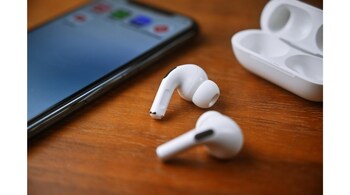
Apple’s iOS 26 update brings several new features, but one of the most practical additions might be one that most users haven’t noticed yet. A new setting called ‘Keep Audio with Headphones’ finally lets you stop your iPhone’s audio from being hijacked by nearby Bluetooth devices such as car stereos or wireless speakers — a frustrating issue many AirPods users have dealt with for years.
If you’ve ever had your AirPods suddenly disconnect and your music start blasting through a car or Bluetooth speaker without warning, this new option is for you. The feature gives users explicit control over where their iPhone’s audio output stays, ensuring that once you’re connected to your AirPods or wireless headphones, the audio remains there unless you decide otherwise.
To enable it, go to Settings > General > AirPlay & Continuity, and toggle on ‘Keep Audio with Headphones’. When turned on, your iPhone will prioritise your AirPods or Bluetooth headphones even if another paired device — like a car or a smart speaker — tries to connect.
Apple describes the feature as: “When using AirPods or other wireless headphones, keep audio with headphones when other devices like speakers or cars connect to iPhone.” In short, it’s a simple yet highly effective fix for a long-standing annoyance.
The option is switched off by default, likely because some users still prefer automatic switching between devices. However, for those who frequently face unwanted audio takeovers, it’s a welcome addition.
The timing of this new setting may also tie in with Apple’s expanded support for automatic CarPlay switching in iOS 26, giving users finer control over how their iPhone interacts with nearby devices. Like other settings under AirPlay & Continuity, this new toggle offers more predictable, user-defined Bluetooth behaviour across AirPods, HomePods, Macs, and cars.
Discover the latest Business News, Sensex, and Nifty updates. Obtain Personal Finance insights, tax queries, and expert opinions on Moneycontrol or download the Moneycontrol App to stay updated!





