

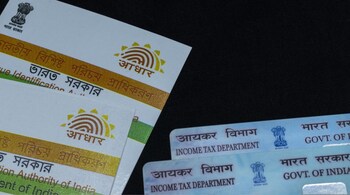
Updating your Aadhaar card address is essential to ensure smooth access to financial services, government schemes, and identity verification processes. The Unique Identification Authority of India (UIDAI) allows citizens to make changes to their address online through the myAadhaar portal, eliminating the need to visit physical centers. All you need is a registered mobile number and valid address proof.
Step-by-step process to update Aadhaar address online
1. Visit the myAadhaar website and log in using your 12-digit Aadhaar number, captcha, and the OTP sent to your registered mobile number.
2. Click on the ‘Address Update’ option.
3. Select ‘Update Aadhaar Online’ and click ‘Proceed to Update Aadhaar’ after reading the instructions.
4. Choose ‘Address’ as the field to update.
5. Enter your new residential details, including “Care of” (C/O) if needed. Select the correct post office and upload a scanned copy of your valid address proof.
6. Review the details carefully, pay the non-refundable fee of Rs 50, and submit the application.
7. Save the Service Request Number (SRN) generated after submission, which will help you track your update status.
Documents accepted for Aadhaar address update
UIDAI accepts a wide range of address proof documents. Commonly used ones include:
• Passport
• Voter ID or Ration Card
• Bank or Post Office Passbook/Statement
• Driving Licence
• Utility bills (electricity, water, gas, telephone) issued within three months
• Property tax receipt (within one year)
• Registered or unregistered rent/lease deed
• Insurance policy documents
In addition, you may be asked to provide a valid Proof of Identity (PoI) such as PAN card, Passport, or Voter ID.
Once the request is submitted, you can track progress using the Update Request Number (URN):
• Go to the UIDAI website.
• Click ‘Check Aadhaar Update Status’ under the My Aadhaar section.
• Enter the URN and captcha, then click submit.
• The current status will be displayed.
Downloading the updated Aadhaar
After approval, you can download your updated Aadhaar from the myAadhaar portal by selecting ‘Download Aadhaar’ and authenticating via OTP. The updated card will be available as a PDF, which you can print and use.
Keeping your Aadhaar address current ensures hassle-free identification for banking, telecom, and government-related services. UIDAI also recommends updating Aadhaar details every 10 years for accuracy.
FAQs
1. How many times can I update my Aadhaar address?
You can update your Aadhaar address online multiple times, but UIDAI may ask for fresh supporting documents each time.
2. Can I update my Aadhaar address without proof of address?
No, you must upload valid proof of address. However, if you don’t have documents, you can use the Address Validation Letter feature through an address verifier.
3. How long does it take for the Aadhaar address update to be approved?
Generally, it takes around 7 working days, though in some cases it may extend to 15 days depending on verification.
4. Will I get a new Aadhaar card after updating my address?
Yes, you can download the updated Aadhaar from the UIDAI portal. A physical copy can also be ordered by paying a nominal fee of Rs 50.
5. Is the Rs 50 fee refundable if my request is rejected?
No, the update fee of Rs 50 is non-refundable even if UIDAI rejects the application.
Discover the latest Business News, Sensex, and Nifty updates. Obtain Personal Finance insights, tax queries, and expert opinions on Moneycontrol or download the Moneycontrol App to stay updated!





