

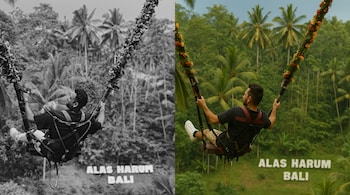
If you’ve ever wanted to see what your parents or grandparents might have looked like in colour, ChatGPT can help restore old black-and-white photos with an AI-powered process that’s now simpler than ever. With its newly acquired image editing capabilities, ChatGPT can do a lot of things other than just creating Ghibli images. ChatGPT can realistically colourise portraits, street scenes, or vintage landscapes with a single detailed prompt.
How it works
OpenAI’s image tools in ChatGPT allow users to upload black-and-white photos and apply precise instructions to colorize them. Unlike filters or generic apps, this method offers more control — from skin tone accuracy to period-appropriate clothing and background colours.
Once you upload an old photo, the model processes it through an internal image editing engine that follows your instructions closely, preserving facial textures, contrast, and natural lighting.
The exact command prompt
Here’s the most effective prompt to paste when uploading a black-and-white image into ChatGPT:
Prompt:
“Convert this black and white photo into a naturally colourised version with accurate skin tones, realistic lighting, and historically appropriate colors. Preserve original details, textures, and contrast. Avoid over-saturation, stylised effects, or visible AI artefacts. The result should look like an authentic color photograph, not AI-generated. Maintain natural skin textures and accurate eye color if it's a portrait. For street or landscape scenes, ensure realistic sky, foliage, fabric, and surface tones are used. Prioritise true-to-life color balance and subtle enhancements that retain the photo’s original atmosphere and essence.”
How to convert black and white photos into colour
Step 1: Upload your photo
Click the image icon in the chat window and upload your black-and-white photograph. Scanned images work best, ideally in high resolution.
Step 2: Paste the command prompt
Use the detailed prompt mentioned above.
Original vs ChatGPT coloured photos
We tried converting a colour image to black and white and then asked ChatGPT to convert it into the colour photo. Here’s our detailed comparison.
The original photo showcases natural lighting and a cool-toned colour palette with a grey polo shirt, clear ambient light, and subtle shadows that lend the image a realistic, candid vibe. The skin tone appears slightly pale, and there’s minimal warmth, possibly due to indoor lighting and camera exposure settings. The sunglasses reflect the environment, and fine textures in the fabric and hair are clearly visible.
In comparison, the first ChatGPT-generated image (middle) subtly enhances the warmth of the lighting, giving the scene a sun-kissed tone. The skin tone appears more vibrant and natural, and the lighting looks more even. However, the polo shirt colour remains grey, closely matching the original, with only a hint of tonal correction. There is an overall cinematic touch that enhances the aesthetic without going overboard.
The second ChatGPT-generated image (last) introduces a major shift in the shirt’s colour—from grey to a warm rust brown, which significantly alters the image’s mood. While it gives a vintage flair, it also deviates from realism. This version also further softens textures and smoothens the skin, making it look a bit stylised, though still photo-like.
Both AI-enhanced images preserve facial features well and improve colour balance, but the second takes more creative liberties.
Discover the latest Business News, Sensex, and Nifty updates. Obtain Personal Finance insights, tax queries, and expert opinions on Moneycontrol or download the Moneycontrol App to stay updated!





