

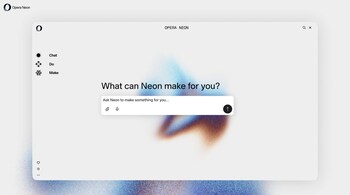
Opera has introduced a new round of upgrades to its Neon browser, strengthening its position in the increasingly competitive AI-focused browsing market. The latest update brings improvements across research, chat and productivity tools, expanding the browser’s appeal for users who rely heavily on integrated AI workflows.
The standout feature is a new one-minute Deep Research mode for the Opera Deep Research Agent, first introduced last October. This mode is designed for situations where users need more than a quick AI response but do not require a full, extensive research session. Opera says the system breaks down tasks into smaller parts and assigns them to multiple parallel “researchers” to deliver results much faster. It sits between an instant AI reply and the more time-intensive full Deep Research workflow, offering a practical middle ground.
The update also brings a model selector to Neon Chat, allowing users to switch between AI models instantly without restarting the conversation. Google’s Gemini 3 Pro and Nano Banana Pro models are now available within the browser, giving users more flexibility depending on the type of task they are handling. The ability to change models mid-thread is one of the more useful additions for users who want to compare responses or escalate complexity on the fly.
Another major upgrade is the expansion of Neon’s Do agent, which now integrates with Google Docs. This was one of the most requested features, according to Opera. Users can create a new Google Doc by selecting the Do agent in the omnibox and including that instruction in their prompt. The agent can also edit existing documents, add or remove content, fetch information from the web when needed and even rename files. These capabilities make Neon more suitable for writing, research and collaborative tasks.
The latest update demonstrates Opera’s intent to keep Neon competitive by improving speed, enhancing model flexibility and adding real productivity integrations. As AI-powered browsers continue to evolve, these small but meaningful additions help Neon stand out for users looking for a smoother and more adaptable AI experience.
Discover the latest Business News, Sensex, and Nifty updates. Obtain Personal Finance insights, tax queries, and expert opinions on Moneycontrol or download the Moneycontrol App to stay updated!





