

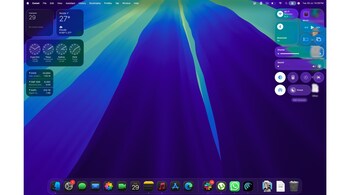
Apple has finally dropped the public beta of macOS 26, aka Tahoe, and let’s get this out of the way: it’s a big one. Visually, it’s the boldest macOS update in over a decade. But this time, Apple isn’t just playing dress-up. From practical phone-calling features to powerful Spotlight upgrades and automation tools that actually feel usable, Tahoe is more than a cosmetic refresh. And one that firmly closes the chapter on Intel Macs.
Liquid Glass: Pretty, flashy, but not for Mac?
The first thing you notice is the new design language. Apple calls it “Liquid Glass,” and it brings the translucent, slightly sci-fi aesthetics of visionOS right onto your Mac. Think: brighter windows, glowing sidebars, and app icons with softer curves. It looks different — but it’s also a bit loud. The margins in apps like Messages and Contacts feel unnecessarily wide, almost like Apple’s trying to future-proof macOS for some yet-to-exist hybrid device. It feels more right on the iPhone and iPad than on the Mac.
That said, there are meaningful visual tweaks too. You can finally colour-code folders more easily — not just Tags, but the entire folder. You can even slap on emojis or custom icons for quick identification. It’s the kind of visual personalisation that’s been weirdly absent from macOS all this time. Also: the menu bar is now transparent by default, and thankfully, you can manage which icons appear so they don’t vanish behind your webcam notch. It’s about time.
Phone calls on Mac just got legit
One of the most underrated additions in Tahoe is the full Phone app. Yes, we’ve had call support via FaceTime and iPhone mirroring before, but this is different. Now, you get a native Phone interface — recent calls, voicemails, keypad, the works — and it can be surprisingly useful.
Hold Assist is especially smart: when you call a helpline and get stuck in a queue, your Mac waits on your behalf and alerts you when a real person picks up. No need to listen to elevator music for 15 minutes.
There’s also a new Call Screening feature, which prompts unknown callers to state who they are and why they’re calling. It’s the kind of screening Pixel phones have done well for years, but it’s finally here on macOS — and without needing third-party apps.
And yes, you can still leave your iPhone in another room. The temptation to doomscroll is real, but Tahoe lets you take calls, read voicemails, and even get live delivery or ride-share updates straight on your desktop.
Shortcuts: Finally worth using
Automation on macOS has always been powerful but clunky. AppleScript? Niche. Automator? Abandoned. Shortcuts? Too basic… until now.
In Tahoe, Shortcuts finally feels mature. You can set up automations based on triggers — say, when a file is added to a folder, your battery dips below 20%, or an email arrives from your boss. These aren’t power-user-only tricks anymore. You don’t need to write a line of code, and it doesn’t feel like a science project. Just point, click, build, done.
This will save real time for people who work in creative or admin-heavy workflows. And it also gives Apple a strong counterpoint to Windows 11’s Power Automate tools.
Real-time Translation: Surprisingly good
Tahoe also gets a new live translation feature. Both Messages and Phone calls can now translate speech and text in real time. You speak or type in your language, they receive it in theirs, and vice versa.
This is the kind of feature that usually comes with disclaimers about accuracy, lag, and app support — but Apple’s implementation is pretty seamless, at least in my early tests. If you work across geographies or have friends or clients who speak other languages, this isn’t a gimmick. It’s genuinely useful.
Compatibility and the end of Intel
macOS Tahoe runs on all M1 and newer Macs, plus a handful of late Intel models like the 2020 iMac and Mac Pro. But this is the last stop for Intel. Apple has said that Rosetta 2 — which lets Intel apps run on Apple silicon — will be severely restricted in the next macOS release. Tahoe is the bridge. After this, it’s silicon or nothing.
Should you try the beta?
If you’re on Apple silicon and not mission-critical dependent on legacy software, Tahoe’s public beta is surprisingly stable. But if you rely on apps with spotty update histories — or your Mac is your livelihood — maybe wait till the full release this fall.
Still, macOS 26 feels like a turning point. Apple is moving fast, folding in features from iOS, visionOS, and even its own pro user feedback. The result? A more polished, personal, and powerful Mac experience. One that’s not just about looking good — but getting things done.
Discover the latest Business News, Sensex, and Nifty updates. Obtain Personal Finance insights, tax queries, and expert opinions on Moneycontrol or download the Moneycontrol App to stay updated!





