

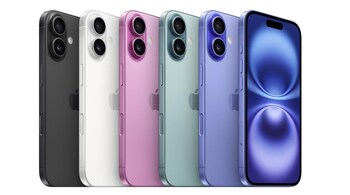
Apple has finally added the option to lock individual apps on iPhone and iPads with the iOS 18 update. The feature is now available to all iPhones and iPads running iOS 18 or iPadOS 18 and if you are looking to lock an app, here’s our step-by-step guide. Along with this, we’ve also highlighted some important things that you need to keep in mind. Read on.
Lock apps on iPhone: Things you should know
The app lock feature is a part of iOS 18 update. The phone needs to be updated to get the feature.
On iPhones, the app lock works with Face ID, while on iPad it is facilitated with Touch ID. The passcode option is available on both.
Some built-in iPhone and iPad apps like Calculator, Camera, Clock, and Settings cannot be locked using this method.
Once locked, information from the app won’t appear in notifications, search results, or Siri suggestions.
Children under 13 in a Family Sharing group can’t lock apps. Teens between 13 and 17 can lock apps, but parental controls may allow guardians to monitor usage.
Lock apps on iPhone: Step-by-step guide
Navigate to your iPhone or iPad's home screen where your app is located.
Touch and hold the app icon you want to lock until a menu appears.
Tap on the option that reads “Require Face ID,” “Require Touch ID,” or “Require Passcode,” depending on your device’s security settings.
You will need to authenticate your identity using Face ID, Touch ID, or a passcode to confirm the app lock.
Steps to unlock an app on iPhone
Locate the locked app on your Home Screen.
Touch and hold the app icon, then tap “Don’t Require Face ID” (or Touch ID/Passcode) from the menu.
Confirm your action by using Face ID, Touch ID, or a passcode.
Discover the latest Business News, Sensex, and Nifty updates. Obtain Personal Finance insights, tax queries, and expert opinions on Moneycontrol or download the Moneycontrol App to stay updated!





