

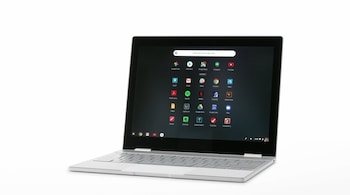


Google has introduced a suite of updates to ChromeOS and educational Chromebooks designed to help teachers and students collaborate, learn, and stay productive, the company said in a blog post about its BETT 2026 announcements.
At the heart of the update are enhancements to Class tools, a collection of features aimed at supporting real-time engagement in managed classroom environments. Teachers will soon be able to mirror their own or a student’s Chromebook screen to classroom displays with a new Class tools display app, helping highlight work for discussion or clarification. A screen annotation feature also lets teachers draw or mark up content during lessons, adding a layer of interactivity to instruction.
ChromeOS continues to lean heavily on AI, especially on Chromebook Plus devices. With Gemini in Chrome rolling out more broadly to these devices, both students and educators can get instant insights, summaries, and assistance with dense texts, videos, and online content. This can help simplify lesson planning, extract key ideas, and assist students with comprehension tasks in real time — useful for both research and study sessions.
In addition to software enhancements, Google is supporting schools with new hardware options. Chromebook Plus devices with touchscreens, detachable designs, and stylus support offer flexible setups for different learning styles — from traditional typing tasks to note-taking and sketching. New Chromebox OPS devices allow schools to convert existing classroom displays into ChromeOS-connected systems, further extending the platform’s reach without requiring wholesale hardware replacements.
The ChromeOS experience is also becoming more collaborative with features that help with content creation, like text capture for extracting information and Quick Insert with Image Generation, which aids in generating high-quality educational visuals for emails, lesson plans, or presentations.
Google’s BETT 2026 announcements emphasise greater classroom interaction, smarter learning tools, and deeper AI integration, reflecting a broader trend in education technology that seeks to blend teacher-led instruction with intelligent, adaptive systems that elevate both teaching and learning experiences
Discover the latest Business News, Sensex, and Nifty updates. Obtain Personal Finance insights, tax queries, and expert opinions on Moneycontrol or download the Moneycontrol App to stay updated!





