

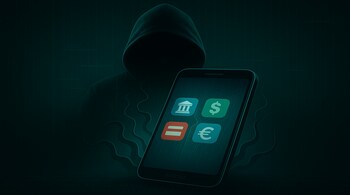
A dangerous new version of the Android malware known as Godfather is back and posing a significant threat to mobile banking users. This time, it uses advanced virtualisation techniques to stealthily hijack banking apps, steal login credentials, and manipulate transactions—all without raising any suspicion from the user or Android’s built-in protections.
How Godfather malware works?
The latest variant of Godfather creates isolated virtual environments directly on the infected Android device. It uses open-source tools like VirtualApp and Xposed Framework to embed a virtualisation engine within the malicious APK itself. Once a user installs the malware, it scans the device for targeted apps, which include more than 500 banking, crypto, and e-commerce apps globally.
If a target is found, Godfather launches the genuine app inside a controlled container using a technique known as StubActivity. This allows the malware to present the real app interface to the user, maintaining visual authenticity while gaining full control over the session in the background.
By intercepting app intents and using accessibility permissions, the malware records user interactions, including PINs, login credentials, and even backend communications with banking servers. To further mislead the victim, it displays fake lock screens or update messages while performing unauthorized transactions.
Why is it harder to detect?
Unlike traditional banking malware that overlays fake login screens, this version of Godfather runs the actual app inside a virtual shell. Only the host app appears in Android’s manifest, making it harder for security tools and users to detect foul play. The data exfiltration occurs seamlessly, and commands from the malware operators can be executed in real-time, enabling unauthorised transfers while the user remains unaware of any suspicious activity.
Tips to stay safe
• Download apps only from trusted sources like the Google Play Store. Avoid third-party APKs unless they come directly from verified developers.
• Enable Google Play Protect and keep it active to scan apps regularly for suspicious behaviour.
• Be cautious of apps asking for Accessibility Service permissions without a clear reason.
• Monitor battery and data usage—spikes in usage can indicate background malware activity.
• Use mobile security apps that can detect virtualisation frameworks or abnormal app behaviour.
The Godfather malware represents a new evolution in mobile threats, blending real app interfaces with deep system hooks to quietly siphon off your most sensitive data. Staying vigilant is the first line of defence.
Discover the latest Business News, Sensex, and Nifty updates. Obtain Personal Finance insights, tax queries, and expert opinions on Moneycontrol or download the Moneycontrol App to stay updated!





