

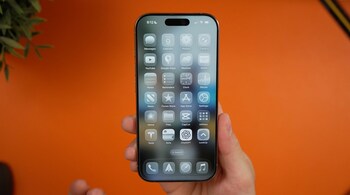
Apple’s Photos app continues to evolve with iOS 26, building on the major redesign it received last year. The latest update introduces a more refined look, improved navigation, and new immersive features while restoring some fan-favourite elements that were removed in iOS 18. Here’s what’s new.
Liquid Glass design
Apple’s new ‘Liquid Glass’ aesthetic now appears across all core apps in iOS 26, and Photos is no exception. Buttons, tabs, and menus now feature a translucent glass-like effect that subtly reflects the colours of your photos and videos. Apple has kept the look minimal so that the images remain the centre of attention, but the update still gives the interface a fresh and modern appeal.
Tab bar navigation returns
After removing the traditional tab bar in iOS 18 and receiving widespread criticism, Apple has brought it back in iOS 26. The Photos app now once again uses a three-tab layout: Library, Collections, and Search. While not identical to pre-iOS 18 versions, the return to a simpler navigation system makes browsing photos far more intuitive. Library functions as before, while Collections houses all the custom sections introduced in the last major redesign.
Spatialise your photos
Building on last year’s Vision Pro feature, iOS 26 now lets users “spatialize” images directly from their iPhone. A new button in the top-right corner of a photo activates ‘Spatial Scene’ mode, adding depth to the image so users can tilt or pan to view it from multiple angles. It’s a playful touch within the Photos app, but it truly shines when setting a Spatial Scene image as a Lock Screen wallpaper.
More customisation options
The Collections tab gains deeper personalisation features in iOS 26. Users can now choose between three view modes — all small, all large, or mixed sizes by default — through the three-dot menu at the top. Additionally, individual collections can now be collapsed or expanded, making it easier to manage large libraries without endless scrolling.
Event details screen
Apple has also added a smart contextual feature that recognises major events like concerts and sports matches. When viewing photos from these occasions, swiping up reveals an event details page. For sports, it shows information such as venue and final scores, while concert photos may display tour highlights and popular songs from the artist. Apple hasn’t clarified the threshold for which events qualify, but it’s a welcome addition for those who enjoy reliving shared experiences.
Discover the latest Business News, Sensex, and Nifty updates. Obtain Personal Finance insights, tax queries, and expert opinions on Moneycontrol or download the Moneycontrol App to stay updated!





