

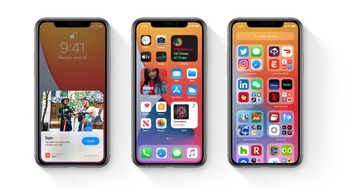
Apple has released iOS 14 for all models from iPhone 6s onward, and it comes with several prominent refinements. However, there are a lot of smaller handy changes that go un-noticed over these big changes. Here are 9 such features that you might have overlooked but are significant additions to your device.
1. India specific feature – iOS 14 has a couple of additions specifically for the Indian users. The big change is that messages can show full-screen effects when you send greetings in 22 Indian languages. Another significant addition to iOS 14 is an enhanced SMS filter that automatically sorts incoming text messages into Promotional, Transactional and Junk folder. Indian users can also now download and stream Apple TV+ shows over the data network. Along with these three, Siri is now available in Indian languages, and there are over 20 new documents fonts specific for India to give users more choice while typing.
2. Change default search engine – With iOS 14, Apple has offered one of the biggest requests of users: changing the default browser. You can now choose a third-party browser such as Google Chrome or Microsoft Edge as the default browser instead of Safari. Once you download the browser of your choice, head to Settings and scroll down till you see the settings for that browser. In the browser settings, you will see the option that says Default Browser App – tap on it and set your browser as the default. When you click on any app links, it will open in this browser instead of Safari.
4. Use an Apple Watch without iPhone – One of the significant restrictions with using Apple Watch has been that you need to have an iPhone to pair and use the watch. With iOS 14, Apple has introduced a Family Setup feature that works in tandem with WatchOS 7. Using family setup, a compatible watch (cellular version only) can be set up by an adult member of the family group for other members to function without an iPhone. Most functions will work over LTE directly on the watch.
5. Find out if your password is weak – With iOS 14, Apple has dialled up its privacy and security features as well. One of the key features in this is the ability to find out if any of your saved passwords in Safari is weak and should be changed to a more secure one. This is done by checking your saved passwords against passwords that have been known to be compromised.
6. Search for Emojis – Until now, the only way to find an emoji on iPhone’s keyboard was to browse through the entire list of emojis till you find the one you want to use. With iOS 14, Apple has added a search bar on top of the keyboard that lets you quickly find the relevant emoji to use by just typing the name of the expression you want to show using the emoji.
7. Do things by tapping on the back of your phone – Another significant change for iPhone users is the ability to execute commands or specific functions by tapping on the iPhone's back. You can enable these features by heading to Settings > Accessibility > Touch > Back Tap. Back tap lets you set functions for double-tap or triple-tap, such as taking a screenshot, launching Siri or launch a shortcut.
8. Always keep eye contact in Facetime – When doing a Facetime call, most of us usually look at the screen and not at the camera. This gives the impression that you are not paying attention to the caller on the other end. In iOS 14, you can enable a setting on your iPhone or iPad that would give the impression that you are looking at the camera during a Facetime call. Head to Settings > General > Facetime > Eye contact and enable it from there.
9. Family Subscription for apps – iOS 14 adds the option of family subscriptions for apps that allows a family to share a subscription-based app. This means that such a subscription for paid apps would no longer have to be purchased individually by each family member. The only requirement is that you can share it with only other members of your Family sharing setup.
(Karan Bajaj is a senior tech journalist based in Delhi)
Discover the latest Business News, Sensex, and Nifty updates. Obtain Personal Finance insights, tax queries, and expert opinions on Moneycontrol or download the Moneycontrol App to stay updated!





