

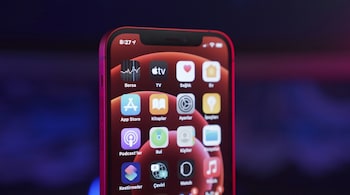
Apple’s Always On Display has remained mostly unchanged since its debut on the iPhone 14 Pro. With iOS 26, however, the company has quietly tweaked the way it works, and the difference may not please everyone.
Previously, the Always On Display simply dimmed your Lock Screen wallpaper while keeping essentials like the clock, date, widgets, and notifications visible. With iOS 26, wallpapers are now blurred by default when the screen dims. The move makes information clearer at a glance, but it also means the wallpaper you’ve chosen loses its character.
Fortunately, Apple hasn’t locked users into this change. A new toggle in Settings > Display & Brightness > Always On Display lets you turn off blurred wallpapers, restoring the original dimmed look that many prefer.
The Always On Display has always been a balance between utility and personalisation. Users could choose to keep their wallpaper visible, hide it entirely, or keep notifications at bay for a clean look. By forcing a blurred wallpaper as the default, Apple tilts the experience more towards practicality, but not everyone wants their Lock Screen photo to look like an abstract smear.
The feature still follows the same rules as before: the screen turns off entirely when face down, covered, in CarPlay, using Continuity Camera, when Sleep Focus is on, or in Low Power Mode. In those respects, iOS 26 behaves as expected.
For many, the blurred effect feels like a step back. If you are going to keep the wallpaper, you would rather see it clearly than in a softened, washed-out form. That said, at least Apple gives users the choice to switch back, which makes this more of an annoyance than a deal-breaker.
Discover the latest Business News, Sensex, and Nifty updates. Obtain Personal Finance insights, tax queries, and expert opinions on Moneycontrol or download the Moneycontrol App to stay updated!





