

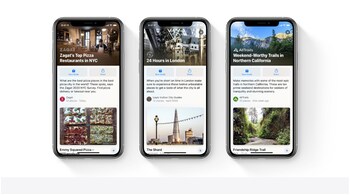
With iOS 26, Apple Maps introduced a new feature called Visited Places, which automatically records locations you visit. Designed to make navigation easier and allow users to quickly revisit or share favourite locations, the feature is enabled by default. However, many iPhone users may prefer not to have their movements tracked. Fortunately, you can turn off Visited Places and clear your history in a few simple steps.
How Visited Places works
Apple Maps automatically logs locations you visit and creates a list that can be viewed, managed, and organised. You can also add notes or share these locations with others. Apple assures users that the Visited Places list is end-to-end encrypted, but the tracking may still raise privacy concerns for some users.
How to disable Visited Places on iPhone
Open the Settings app.
Tap Apps and select Maps.
Go to Location.
Scroll down to Visited Places and toggle it off.
Once disabled, Apple Maps will no longer track your visits.
How to clear your Visited Places history
Open Apple Maps.
Tap Places and go to Visited Places.
Scroll down and select Clear History, then confirm by tapping Clear All.
Clearing your history removes stored location data, helping maintain your privacy and preventing apps from tracking past visits
Discover the latest Business News, Sensex, and Nifty updates. Obtain Personal Finance insights, tax queries, and expert opinions on Moneycontrol or download the Moneycontrol App to stay updated!





